
jmux
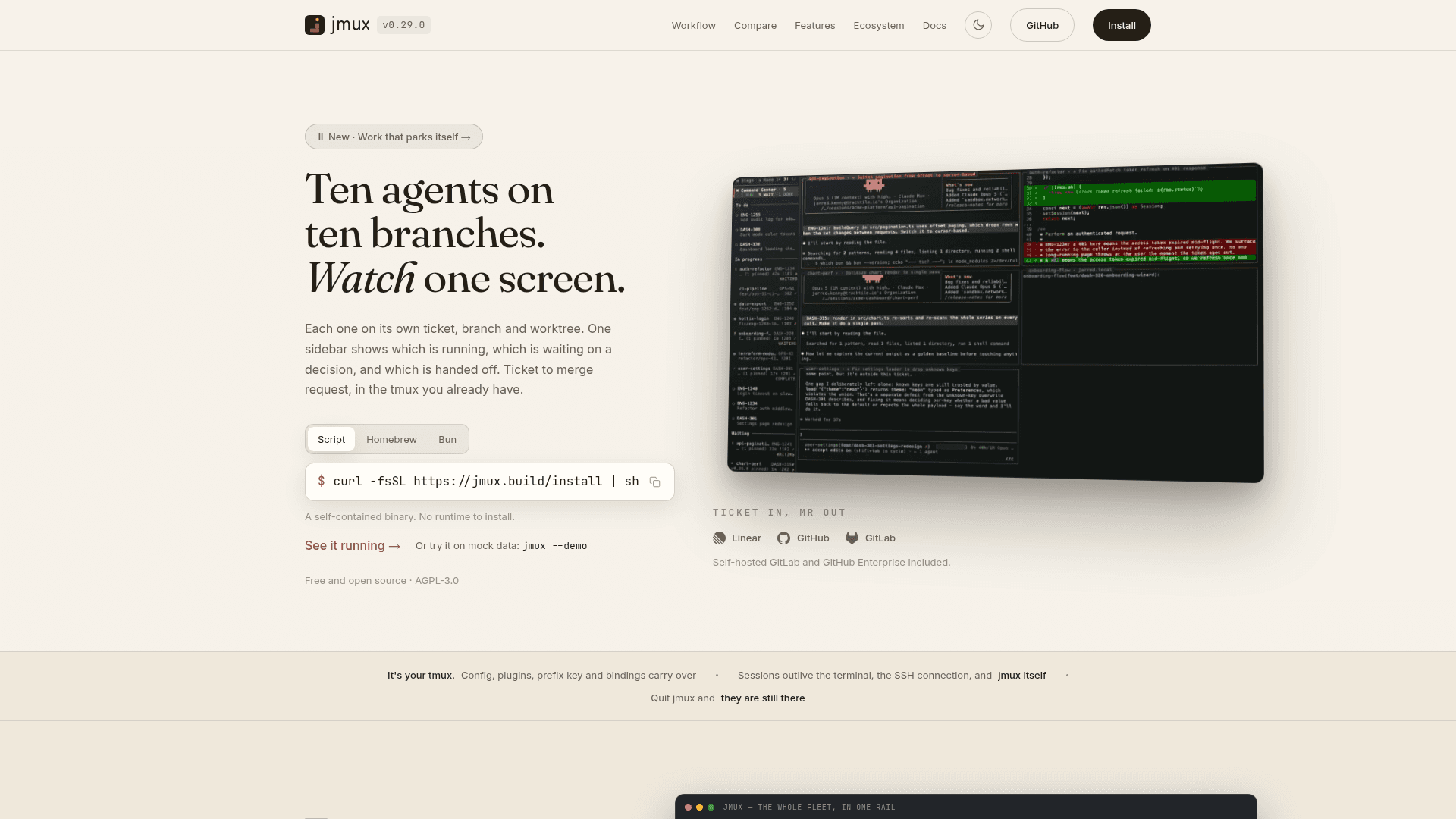
A tmux-based environment for running coding agents in parallel, with a sidebar showing every session's agent state and linked ticket, branch and merge request.
At a Glance
Free and open source jmux core under AGPL-3.0, self-installed as a binary, via Homebrew or npm.
Engagement
Available On
Listed Nov 2026
About jmux
jmux is an open-source terminal tool by jarredkenny that wraps a real tmux process to help run many coding agents in parallel. A persistent sidebar lists every session with its branch, merge request, CI status and agent state. The latest release listed is v0.29.0, published 2026-08-14, and the project is licensed under AGPL-3.0.
What It Is
jmux is a tmux environment for managing a fleet of coding agents such as Claude Code, Codex and pi, with any other terminal agent usable in a pane. Each ticket gets its own branch, worktree and session. The sidebar shows which agents are running, waiting on a decision, or handed off. It connects Linear issues with GitHub or GitLab merge requests, including self-hosted GitLab and GitHub Enterprise.
Workflow Stages and Parking
Users define their own workflow stages and map tracker statuses onto them. Sessions whose work has been handed off, such as in review or QA, collapse into a single Parked row. They return flagged when the issue moves, someone comments, the MR changes or a pipeline fails. Unstarted issues appear as dimmed rows in the sidebar. Pressing Enter on one creates the worktree, opens the session and starts the agent with the issue as context. Updating issue status in the tracker is opt-in.
Reviewing and Observing Agents
The Command Center shows a live grid of every agent pane, with borders colored by state. A side panel provides Diff, Issues, MRs and Review tabs, with the diff rendered by hunk. Agent run state comes from hooks installed by jmux --install-agent-hooks, and for Claude Code, context-window use and prompt-cache warmth are read from its OpenTelemetry stream. Where the terminal supports the kitty graphics protocol, issue screenshots render as images. A Chromium browser pane, powered by terminal-browser, currently requires Apple Silicon macOS.
Scripting and tmux Compatibility
jmux ctl exposes a JSON interface so an agent can start work from an issue, watch agent lifecycle events and flag sessions that need a human. Because jmux drives your existing tmux, your config, prefix key and plugins carry over, and sessions survive jmux being quit. A jmux --demo mode runs on mock data.
Community Discussions
Be the first to start a conversation about jmux
Share your experience with jmux, ask questions, or help others learn from your insights.
Pricing
Open Source
Free and open source jmux core under AGPL-3.0, self-installed as a binary, via Homebrew or npm.
- AGPL-3.0 license
- Self-contained binary install
- Homebrew and npm (Bun) install options
- Requires tmux 3.2+
- Linear, GitHub and GitLab integrations (self-hosted GitLab and GitHub Enterprise included)
Capabilities
Key Features
- Persistent session sidebar with branch, MR, CI and agent state
- User-defined workflow stages mapped to tracker statuses
- Automatic parking of handed-off sessions
- Unstarted issues shown in sidebar and started with one keypress
- Command Center live grid of agent panes
- Integrated diff panel using hunk
- MR approve and undraft from the panel
- Inline image rendering via kitty graphics protocol
- Chromium browser pane
- Context window and prompt-cache indicators for Claude Code
- jmux ctl JSON scripting interface
- Command palette
- Demo mode with mock data
- Keeps existing tmux config and plugins