KyttoMCP
A local desktop control panel for managing MCP servers across Claude Desktop, Claude Code, Cursor, VS Code, and Codex — without cloud sync or manual JSON editing.
At a Glance
Free throughout the Beta 1.0.6 release. No account, no sign-up, no cloud service. All features included.
Engagement
Available On
Alternatives
Listed Sep 2026
About KyttoMCP
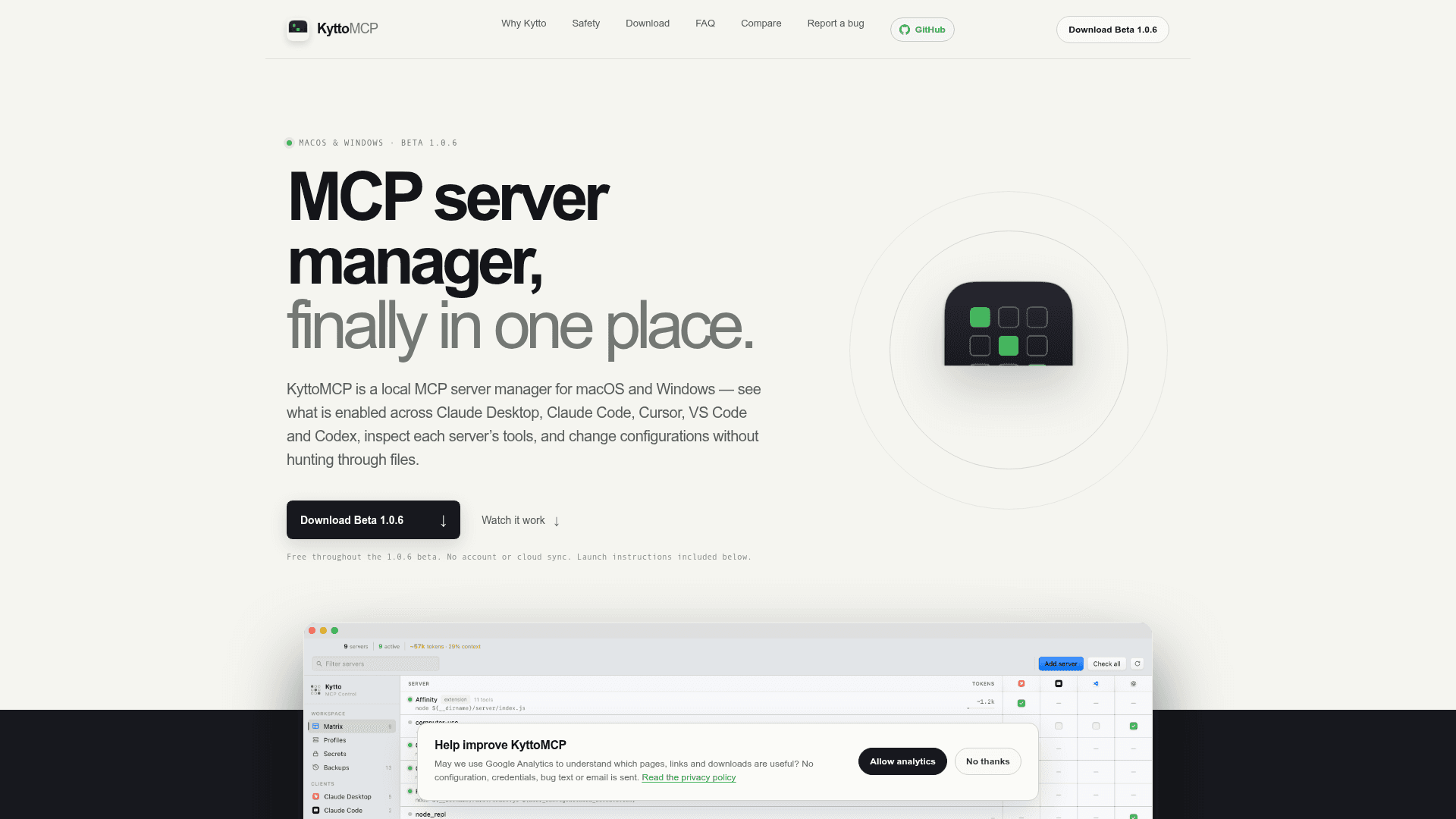
KyttoMCP is a local desktop application for macOS and Windows made by Jakub Studio that consolidates MCP (Model Context Protocol) server management into a single interface. Instead of hunting through scattered JSON and TOML configuration files across multiple AI clients, users get one unified workspace to inspect, toggle, and configure their MCP servers. The app is currently in beta (1.0.6) and is free to use with no account or cloud sync required.
What It Is
KyttoMCP is a client-side MCP server manager — not an MCP server itself, not a registry, and not a cloud service. It reads the configuration files that Claude Desktop, Claude Code, Cursor, VS Code, and Codex already maintain on your local machine and presents them in a unified control panel. Users can see which servers are active across which clients, run health checks, manage secrets, create profiles, and restore backups — all without leaving the app or editing raw config files by hand.
The Problem It Solves
Each AI client stores MCP configuration in a different location and format: Claude Desktop uses JSON in the Application Support folder, Claude Code splits its config across .claude.json and .claude/settings.json, Cursor uses ~/.cursor/mcp.json, VS Code has its own mcp.json, and Codex uses a TOML file. The core question — "what is actually enabled, where?" — had no single place to answer it before KyttoMCP.
Key Capabilities
- Client matrix: See every server against every client in one view; toggle servers on or off per client while Kytto respects each client's own format and rules
- Health inspection: Run an on-demand MCP handshake to see tools, prompts, resources, protocol details, stderr output, and token-weight estimates
- MCP Doctor: Turns config and health evidence into actionable findings — missing environment values, relative paths, failed handshakes — and previews fixes before writing
- Profiles: Save named MCP stacks (e.g., Coding, Research, Minimal), preview what will change, and apply to one client with backup safeguards
- Secrets management: Find and mask sensitive environment values, rotate a value everywhere it appears, and optionally store a Keychain copy
- Atomic backups: Every write checks for external changes, makes a timestamped backup, and writes atomically; backups are browsable and restorable inside the app
- Context optimizer: Estimates the full-schema token footprint of each server and profile as a consistent size comparison
- Optional Gateway mode: For supported stdio servers, preview a local Gateway route and move credentials into native storage
Local-by-Design Architecture
KyttoMCP operates entirely on the user's machine. There is no cloud account, no sync service, and no remote upload of configuration or credentials. Anonymous diagnostics are opt-in and off by default, and the diagnostic payload is deliberately incapable of carrying configuration, file paths, or error text even when enabled. Gateway activity logging is metadata-only with payload capture off.
Update: Beta 1.0.6
The current release is Beta 1.0.6, described as a reliability release. According to the changelog, configuration writes, the Claude Code toggle, profile storage, launch-at-login, and the macOS updater now report what actually happened, and a change that cannot be completed is rolled back instead of being left half-applied. The macOS build is universal (Apple Silicon and Intel). The app is not yet signed with paid Apple or Microsoft developer certificates, so first-launch requires bypassing Gatekeeper or SmartScreen warnings. The GitHub repository was created in August 2026 and last updated in September 2026, indicating active early development. The source code is proprietary and closed, though the repository hosts releases, the changelog, and the issue tracker.
Community Discussions
Be the first to start a conversation about KyttoMCP
Share your experience with KyttoMCP, ask questions, or help others learn from your insights.
Pricing
Beta
Free throughout the Beta 1.0.6 release. No account, no sign-up, no cloud service. All features included.
- Unified MCP server matrix across all supported clients
- On-demand health checks and MCP Doctor
- Profiles, backups, and atomic writes
- Secrets management
- Context optimizer
Capabilities
Key Features
- Unified MCP server matrix across Claude Desktop, Claude Code, Cursor, VS Code, and Codex
- On-demand MCP health checks with tools, prompts, resources, stderr, and token-weight estimates
- MCP Doctor for actionable diagnostics and previewed fixes
- Named profiles (e.g., Coding, Research, Minimal) with preview and per-client apply
- Secrets management with masking, rotation, and optional Keychain storage
- Atomic writes with timestamped backups and in-app restore
- Context optimizer for full-schema token footprint estimation
- Optional Gateway mode for stdio servers with metadata-only activity logging
- Built-in server catalog plus manual entry
- Read-only custom source attachment (JSON, JSONC, TOML)
- Undo support with exact backup restoration
- No cloud account or sync required