
LLM Radar
A macOS app that monitors which local AI models are loaded in memory or stored on disk and lets you unload or delete them.
At a Glance
Monitoring stays free forever.
Every Pro feature available for 7 days from first launch.
Engagement
Available On
Alternatives
Listed Nov 2026
About LLM Radar
LLM Radar is a macOS app from dataweal that shows which local AI models are running on a Mac, how much memory they hold, and how much disk space they use. It is built for Apple silicon Macs running macOS 14 or later. The vendor describes it as an Activity Monitor for local AI.
What It Is
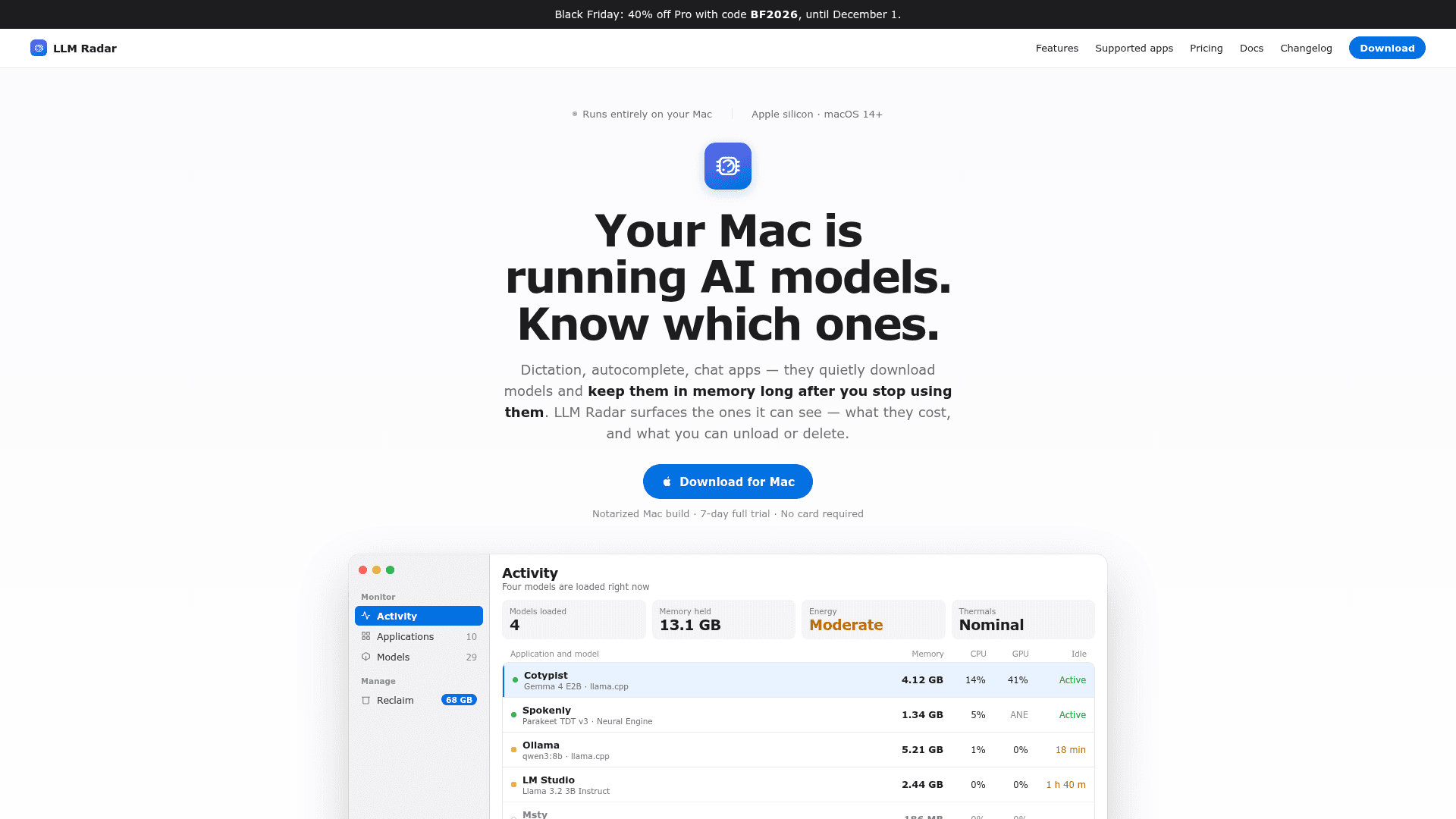
Local AI models used by dictation, autocomplete and chat apps are loaded into memory and often stay there after use. LLM Radar scans for apps that can run a model, model files on disk, and which models are currently loaded. It presents them in one list with a running memory total, CPU, GPU or Neural Engine use, and idle time. A menu bar item shows live memory use and allows one-click unload.
How the Workflow Works
After installing, the user grants Full Disk Access so the app can see model files inside other apps' folders. It reads names, sizes and dates only. From there the user can unload idle models, quit apps, reveal files in Finder, and, with Pro, delete models that were not observed in use. Nothing is removed until confirmed, and deletions go to the Trash by default. Memory is broken down into model weights, KV cache and app overhead.
Supported Runtimes and Apps
The site lists adapters for Cotypist, Spokenly, Ollama, LM Studio, Jan, GPT4All, Msty, Buzz, whisper.cpp, MLX/mlx-lm, Docker Model Runner and Apple Foundation Models. A catch-all scan flags large weight files from unlisted apps. The known-app list can update without an app update. Duplicate models across runtimes are matched and shown as pairs, and proxy apps such as Msty are not double-counted.
Privacy and Data Handling
There is no account or sync. Anonymous usage counters are on by default and can be switched off in settings. Crash reports are off by default. Licensing runs through Lemon Squeezy and updates through a signed Sparkle feed.
Update: Version 1.0.11
The changelog lists version 1.0.11 (22 November 2026) with improved licence activation. Version 1.0.10 added detection of models from apps not yet supported, and 1.0.8 added an offer to move the app to Applications.
Community Discussions
Be the first to start a conversation about LLM Radar
Share your experience with LLM Radar, ask questions, or help others learn from your insights.
Pricing
Free
Monitoring stays free forever.
- Monitoring remains free after the trial
- No account, no sign-in
Free trial
Every Pro feature available for 7 days from first launch.
- All Pro features for 7 days
Single
Pro lifetime licence for one Mac (Black Friday 40% off with code BF2026; regular price $9.99).
- Everything in Free, plus
- One Mac activation · lifetime licence
- One-time purchase · Licence key arrives by email
Personal
Pro lifetime licence for up to three Macs (Black Friday 40% off with code BF2026; regular price $14.99).
- Everything in Free, plus
- Three Mac activations · lifetime licence
- One-time purchase · Licence key arrives by email
Capabilities
Key Features
- Live activity view of loaded local models with memory, CPU, GPU and Neural Engine use
- Application and model inventory
- Menu bar item with live memory total and one-click unload
- Reclaim Space view for models not observed in use
- Delete models to Trash (Pro)
- Runaway Memory Guard, RAM budget warnings, memory budget and battery saver (Pro)
- Duplicate model detection across runtimes
- Catch-all scan for unsupported apps' model files
- Memory split into weights, KV cache and app overhead
- Signed automatic updates via Sparkle