
Manta UI
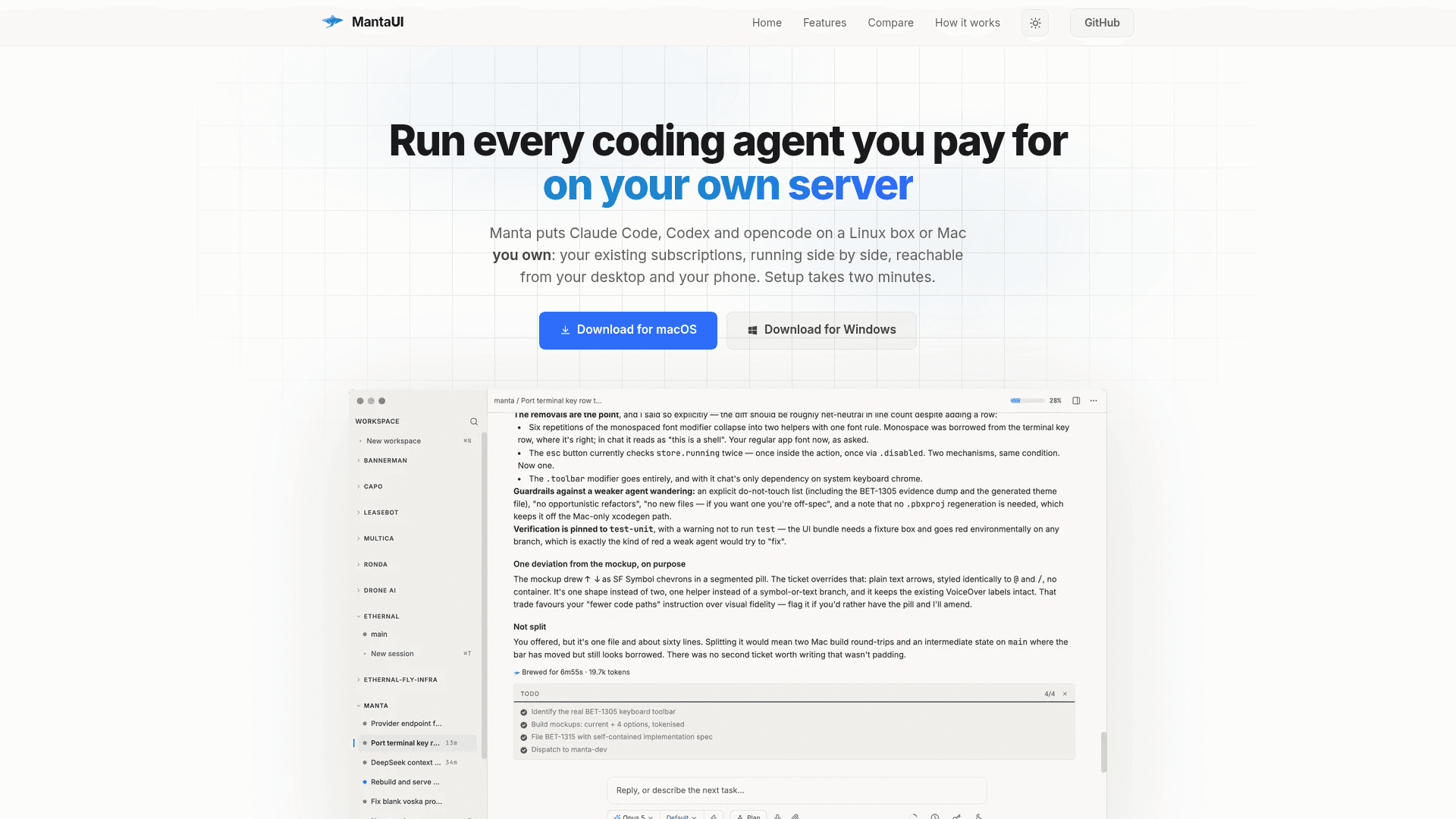
Self-hosted, open-source client that runs Claude Code, Codex, opencode, and other coding agents on your own Linux box or Mac, accessible from desktop, browser, and iPhone.
At a Glance
The entire product — server, desktop client, iPhone client, and install script — MIT licensed and self-hosted. No seat count, no workspace limit, no hosted control plane, no future paid tier.
Engagement
Available On
Listed Aug 2026
About Manta UI
Manta UI is an MIT-licensed, self-hosted platform built by Antoine de Chassey that puts coding agents — Claude Code, Codex, opencode, and Kimi Code — on a Linux server or Mac you own, then gives you a polished client on desktop, browser, and iPhone to drive them from anywhere. Setup takes roughly two minutes: the desktop app connects over SSH, installs its own runtime, starts a system service, provisions a Let's Encrypt certificate, and hands you a six-digit pairing code for additional devices. No terminal work, no port forwarding, no Manta account required.
What It Is
Manta UI is a self-hosted coding-agent harness. It wraps real tmux sessions on your own hardware with a readable chat interface, inline diffs, live command output, and mobile push notifications. The server component (manta-server) runs on your box at port 8787; Caddy terminates TLS and reverse-proxies a provisioned <box_id>.boxes.mantaui.com hostname so every paired device reaches the same sessions over HTTPS. The desktop app (Electron) and iPhone app (native SwiftUI) are thin clients over a JSON-RPC endpoint and Server-Sent Events stream — no relay hop, no data routed through Manta's infrastructure except push notification fanout via APNs.
Architecture and How It Works
The server is the box. Sessions, transcripts, uploads, schedules, and secrets all live in ~/.manta* on your machine. The desktop and phone clients connect directly to your box's public hostname; the only Manta-operated service in the path is gateway.mantaui.com, which handles Apple Push Notification signing and DNS automation. Authentication uses a 128-bit box_token bearer secret obtained once via a six-digit, one-time, five-minute pairing code minted loopback-only on the box. Two window types coexist per tmux window: a raw terminal (xterm.js over a WebSocket PTY) or a chat panel (an opencode session).
Key technical components:
- Transport:
/rpc(JSON over HTTPS) for requests,/events(SSE) for streaming, WebSocket for terminal PTYs - State: plain text and JSON in
~/.manta/— reversible, forkable, no vendor migration - Installer: self-contained tarball with a vendored Node runtime; box needs only
curl,tar,sha256sum,tmux, andgit - Agent tools:
schedule,webhook,notify,secrets,peers,delegate,serve-page— callable by the agent like any other tool
Agent-Native Features
Beyond basic session management, Manta exposes a set of opencode tools that agents can call directly:
- Parallel worktrees: background agents each get their own git worktree and branch, never touching the main checkout
- Scheduled and triggered work: cron prompts or CI webhook wake-ups, so work starts without you present
- Secrets by reference: agents use credentials by name; values never enter the transcript
- Peer sessions: agents can see and message sibling sessions in the same workspace
- Approve from anywhere: when an agent requests permission to run something, a button appears on whichever device you're holding
- Notifications with escalation: desktop-first, phone push once you walk away — never both simultaneously
Open-Source Deployment Model
The entire product — server, desktop client, iPhone client, and install script — is MIT licensed and published at antoinedc/MantaUI on GitHub. There is no hosted tier, no Manta account, no per-seat fee, and no paid roadmap items. The pricing page explicitly states there will be no future paid tier. Telemetry is an optional log-shipper that sends nothing unless a token is set. The project compares itself to Orca and Conductor, noting those tools run agents on your Mac while Manta runs them on a server you own and gives every device the same window onto the work.
Platform and System Requirements
Manta ships signed macOS DMGs (Apple Silicon, macOS 13+), a Windows x64 installer (Windows 10/11), and an iPhone app via TestFlight. The server runs on any always-on Linux box or Apple Silicon Mac — the project notes a $5 VPS is sufficient. Linux boxes need tmux, git, and inbound TCP 80/443; macOS boxes skip Caddy and Let's Encrypt and connect over Tailscale or loopback. A Linux desktop AppImage is available by building from source.
Community Discussions
Be the first to start a conversation about Manta UI
Share your experience with Manta UI, ask questions, or help others learn from your insights.
Pricing
Manta
The entire product — server, desktop client, iPhone client, and install script — MIT licensed and self-hosted. No seat count, no workspace limit, no hosted control plane, no future paid tier.
- Server with tmux, opencode, push, schedules, webhooks, secrets, peer sessions, per-device pairing
- Desktop client (Electron) with xterm.js, React chat panel, file upload, screenshot detection, voice dictation
- iPhone app (native SwiftUI) with full feature parity and push delivery
- In-app updates or git pull — both free
- No seat count
Capabilities
Key Features
- Self-hosted coding agent runner (Claude Code, Codex, opencode, Kimi Code)
- Two-minute SSH-based server setup with automatic certificate provisioning
- Real tmux sessions underneath every agent window
- Desktop app (Electron) for macOS and Windows
- Native iPhone app via TestFlight with full feature parity
- Readable transcripts with inline diffs and live command output
- Approve agent actions from any paired device
- Desktop-first push notifications with phone escalation
- Parallel git worktrees for background agents
- Scheduled prompts via cron and webhook triggers
- Secrets management by reference (values never enter transcripts)
- Full-history search across all sessions and agents
- Voice dictation, file drag-and-drop, and screenshot paste
- Peer session messaging between sibling agents
- serve-page tool to publish HTML to a public URL
- MIT licensed, no account required, no hosted control plane
- Optional telemetry (off by default)
- Self-updating server via in-app update or git pull