
MarkAny
MarkAny is a web converter that turns PDF, Word, Excel, PowerPoint, HTML, EPUB, images, and pasted text into Markdown, and exports Markdown back to other formats.
At a Glance
Try both directions before you subscribe; 5 conversions when you create an account.
Engagement
Available On
Listed Nov 2026
About MarkAny
MarkAny is a web-based Markdown converter that works in two directions. It batch-converts PDF, Word, Excel, PowerPoint, HTML, EPUB, images, and pasted text into Markdown with automatic OCR, and it exports Markdown to Word, PDF, HTML, images, EPUB, PowerPoint, or Excel.
What It Is
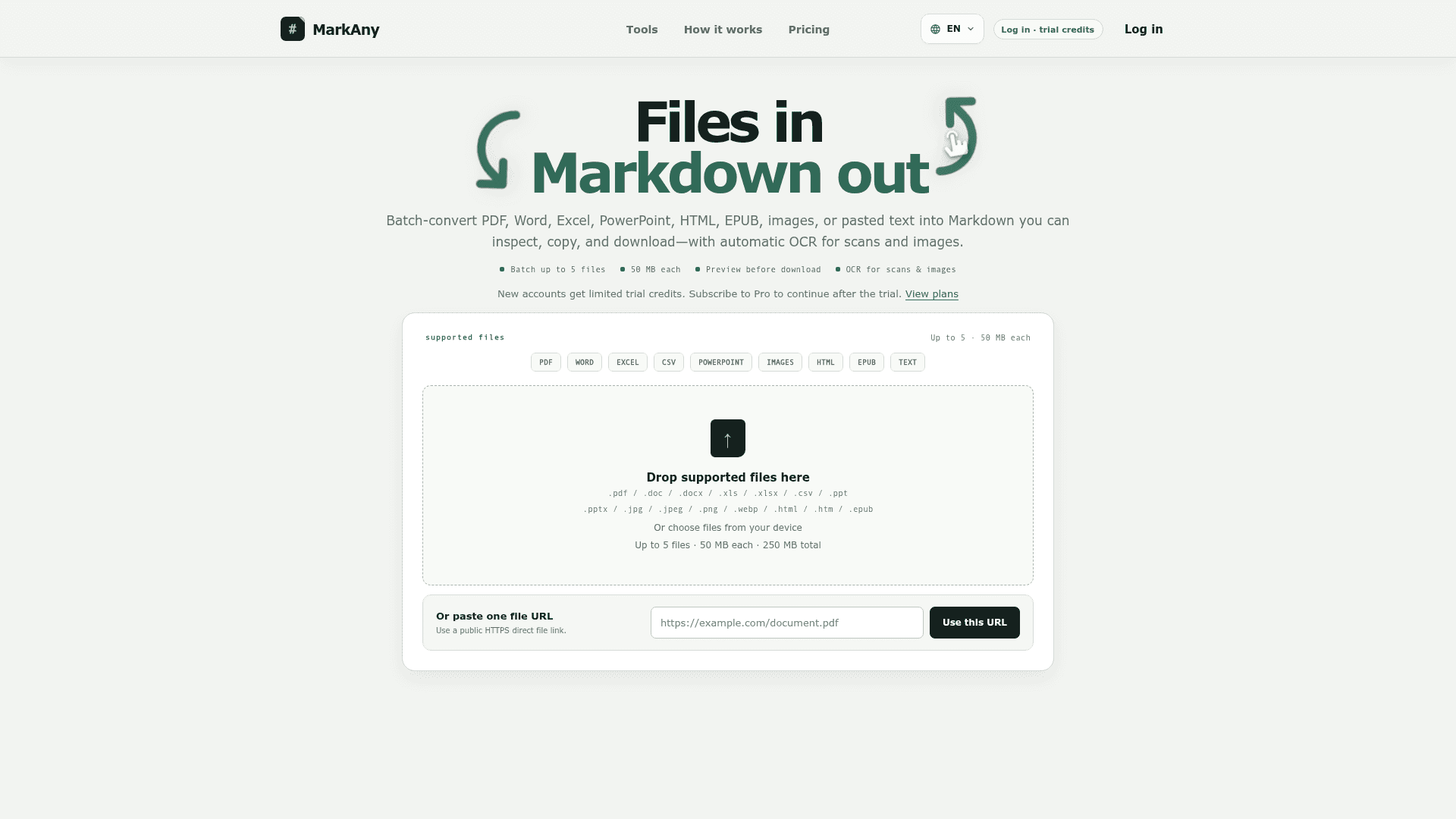
MarkAny makes Markdown the middle layer between document formats. On the file-to-Markdown side, users drop in files or paste a public HTTPS file link, and the service maps headings, paragraphs, lists, tables, links, and images to Markdown where the source exposes them. Scanned PDFs and supported images go through OCR automatically, with no language-selection step.
Converting Files to Markdown
Users can add up to five files of one supported type per batch, 50 MB each and 250 MB in total, with up to two conversions running at once. Each file shows its own status (waiting, converting, completed, needs-review, failed, or cancelled), so successful results stay available if another file fails and failed items can be retried individually. Results can be previewed, copied, or downloaded as .md files. When images are extracted, a ZIP keeps the Markdown and relative image paths together.
The site says complex layouts such as multi-column pages, text boxes, merged cells, diagrams, and scanned tables may need manual correction. A Completed status means processing finished, not that the output is verified. File conversion uses MarkAny's cloud infrastructure, and the site states that no guaranteed deletion timeframe is published, so it advises against uploading confidential or regulated material.
Exporting Markdown to Other Formats
Users can paste Markdown, open .md or .markdown files, import a ZIP with relative images, or load a public file URL. They can edit the formatted preview and then download DOCX, PDF, HTML, PNG, JPG, WebP, EPUB, PPTX, or XLSX. According to MarkAny, these exports are generated locally in the browser tab rather than through the file-conversion service. For PDF and Word, users can choose a font style and document color theme.
Typical Uses
MarkAny's pages describe turning Word or PDF drafts into blog posts, converting papers and reports into structured notes for search and AI tools, and moving handbooks, slides, and HTML into documentation sites and repositories.
Community Discussions
Be the first to start a conversation about MarkAny
Share your experience with MarkAny, ask questions, or help others learn from your insights.
Pricing
Free
Try both directions before you subscribe; 5 conversions when you create an account.
- 5 conversions when you create an account
- Files to Markdown and Markdown to files
- 50 MB files, batch up to 5, OCR on scans
Pro
Unlimited conversions both ways.
- Unlimited file-to-Markdown and Markdown-to-file
- Word, PDF, HTML, images, EPUB, PowerPoint, Excel
- 50 MB files, batch up to 5, OCR on scans
- Cancel anytime
Capabilities
Key Features
- Convert PDF, Word, Excel, CSV, PowerPoint, HTML, EPUB, images, and pasted text to Markdown
- Automatic OCR for scanned PDFs and images
- Batch up to 5 files, 50 MB each, 250 MB total
- Preview results before download
- Per-file status and individual retry
- Download .md files or ZIP packages with extracted images
- Export Markdown to DOCX, PDF, HTML, PNG, JPG, WebP, EPUB, PPTX, and XLSX
- Browser-based editable preview and local export
- Font style and color theme options for PDF and Word exports
- Multi-language site interface