
MarkItDown
A lightweight Python utility by Microsoft for converting files and office documents (PDF, Word, Excel, PowerPoint, images, audio, and more) to Markdown for use with LLMs and text analysis pipelines.
At a Glance
About MarkItDown
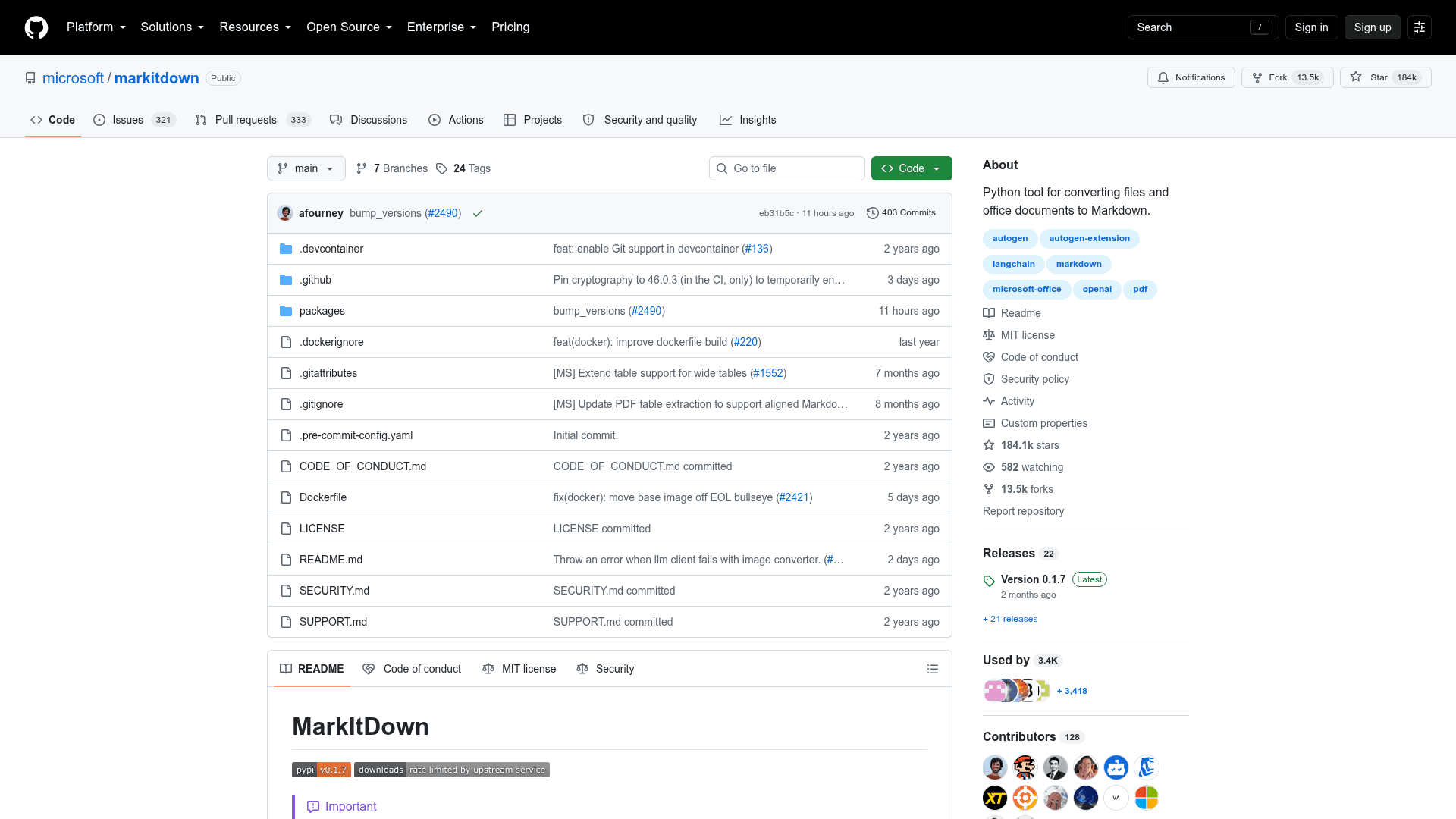
MarkItDown is a lightweight Python utility developed by Microsoft for converting a wide variety of file formats into Markdown, optimized for consumption by LLMs and text analysis pipelines. Released in November 2024 and licensed under MIT, it has accumulated over 182,000 GitHub stars, signaling strong community adoption. It is most comparable to textract but focuses on preserving document structure — headings, lists, tables, and links — as Markdown rather than stripping everything to plain text.
What It Is
MarkItDown is an open-source Python library and CLI tool that converts documents, spreadsheets, presentations, images, audio files, and web content into Markdown. The core design philosophy is that Markdown sits close to plain text while still encoding meaningful structure, and mainstream LLMs have been trained on large amounts of Markdown, making it a natural interchange format for document-to-LLM pipelines. The tool is explicitly not designed for high-fidelity human-readable output — it targets machine consumption.
Supported Formats and Conversion Modes
MarkItDown supports a broad and growing set of input types:
- Office documents: PDF, Word (DOCX), Excel (XLSX/XLS), PowerPoint (PPTX)
- Media: Images (EXIF metadata + OCR), Audio (EXIF metadata + speech transcription)
- Web and structured data: HTML, CSV, JSON, XML, YouTube URLs
- Archives and e-books: ZIP files (iterates contents), EPubs
- Cloud-enhanced: Azure Document Intelligence for layout-aware PDF extraction; Azure Content Understanding for audio, video, and structured field extraction (YAML front matter)
Optional dependencies are modular — install only what you need (e.g., markitdown[pdf,docx,pptx]) or everything at once with markitdown[all].
Plugin Architecture
MarkItDown supports a third-party plugin system. Plugins are disabled by default and must be explicitly enabled with --use-plugins. The community can publish plugins tagged #markitdown-plugin on GitHub. A notable first-party-adjacent plugin, markitdown-ocr, adds OCR support to PDF, DOCX, PPTX, and XLSX converters by extracting text from embedded images using an LLM Vision client — no additional ML libraries or binary dependencies required.
Azure Cloud Integrations
Two Azure services extend MarkItDown's capabilities beyond local processing:
- Azure Document Intelligence: Cloud-based layout extraction for scanned PDFs and complex documents, configured via
--docintel-endpointor theMARKITDOWN_DOCINTEL_ENDPOINTenvironment variable. - Azure Content Understanding: A higher-quality multimodal option supporting documents, images, audio, and video. It enables structured field extraction (e.g., invoice amounts, contract clauses) serialized as YAML front matter, and is the only built-in path for video file conversion. Each call is a billable Azure API call;
cu_file_typescan restrict which formats route to the cloud.
Update: Version 0.1.7
The latest release is v0.1.7, published on July 29, 2026. The repository remains actively maintained with regular pushes as recently as September 2026. The project scope is intentionally narrow — the maintainers explicitly exclude web servers, REST APIs, hosted services, and desktop/mobile applications from the repository, directing those use cases to separate community packages. The markitdown-mcp package (an MCP server integration) is listed as in-scope, reflecting the project's direction toward LLM tooling ecosystems.
Security Considerations
MarkItDown performs I/O with the privileges of the current process. The maintainers recommend sanitizing inputs in untrusted environments and calling the narrowest conversion method needed — convert_local() for local files, convert_stream() for maximum control — rather than the permissive convert() method, which handles local files, remote URIs, and byte streams.
Community Discussions
Be the first to start a conversation about MarkItDown
Share your experience with MarkItDown, ask questions, or help others learn from your insights.
Pricing
Open Source
Free and open-source under the MIT License. Install via pip and use locally with no cost.
- Full document conversion (PDF, Word, Excel, PowerPoint, HTML, CSV, JSON, XML, ZIP, EPub)
- Image and audio conversion
- YouTube URL transcription
- CLI and Python API
- Plugin system
Capabilities
Key Features
- Convert PDF, Word, Excel, PowerPoint to Markdown
- Image conversion with EXIF metadata and OCR
- Audio conversion with EXIF metadata and speech transcription
- HTML, CSV, JSON, XML, and ZIP file support
- YouTube URL transcription
- EPub support
- Azure Document Intelligence integration
- Azure Content Understanding for audio/video/documents
- LLM-powered image descriptions via OpenAI-compatible clients
- Third-party plugin system
- markitdown-ocr plugin for embedded image OCR
- Command-line interface (CLI)
- Python API
- Docker support
- Modular optional dependencies
- MCP server package (markitdown-mcp)