
MCP Studio
Browser-based studio that turns an OpenAPI spec into a reviewed MCP server project or an embedded MCP client config.
At a Glance
MCP Studio is free to use with no account; the spec stays in your browser.
Engagement
Available On
Listed Nov 2026
About MCP Studio
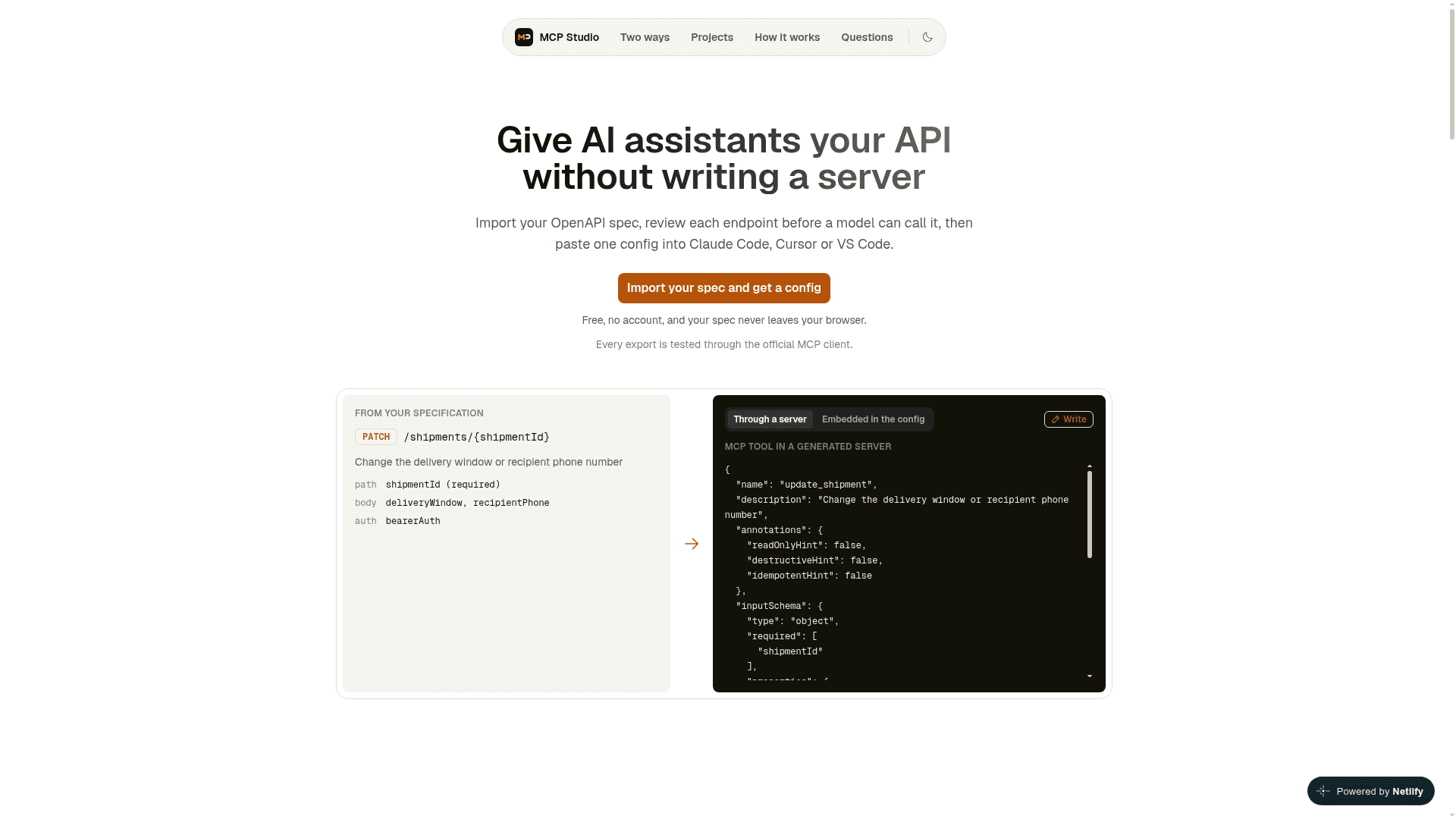
MCP Studio is a static web app that converts an OpenAPI 3.0 or 3.1 specification into tools that AI assistants can call over the Model Context Protocol. Users import a spec, review each endpoint, and then export either a generated TypeScript server or a client config with the spec embedded. The site states that it is free, needs no account, and that the spec never leaves the browser.
What It Is
MCP Studio is an OpenAPI-to-MCP conversion tool that runs entirely in the browser with no backend. It accepts JSON or YAML specs that are uploaded, pasted or fetched from a URL, validates them, reports anything it cannot convert, and shows the endpoint count. It does not run the MCP server itself; it produces a project or a config for the user's own client to run.
Review and Edit Workflow
Each operation is labelled read, write, destructive or needs review, and the matching MCP annotations are set. DELETE is labelled destructive, POST, PUT and PATCH are labelled write, and unclear operations need review. Users can search by tag or method, toggle tools, rewrite names, descriptions and input schemas, configure authentication, and dry-run a tool. Edits are stored against the operation, so they stay attached after a newer spec is reimported.
Two Ways to Run the Tools
The server path generates a TypeScript project, pinned to the official MCP SDK, that runs locally over stdio or remotely over Streamable HTTP. It supports OAuth2 (existing tokens, client credentials, refresh tokens, and Authorization Code with PKCE), query and cookie API keys, argument validation, secret redaction, and bounded response size and time. Remote servers add bearer or JWT client authentication, Host and Origin checks, rate limits and a Dockerfile.
The embedded path puts the spec inside the MCP config, and the client starts the openapi-mcp-server package with npx. Documented limits: fixed headers only, kebab-case tool names, edited schemas and safety hints ignored, and a spec size of about 32,000 characters.
Credentials and Client Configs
Credentials are never entered into the studio. Users choose environment variable names that generated code reads at run time, with a .env.example containing placeholders only. Config files are produced for Claude Code, Cursor, VS Code and Claude Desktop, along with a README. Claude Desktop reads only local servers from its config.
Community Discussions
Be the first to start a conversation about MCP Studio
Share your experience with MCP Studio, ask questions, or help others learn from your insights.
Pricing
Free
MCP Studio is free to use with no account; the spec stays in your browser.
- No account required
- Spec never leaves your browser
- Generated TypeScript server (stdio or Streamable HTTP) or embedded MCP config
- Configs for Claude Code, Cursor, VS Code and Claude Desktop
Capabilities
Key Features
- Import OpenAPI 3.0/3.1 specs as JSON or YAML via upload, paste or URL
- Per-endpoint review with read, write, destructive and needs-review labels
- MCP annotation hints set automatically
- Edit tool names, descriptions and input schemas
- Generated TypeScript MCP server over stdio or Streamable HTTP
- Embedded no-server config using npx and openapi-mcp-server
- OAuth2 support including PKCE, client credentials and refresh tokens
- Secret redaction and .env.example generation
- Dry-run testing of tools
- Edits preserved when a spec is reimported
- Dockerfile, client authentication, Host checks and rate limits for remote servers
- Config export for Claude Code, Cursor, VS Code and Claude Desktop