
Mercek
A local-first, open-source desktop IDE for Amazon ECS that uses your existing AWS credentials to manage services across multiple accounts and regions.
At a Glance
About Mercek
Mercek is a desktop application built by Utibeabasi Umanah for working with Amazon ECS. It runs entirely on your machine, uses the AWS credentials already in your ~/.aws config, and connects directly to AWS with no backend server, no telemetry, and no account creation required. The project is open source under the MIT license and available on GitHub.
What It Is
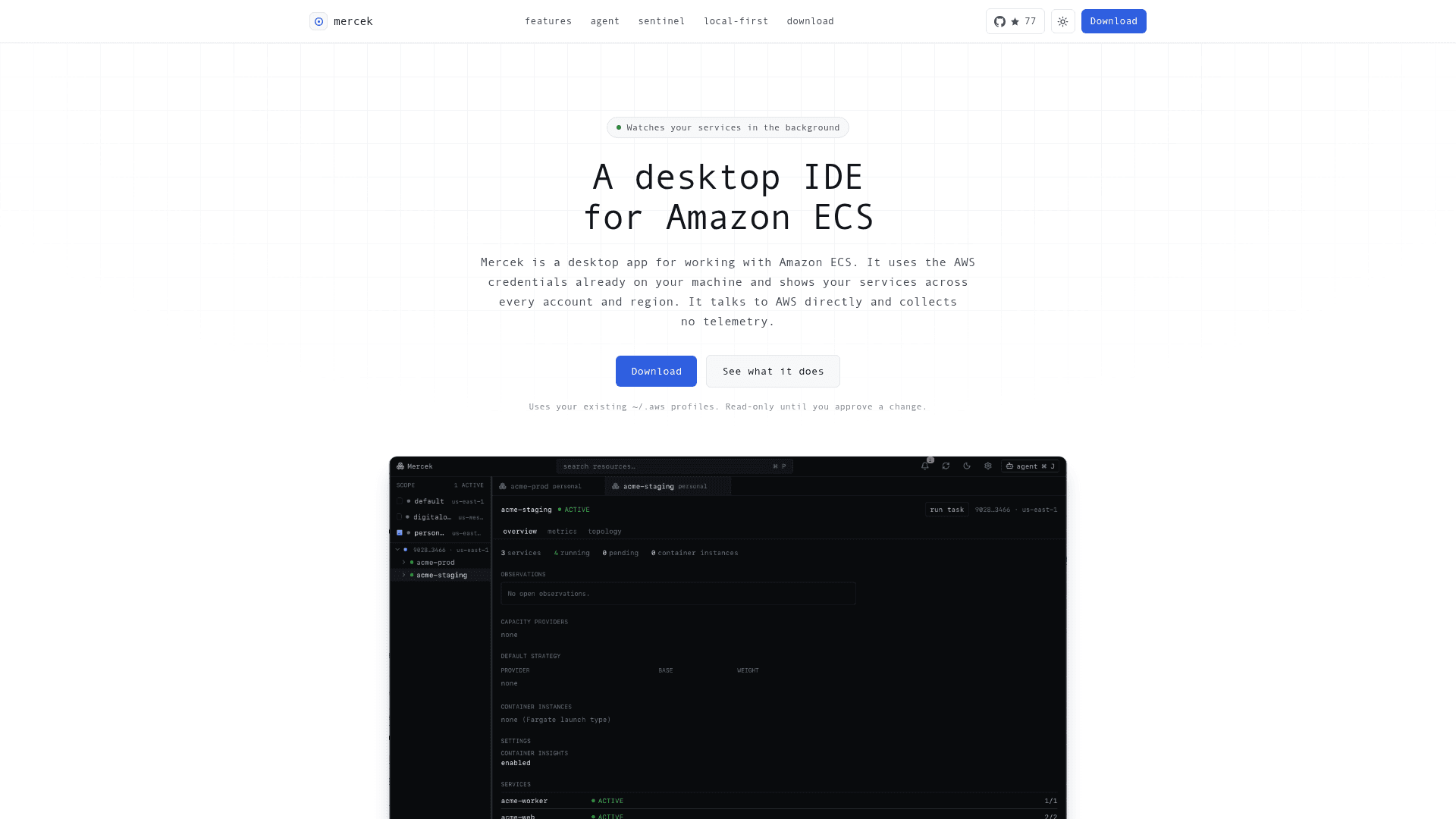
Mercek is a local-first desktop IDE for Amazon ECS — a native app that replaces the AWS console for everyday ECS work. It surfaces clusters, services, and tasks across every account and region in a single window, and covers the full operational loop: discovery, deployments, metrics, logs, cost sizing, topology, and a background health watcher called Sentinel. It is built with Tauri (Rust backend) and React 19 + TypeScript on the frontend.
Architecture and Local-First Design
Mercek's architecture is explicitly designed to keep AWS credentials and data on the user's machine:
- The Rust backend (
src-tauri/) is layered ascommands → discovery → resources → aws → domain, with AWS SDK types confined below theresources/layer. - The React frontend uses feature-sliced architecture under
features/. - Rust domain types are exported to TypeScript via
ts-rsfor a type-safe bridge. - There is no hosted backend — Mercek calls AWS directly from the user's computer.
- Resolved secrets from Secrets Manager or SSM are shown as ARNs in the UI and are never written to disk.
Core Capabilities
Mercek covers a broad set of ECS operational tasks in one window:
- Multi-account, multi-region discovery via
~/.awsprofiles (SSO, assume-role, MFA, static keys), with opt-in per-profile scopes. - Deployments and rollback — live rollout state, circuit-breaker status, one-click rollback, and cross-environment comparison.
- Metrics and cost sizing — CPU/memory/ALB via Container Insights with an AWS/ECS fallback; a selectable 1h–7d window with deploys marked on charts; Fargate cost estimates and right-sizing verdicts from real peak usage.
- Logs and ECS Exec — CloudWatch log tailing across every task of a service, with text filter and level highlighting; interactive shell into running containers.
- Topology map — dependency graph from internet through load balancer to each service, with service links inferred from task-definition environment variables.
- Sentinel — a background watcher that flags drift, stalled deploys, flapping tasks, OOM kills, and ECR image vulnerabilities.
- Agent panel — connect a coding agent such as Claude Code over the Agent Client Protocol; the agent is read-only to AWS, and any proposed change opens a diff-and-confirm dialog with the equivalent AWS CLI command.
Platform Support and Setup Path
Mercek runs on macOS (Apple Silicon and Intel) and Linux (.deb / .AppImage). A Windows build is listed on the roadmap. Installation is a direct download from the GitHub releases page — no account creation, no server setup. The app checks for new releases on launch and updates in one click. Because the macOS build is not yet notarized by Apple, first-launch requires a one-time Gatekeeper bypass; the project notes that signing and notarization is planned.
To build from source, the project requires a recent Rust toolchain, pnpm, and the Tauri prerequisites for the target OS.
Update: v0.3.4
The latest release is v0.3.4, published on 2026-06-08. The repository was created on 2026-06-03 and has seen active pushes through 2026-06-08, indicating rapid early development. The roadmap lists signed/notarized macOS builds, a Windows build, scheduled tasks and load-balancer routing in the topology map, and Sentinel alerts outside the app (desktop, Slack, or PagerDuty) as upcoming work.
Community Discussions
Be the first to start a conversation about Mercek
Share your experience with Mercek, ask questions, or help others learn from your insights.
Pricing
Open Source
Fully free and open source under the MIT license. Download and use without any cost.
- Multi-account, multi-region ECS discovery
- Deployments, rollback, and metrics
- CloudWatch log tailing and ECS Exec
- Fargate cost estimation and right-sizing
- Topology map
Capabilities
Key Features
- Multi-account and multi-region ECS discovery via ~/.aws profiles
- Multi-cluster overview with service health dashboard
- Deployment tracking with circuit-breaker status and one-click rollback
- CPU, memory, and ALB metrics via Container Insights with AWS/ECS fallback
- Fargate cost estimation and right-sizing verdict
- CloudWatch log tailing with text filter and level highlighting
- ECS Exec interactive shell into running containers
- Automatic dependency topology map
- Sentinel background watcher for drift, stalled deploys, flapping tasks, OOM kills
- ECR vulnerability scan severity per service image
- Agent panel supporting Agent Client Protocol (e.g. Claude Code)
- Read-only by default with diff-and-confirm for all writes
- Command palette (⌘K) for keyboard-driven navigation
- Cross-environment and cross-region service comparison
- In-app auto-update
- No telemetry, no backend server, no stored credentials