
A self-hosted, open-source coding agent that runs on your development machine and can be steered from desktop or phone through a web UI.
At a Glance
Self-hosted open-source coding agent distributed as a single Go binary under the MIT License. Model provider costs are paid separately to the provider.
Engagement
Available On
Listed Nov 2026
About moa
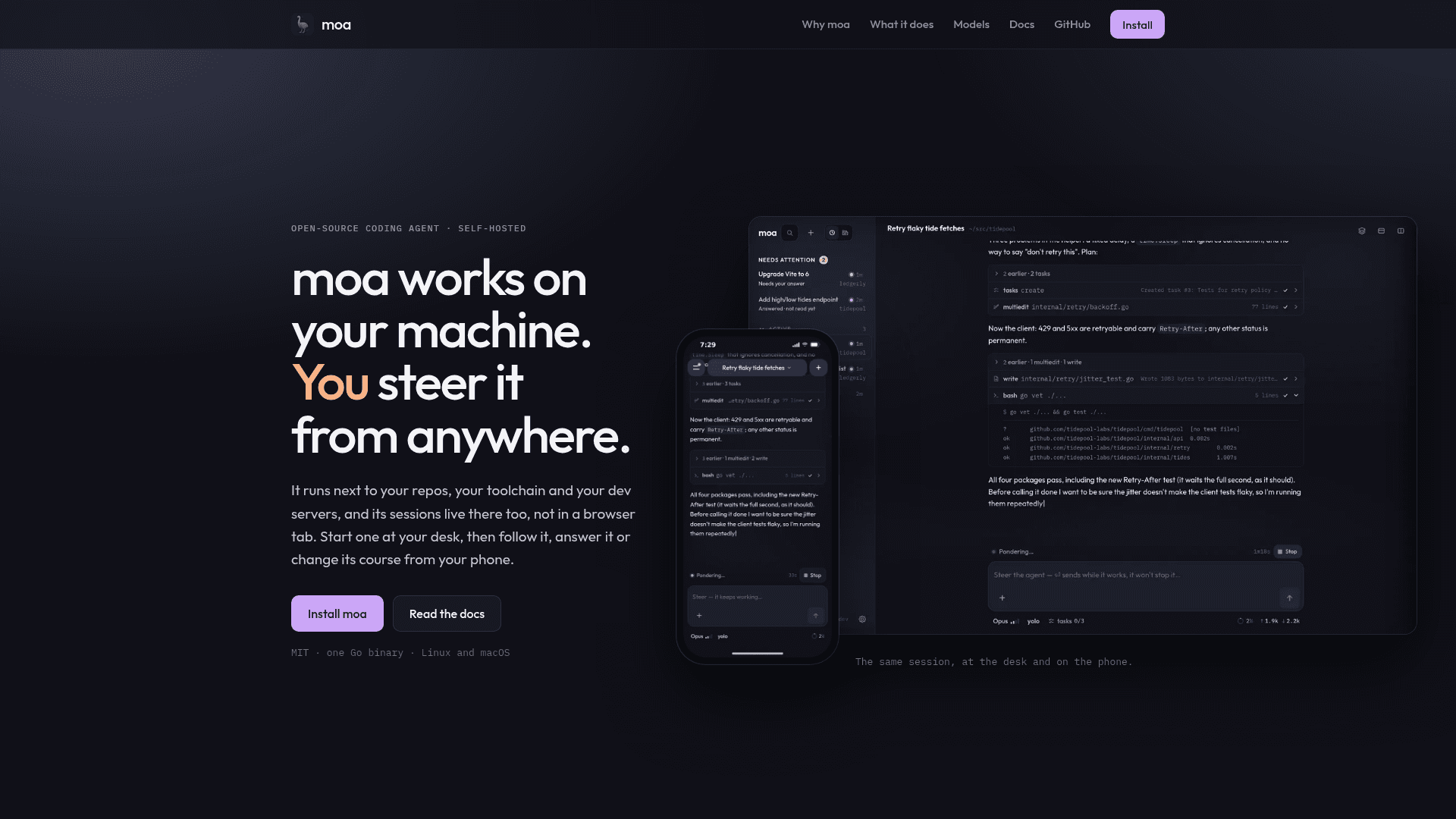
moa (short for My Own Agent) is an open-source coding agent written in Go and published under the MIT license by Enrique Aleixandre. It runs next to your repositories, toolchain and dev servers, and keeps its sessions on that machine. You can start work at a desk and follow, answer or redirect it from a phone through a browser-based web UI. The latest release listed is v0.48.0.
What It Is
moa is a self-hosted coding agent that separates where the agent works from where you steer it. It runs on a workstation or development server as a single binary for Linux and macOS, and moa serve opens a web UI on localhost. The agent can read, plan and edit code, run shell commands and tests, search the repository, and use the tools installed on the host. Each change can be opened as a diff. A headless CLI mode (moa -p "fix the tests") runs a single task for scripts and cron.
Steering From Anywhere
The mobile interface returns you to the same server-side sessions so you can see progress, answer questions, send new direction, and stop or resume work. In ask mode moa stops before a command and offers to allow it once, always, or deny it. Live Preview puts your running dev server inside the conversation. You can pick a viewport, turn on Inspect, tap an element and describe what should change, and the agent receives the element's page and selector. Several sessions can sit side by side in a pane grid, each with its own model.
Delegation and Project Owners
Subagents take parts of a job in parallel, each on a model you choose, and each has its own inspectable conversation, tools and result. A project owner is a standing agent for a codebase. It runs each feature in its own session, consults a project book of decisions and features before asking you, records your answers, and is described as asking less as it learns the project. Goal mode has a maker work toward an objective until a read-only verifier agrees it is done.
Models, Control and Boundaries
moa talks to Anthropic, OpenAI, xAI and Meta directly from your machine, with either subscription sign-in or an API key. There is no moa account or moa server in between. Permissions can be ask, AI-evaluated auto, or permissive yolo, combined with path scoping, checkpoints and budgets for cost, turns and time. It also supports MCP servers, custom script tools, skill packs, AGENTS.md project instructions, project memory, and webhooks that wake a session from CI or an error tracker.
Self-hosted does not mean offline: prompts, needed code and tool results go to the configured provider. moa serve has no authentication by default, so the docs advise keeping it on localhost or a private network such as Tailscale and setting a token before remote access.
Community Discussions
Be the first to start a conversation about moa
Share your experience with moa, ask questions, or help others learn from your insights.
Pricing
Open Source (MIT)
Self-hosted open-source coding agent distributed as a single Go binary under the MIT License. Model provider costs are paid separately to the provider.
- MIT License
- One Go binary for Linux and macOS
- Self-hosted; no moa account or moa server in between
- Sign in with provider subscription or API key (Anthropic, OpenAI, xAI, Meta) - provider costs are external
- Subagents, Live Preview, Checkpoints, Budgets, MCP and skills, CLI
Capabilities
Key Features
- Self-hosted agent that works on the machine holding your repos and toolchain
- Web UI usable from desktop or phone
- Diffs for every code change
- Permission modes: ask, auto, yolo, with path scoping
- Live Preview of dev servers with element inspection
- Subagents running in parallel on chosen models
- Multi-session pane grid
- Project owners that manage feature sessions and a project book
- Goal mode with a read-only verifier
- Checkpoints to undo file changes per turn
- Cost, turn and time budgets
- MCP server and skill pack support
- Project memory and AGENTS.md support
- Webhook wake-on-event for CI and error trackers
- Artifacts for files sent by the agent
- Headless CLI one-shot mode
- Subscription OAuth or API key login for Anthropic, OpenAI, xAI and Meta