
The Agent
A free desktop app for Windows, macOS and Linux that runs a team of configurable AI agents on your own computer.
At a Glance
About The Agent
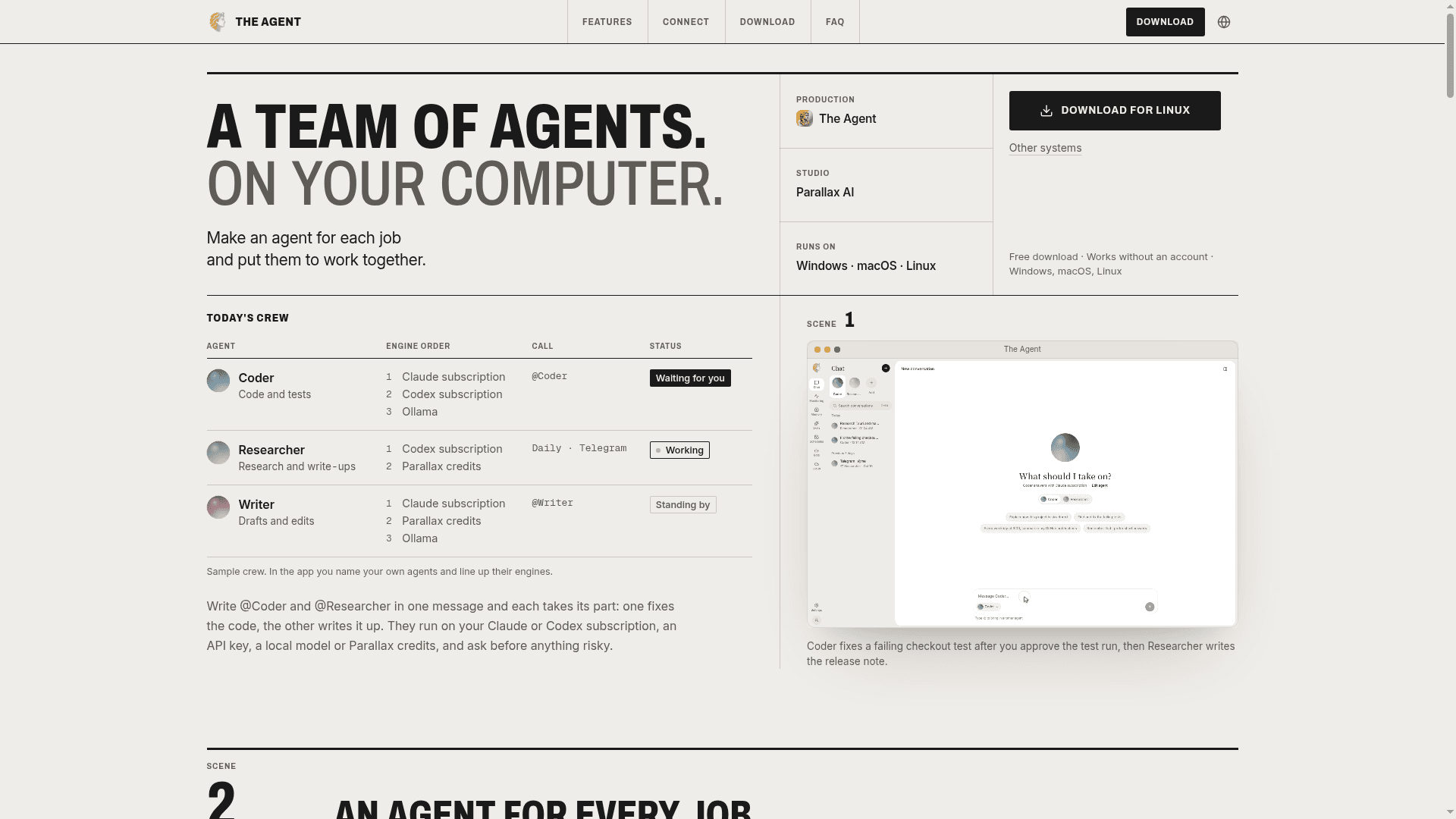
The Agent is a desktop app from Parallax AI that lets you create named agents for different jobs and run them together on your own computer. Each agent has a purpose, instructions, its own reference documents and an ordered list of engines, such as a Claude or Codex subscription, an API key, a local model or Parallax credits. It is available for Windows, macOS and Linux (version 1.0.7) and works without an account.
What It Is
The Agent is a local multi-agent desktop application. You define agents (for example a Coder, Researcher or Writer), call one or several of them in a single message with @ mentions, and each handles its own part. An agent answers with the first engine in its list and moves to the next when it hits a usage limit, runs out of credits or is not running. Per agent, you choose whether it asks first, edits files on its own, or runs everything automatically.
Tools, Skills and MCP
Built-in tools work across every engine: files, terminal, web search, a browser (Chrome or Edge in a separate profile), image and speech generation, memory, and approvals. Skills are short Markdown guides in the open SKILL.md format; they can be added from the Parallax skills gallery, written by hand, or saved from something the agent just did. Users can add up to 20 remote or local MCP servers, and signing in connects the official Parallax MCP server, which exposes Parallax services through three tools.
Messengers, Schedules and Monitoring
Agents can be reached through Telegram, Discord, Slack, Signal or email bots that run on your computer and talk to the messenger directly. Scheduled tasks can run as often as every 5 minutes or at set times on chosen weekdays, even with the window closed to the tray, and report to a desktop notification or messenger. A monitoring timeline shows each agent's tasks as running, done, failed or waiting for approval, with progress saved every 15 seconds.
Data, Remote Control and Cloud
Conversations, agents, memory, skills and schedules are stored locally, while API keys and tokens go in the system keychain. The Claude and Codex engines use the official CLIs that the user signs in to, so The Agent does not see those logins. With a Parallax account and Allow remote control turned on, agents can be commanded from parallax.kr/agent, with risky steps approvable on the web or the computer. An optional Agent Cloud service keeps agents, bots and schedules running on Parallax servers when the computer is off.
Community Discussions
Be the first to start a conversation about The Agent
Share your experience with The Agent, ask questions, or help others learn from your insights.
Pricing
Free
The Agent desktop app is a free download that works without an account on Windows, macOS and Linux.
- Works without an account
- Agents, conversations, memory, skills, schedules and bots work without signing in
- Bring your own Claude/Codex subscription, API key or local model (external costs)
- Parallax credits only used when signed in and chosen
Agent Cloud
Runs your agent around the clock on Parallax servers.
- Each cloud agent runs in its own sandbox
- A bot runs in one place at a time, here or in the cloud
- Uses Parallax credits or your API key in the cloud; subscription sign-ins stay on your computer
- Move memory, skills, schedules and bots over in one click
Capabilities
Key Features
- Multiple named agents with purpose, instructions and reference documents
- Ordered engine fallback per agent
- Call several agents in one message with @
- Per-agent permission modes (ask first, edit files, run everything)
- Monitoring timeline of tasks with approvals
- Reusable skills in SKILL.md format with a skills gallery
- Telegram, Discord, Slack, Signal and email bots
- Scheduled background tasks
- Built-in tools: files, terminal, web search, browser, images and speech, memory
- MCP server support including Parallax MCP
- Remote control from parallax.kr/agent
- Optional Agent Cloud hosting
- Local storage with keys in the system keychain
- 13 interface languages
- Automatic in-app updates with checksum verification