
Main Menu
  • Tools
  • Developers
  • Topics
  • Discussions
  • News
  • Blogs
  • Builds
  • Contests
  • Compare
  • Arena
Create
    EveryDev.ai
    Sign inSubscribe
    Home
    Tools

    1,990+ AI tools

    • New
    • Trending
    • Featured
    • Compare
    • Arena
    Categories
    • Agents1038
    • Coding971
    • Infrastructure415
    • Marketing398
    • Design335
    • Projects313
    • Analytics299
    • Research290
    • Testing183
    • Integration167
    • Data163
    • Security156
    • MCP145
    • Learning135
    • Communication120
    • Extensions114
    • Prompts110
    • Commerce106
    • Voice102
    • DevOps84
    • Web71
    • Finance18
    1. Home
    2. Tools
    3. mux
    mux icon

    mux

    Terminal & Session Management

    Mux is an open-source tool for running parallel coding agents, each with its own isolated workspace, accessible from your browser or desktop.

    Visit Website

    At a Glance

    Pricing
    Open Source

    Mux is open source under AGPL-3.0. Free to self-host and use with your own LLM provider credentials.

    Engagement

    Available On

    Windows
    macOS
    Linux
    Web
    CLI

    Resources

    WebsiteDocsGitHubllms.txt

    Topics

    Terminal & Session ManagementAgent HarnessCommand Line Assistants

    Alternatives

    HorizonSuperpowersYoloAI
    Developer
    Coder Technologies, Inc.Number 1212Est. 2017$85M+ raised

    Listed Mar 2026

    About mux

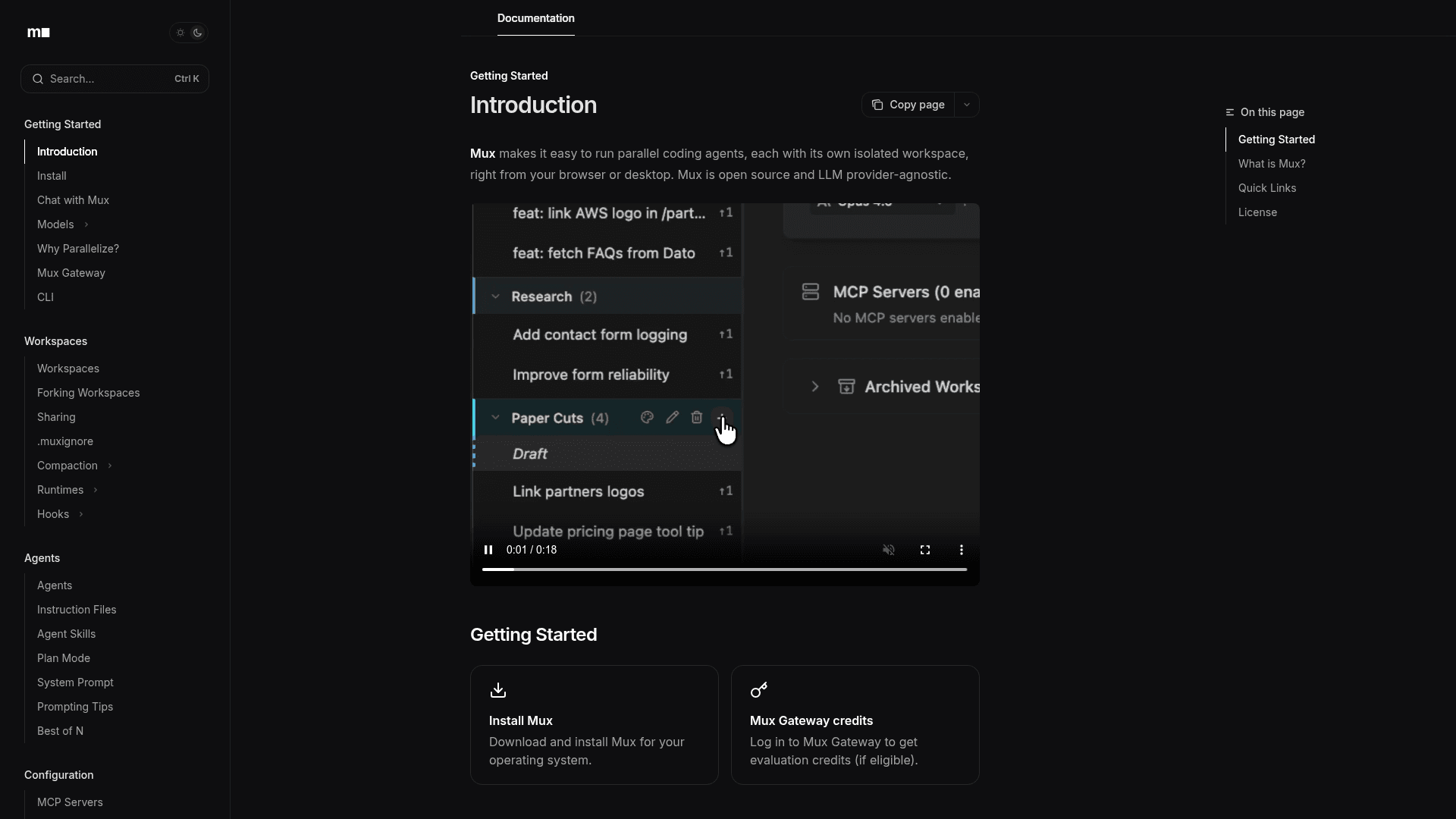
    Mux is an open-source, LLM provider-agnostic platform that lets developers run multiple coding agents in parallel, each operating in its own isolated workspace. Built by Coder Technologies, it provides a central view of git status updates across all agents and supports a wide range of leading AI models. Mux is licensed under AGPL-3.0 and is designed for developers who want to maximize throughput by parallelizing agentic coding tasks.

    • Parallel Coding Agents: Spin up multiple agents simultaneously, each in an isolated workspace, to tackle different tasks or approaches at once.
    • Multi-Model Support: Works with a range of LLMs including Claude (sonnet-4, opus-4), xAI Grok, and OpenAI GPT-5, letting you choose or mix providers.
    • Isolated Workspaces: Each agent gets its own sandboxed environment with a centralized git status view, keeping work organized and conflict-free.
    • Workspace Forking: Fork existing workspaces to branch agent work, enabling "Best of N" strategies where multiple agents attempt the same task.
    • Agent Skills & Instruction Files: Define reusable skills and instruction files to guide agent behavior and enforce project-specific conventions.
    • Plan Mode: Review and approve agent plans before execution, giving developers human-in-the-loop control over agentic actions.
    • MCP Server Integration: Configure Model Context Protocol (MCP) servers to extend agent capabilities with external tools and data sources.
    • VS Code Extension: Integrates directly with VS Code via an extension and supports the Agent Communication Protocol (ACP) for editor interoperability.
    • Policy Files & Project Secrets: Manage access controls, secrets, and behavioral policies at the project level for secure agentic workflows.
    • Rich Markdown Outputs: Agents produce rich outputs including Mermaid diagrams and LaTeX, making results easy to review and share.
    • GitHub Actions Integration: Run Mux agents as part of CI/CD pipelines via GitHub Actions for automated agentic workflows.
    • CLI & Keyboard Shortcuts: Full CLI support and a comprehensive keyboard shortcut system for power users managing many agents at once.
    mux - 1

    Community Discussions

    Be the first to start a conversation about mux

    Share your experience with mux, ask questions, or help others learn from your insights.

    Pricing

    OPEN SOURCE

    Open Source

    Mux is open source under AGPL-3.0. Free to self-host and use with your own LLM provider credentials.

    • Parallel coding agents
    • Isolated workspaces
    • Multi-model support
    • CLI
    • VS Code extension

    Capabilities

    Key Features

    • Parallel coding agents
    • Isolated workspaces
    • Multi-model support (Claude, GPT-5, Grok)
    • Workspace forking
    • Best of N agent strategy
    • Agent skills and instruction files
    • Plan mode (human-in-the-loop)
    • MCP server configuration
    • VS Code extension
    • ACP (Agent Communication Protocol) support
    • Policy file management
    • Project secrets management
    • Agentic git identity
    • GitHub Actions integration
    • Rich markdown outputs (Mermaid, LaTeX)
    • CLI interface
    • Keyboard shortcuts
    • Vim mode
    • Notifications
    • Telemetry

    Integrations

    VS Code
    GitHub Actions
    MCP Servers
    Claude (Anthropic)
    GPT-5 (OpenAI)
    Grok (xAI)
    Git

    Reviews & Ratings

    No ratings yet

    Be the first to rate mux and help others make informed decisions.

    Developer

    Coder Technologies, Inc.

    Coder Technologies builds open-source developer tools focused on remote development environments and agentic coding workflows. The company develops Coder, a self-hosted remote development platform, and Mux, a parallel coding agent runner licensed under AGPL-3.0. Coder's tools are LLM provider-agnostic and designed for engineering teams that want to scale development velocity through automation and parallelism.

    Founded 2017
    9901 Brodie Lane Suite 160, TX 78748
    $85M+ raised
    594 employees

    Used by

    Square
    Dropbox
    Goldman Sachs
    Palantir
    +1 more
    Read more about Coder Technologies, Inc.
    WebsiteGitHub
    1 tool in directory

    Similar Tools

    Horizon icon

    Horizon

    GPU-accelerated spatial terminal that places all your sessions on an infinite canvas with built-in AI agent panels, git integration, and workspace management.

    Superpowers icon

    Superpowers

    A command-line tool that provides AI-powered assistance for developers with context-aware capabilities and tool integration.

    YoloAI icon

    YoloAI

    A lightweight, no-frills AI command-line tool hosted on GitHub that lets you interact with AI models directly from your terminal.

    Browse all tools

    Related Topics

    Terminal & Session Management

    Terminal emulators, multiplexers, and session managers that help developers run parallel AI coding agents, manage multiple workspaces, and maintain persistent terminal sessions.

    16 tools

    Agent Harness

    Infrastructure, orchestrators, and task runners that wrap around LLM coding agents — covering session management, context delivery, worktree isolation, architecture enforcement, and issue-to-PR pipelines.

    51 tools

    Command Line Assistants

    AI-powered command-line assistants that help developers navigate, search, and execute terminal commands with intelligent suggestions and context awareness.

    111 tools
    Browse all topics
    Back to all tools
    Explore AI Tools
    • AI Coding Assistants
    • Agent Frameworks
    • MCP Servers
    • AI Prompt Tools
    • Vibe Coding Tools
    • AI Design Tools
    • AI Database Tools
    • AI Website Builders
    • AI Testing Tools
    • LLM Evaluations
    Follow Us
    • X / Twitter
    • LinkedIn
    • Reddit
    • Discord
    • Threads
    • Bluesky
    • Mastodon
    • YouTube
    • GitHub
    • Instagram
    Get Started
    • About
    • Editorial Standards
    • Corrections & Disclosures
    • Community Guidelines
    • Advertise
    • Contact Us
    • Newsletter
    • Submit a Tool
    • Start a Discussion
    • Write A Blog
    • Share A Build
    • Terms of Service
    • Privacy Policy
    Explore with AI
    • ChatGPT
    • Gemini
    • Claude
    • Grok
    • Perplexity
    Agent Experience
    • llms.txt
    Theme
    With AI, Everyone is a Dev. EveryDev.ai © 2026
    33views
    Discussions