
Muxin
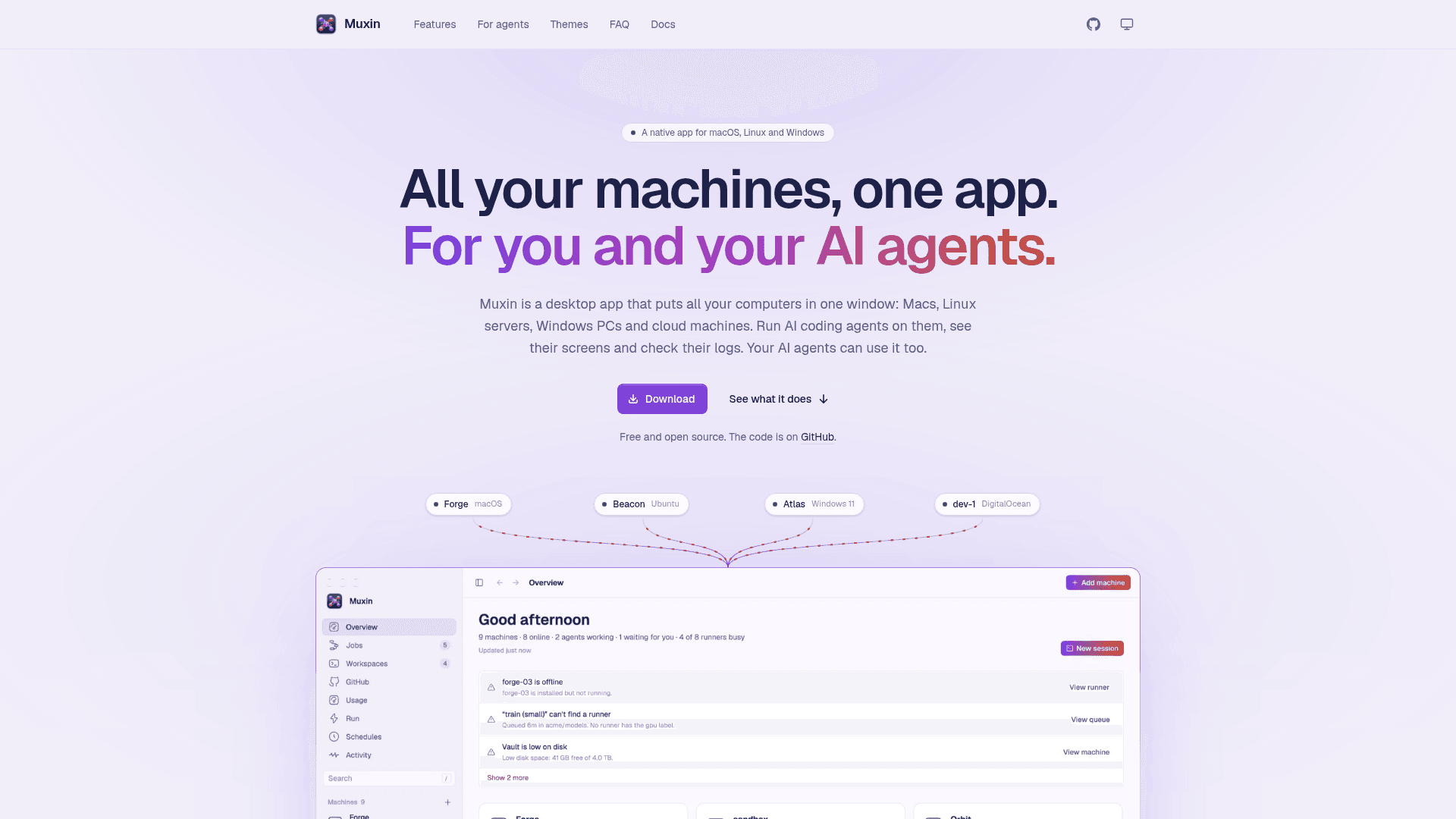
Native desktop app that puts all your Mac, Linux, Windows and cloud machines in one window, for you and your AI agents.
At a Glance
Muxin desktop app is free and open source under the Apache License 2.0.
Engagement
Available On
Listed Oct 2026
About Muxin
Muxin is a free, open-source desktop app from Lumary Labs LLC that brings Macs, Linux servers, Windows PCs and cloud machines into a single window. From it you run AI coding agents and shells on those machines, view their screens, read their logs and manage their services. The current release is version 0.5.6, and the project is licensed under Apache-2.0.
What It Is
Muxin is a native machine-management hub built with Rust and GPUI, the UI framework behind the Zed editor. It runs on macOS 12 or later, Linux and Windows 11, and manages any Mac, Linux machine or Windows PC reachable over ssh. Machines are first reached with your own ssh keys and ~/.ssh/config. Muxin then installs a small helper agent on each machine. There is no account and no intermediary server.
Agent Sessions and the Dev Loop
Sessions run Claude Code, Codex, OpenCode, Gemini CLI, Amp, Pi or a plain shell on any machine, and keep running there after the app closes. Each session shows its branch, changed lines, commits and pull request checks. Actions ask the agent to commit, open a pull request, review changes or fix review comments. Agents can work in separate git worktrees. The GitHub page collects issues and pull requests so an issue can be handed to an agent in one click.
Machine Operations
- Live desktops with mouse and keyboard control, including virtual monitors from 720p to 4K.
- Opening a machine's dev servers at localhost on your computer.
- Copying files between machines and sharing the clipboard.
- Live logs, services, Docker containers and Compose projects.
- Self-hosted GitHub Actions runners.
- Scheduled commands and agent sessions.
- DigitalOcean cloud machines and Windows or Linux VMs on machines you already have.
Agent-First Design
An MCP server (muxin mcp) exposes the app's capabilities as tools, and every CLI command accepts --json. Agents can borrow a machine as an agent workspace, with commands recorded and reviewable. The FAQ states the app has no analytics or telemetry, and that settings are kept in a local config.toml.
Community Discussions
Be the first to start a conversation about Muxin
Share your experience with Muxin, ask questions, or help others learn from your insights.
Pricing
Open Source
Muxin desktop app is free and open source under the Apache License 2.0.
- Agent sessions for Claude Code, Codex, OpenCode, Gemini CLI, Amp, Pi or a plain shell
- Desktops: live machine screens
- MCP server and scriptable commands with --json
- Self-hosted GitHub Actions runners management
- Files and clipboard sharing between machines
Capabilities
Key Features
- Persistent agent sessions for Claude Code, Codex, OpenCode, Gemini CLI, Amp, Pi or a shell
- Per-session branch, diff and pull request status with agent actions
- Live remote desktops with mouse and keyboard control and virtual monitors
- Local access to remote dev servers at localhost
- File copy between machines and shared clipboard
- Live logs, services, Docker and Compose management
- Self-hosted GitHub Actions runner management
- Scheduled commands and agent sessions
- DigitalOcean cloud machines and Windows/Linux VMs
- MCP server with 80+ tools and JSON CLI
- Agent workspaces with host or Docker isolation
- 27 light and dark themes