
Natively Notepad
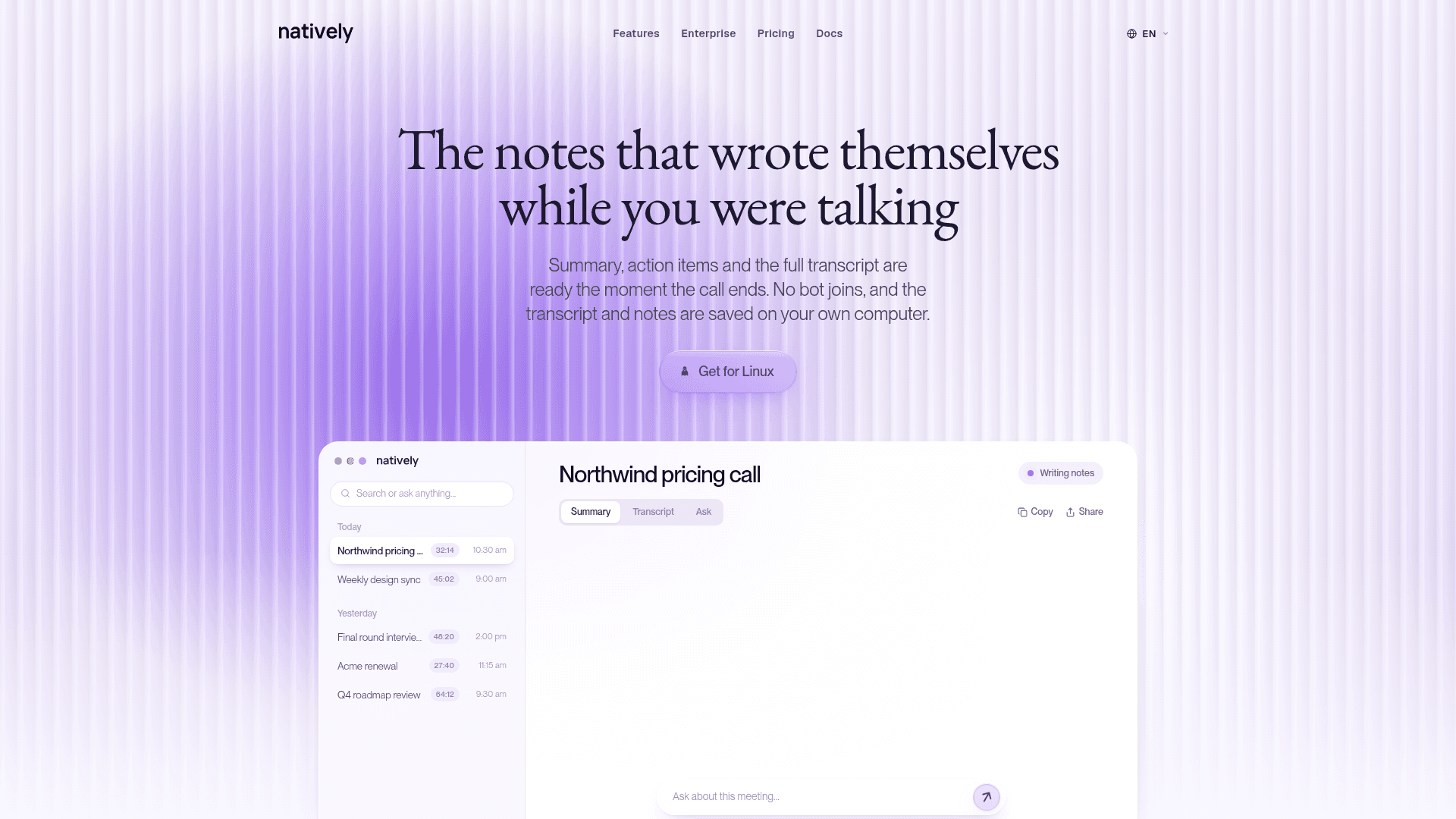
Desktop AI meeting notetaker that captures system audio and mic without a bot joining, and saves transcript, summary and action items locally.
At a Glance
Free for personal use with your own API keys or a local Ollama model. Source-available under a personal-use license, not open source.
Free trial of the hosted setup that starts with your first meeting, no API keys needed.
Engagement
Available On
Alternatives
Listed Nov 2026
About Natively Notepad
Natively Notepad is the meeting-notes side of Natively, a desktop assistant from Natively AI Private Limited. It listens to your computer's sound and microphone, so no bot joins the call, and produces a summary, action items and a full transcript when the call ends. Transcripts and notes are saved on your own computer. The notepad page lists macOS 12+ and Windows 10/11, and also shows a Linux download button.
What It Is
Natively Notepad is a local-first AI note taker for calls, interviews, lectures and in-person conversations. Because it captures desktop audio rather than joining as a participant, it works with Zoom, Google Meet, Microsoft Teams, Slack, Discord and Webex, and also with a phone on speaker or a room with no call. Each meeting page has three views: a summary, the transcript with speaker labels, and an Ask chat that has read both.
How the Notes Are Made
You can type your own lines while the transcript runs beside them. Notes are shaped by one of nine built-in modes (General, Team Meet, Sales, Recruiting, Technical Interview, Lecture, Looking for Work, Seminar, Call Center), each with its own sections; the Sales mode, for example, writes account context, pain points, buying signals, objections, budget/timeline/authority and a follow-up email section. You can add custom modes and regenerate any meeting's notes in another template, with the earlier version kept in its own tab. Calendar linking brings up earlier notes with the same people before a call.
Exports and Connectors
From the meeting page you can export a PDF, copy as Markdown, share as a file, send notes to Slack, Notion or HubSpot, and draft a follow-up email. The README also lists connectors for Gmail, Zapier, webhooks, Salesforce, Attio, Affinity and Pipedrive (a Pro feature), plus a local MCP server.
Models and Privacy
You can use your own API keys (OpenAI, Anthropic, OpenRouter or a custom endpoint), run a local model through Ollama, or use Natively's hosted plans. Speech-to-text can run on-device with Whisper, Moonshine or Parakeet models. Meetings, transcripts, vector embeddings and keys are stored locally; the app reports product-usage events but not what was said. The source is available under the Natively Personal Use Source License, which is source-available rather than open source and restricts commercial use.
Community Discussions
Be the first to start a conversation about Natively Notepad
Share your experience with Natively Notepad, ask questions, or help others learn from your insights.
Pricing
Free (bring your own keys)
Free for personal use with your own API keys or a local Ollama model. Source-available under a personal-use license, not open source.
- Ollama local model or your own API keys (OpenAI, Anthropic, OpenRouter, custom endpoint)
- Free for personal, educational, research and non-commercial use only
- Provider costs for your own keys are paid to that provider
Free trial
Free trial of the hosted setup that starts with your first meeting, no API keys needed.
Standard
Essential transcription and AI requests for light, everyday use.
- Light everyday AI usage
- Light transcription volume
- Occasional web searches
- Not included: Natively Pro features
Pro
The full Natively Pro app plus API usage for daily work.
- Daily professional AI usage
- Regular meeting transcription
- Frequent web searches
- Natively Pro features
Max
Higher volume for developers and teams doing more each month.
- High-volume AI usage
- Heavy meeting transcription
- High-volume web searches
- Natively Pro features
Ultra
For the heaviest daily use: about 12.5 hours of meetings a month.
- Maximum AI usage, all day
- The most meeting transcription
- Maximum web searches
- Natively Pro features
Natively Pro Licence (Yearly)
Natively Pro app licence for use with your own keys, billed yearly.
- Modes Manager
- Profile Intelligence
- Diagrams
- Negotiation Assistance
Natively Pro Licence (Lifetime)
One-time lifetime Natively Pro app licence, no subscription.
- Modes Manager
- Profile Intelligence
- Diagrams
- Negotiation Assistance
Pro Pack Light
Pay once for a few hours of hosted usage. Nothing renews.
- 2 hours within 2 days
Pro Pack Heavy
Pay once for a few hours of hosted usage. Nothing renews.
- 5 hours within 5 days
Capabilities
Key Features
- Bot-free capture of system audio and microphone
- Summary, action items and full transcript when the call ends
- Speaker-labelled transcript
- Ask chat over the meeting
- Nine built-in note modes plus custom modes
- Regenerate notes in another template
- Type notes alongside the live transcript
- Export PDF or copy as Markdown
- Send notes to Slack, Notion and HubSpot
- Follow-up email drafting
- Calendar linking
- Local on-device speech-to-text
- Local RAG search across past meetings
- Bring-your-own-key or Ollama local models