
Netcatty
Open-source desktop SSH client, SFTP browser and terminal manager with a built-in AI agent for server operations.
At a Glance
Netcatty desktop app is released under the GPL-3.0 license, which is OSI-approved. Source code is publicly available.
Engagement
Available On
Alternatives
Listed Oct 2026
About Netcatty
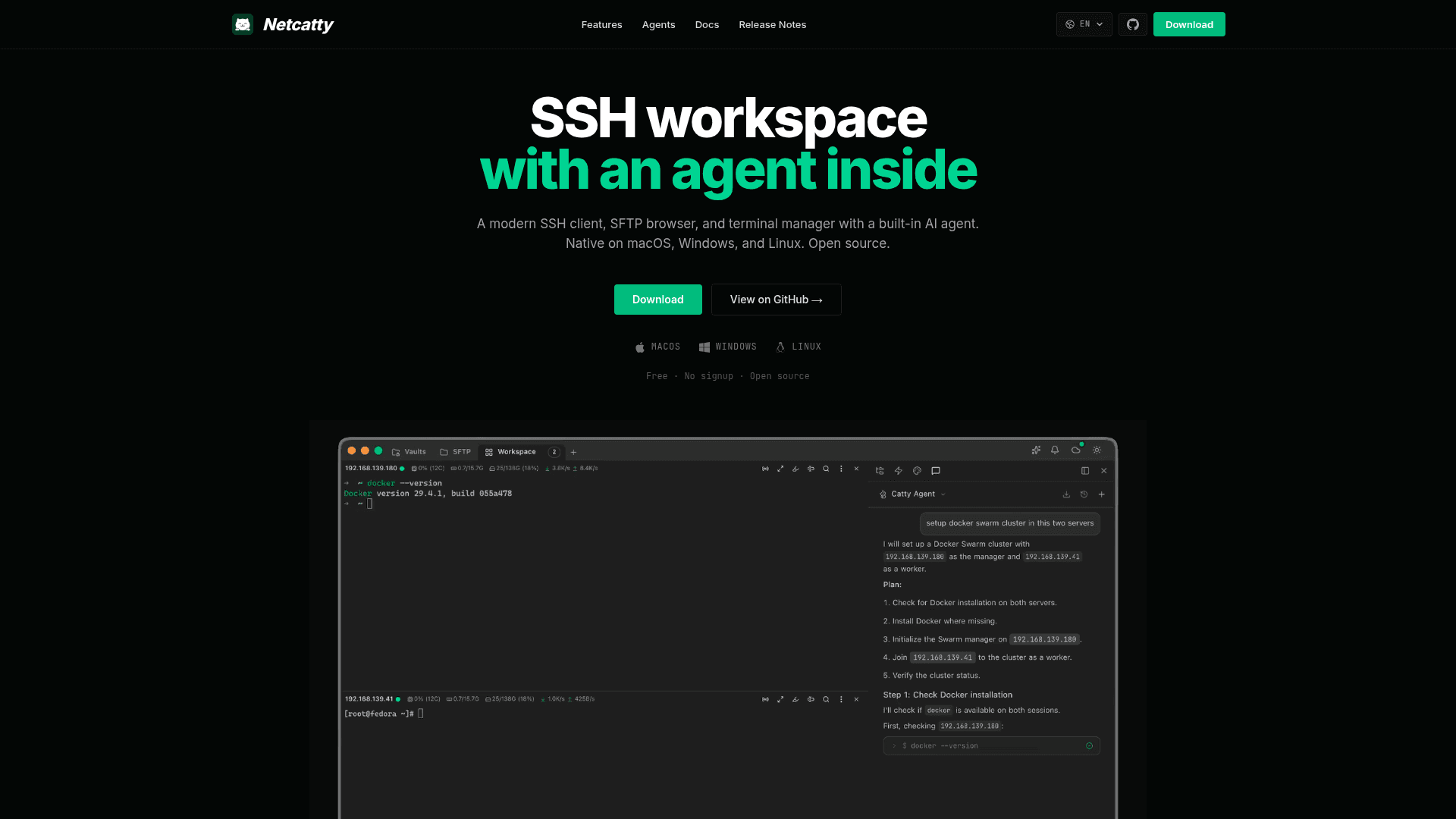
Netcatty is an open-source desktop SSH workspace for macOS, Windows and Linux, published by binaricat. It combines an SSH client, a dual-pane SFTP browser with a built-in editor, split-pane terminals and a built-in AI assistant called Catty Agent. The latest release listed is v1.1.83.
What It Is
Netcatty is a terminal manager aimed at developers, sysadmins and DevOps engineers who manage many remote servers. The README positions it as an alternative to PuTTY, Termius, SecureCRT and macOS Terminal.app. It supports SSH, local terminal, Telnet, Mosh and Serial connections (when available). It is not a shell replacement: it connects to shells over those protocols or local and serial sessions.
Catty Agent for IT Ops
Catty Agent is the built-in AI assistant. According to the README, users describe tasks in natural language and the agent runs commands, analyzes the output and summarizes the result. Documented examples include single-host health diagnostics and a multi-host Docker Swarm cluster setup covering init, token exchange and node joining across two servers.
Workspace, Vault and SFTP
The Vault organizes hosts and groups in grid, list or tree views with fast search. Terminal workspaces offer horizontal and vertical split panes, tabs and session management. A right-click action saves the visible terminal screen as text. Inline images from remote programs (Kitty graphics, SIXEL, iTerm) can be rendered. The SFTP browser supports drag-and-drop transfers and in-place editing. Custom themes and keyword highlighting rules are available, and OS icons are detected for hosts running distributions such as Ubuntu, Debian, Fedora and Rocky Linux.
Setup Path
Builds are downloaded from GitHub Releases (macOS universal x64/arm64, Windows and Linux x64/arm64). A community-maintained Scoop package and a Nix flake wrapping the Linux AppImage are also described. Windows installs add an Open in Netcatty Explorer context-menu entry, and a portable data folder mode is documented. Development uses Node.js 18+ with npm run dev; the stack is Electron, React, TypeScript, Vite and xterm.js. It is licensed under GPL-3.0.
Community Discussions
Be the first to start a conversation about Netcatty
Share your experience with Netcatty, ask questions, or help others learn from your insights.
Pricing
Open Source (GPL-3.0)
Netcatty desktop app is released under the GPL-3.0 license, which is OSI-approved. Source code is publicly available.
- Licensed under GNU General Public License v3.0 (GPL-3.0)
- Built-in Catty Agent AI assistant
- Split terminals, Vault views, SFTP workflows, custom themes
- Platforms: macOS, Windows, Linux
Capabilities
Key Features
- Built-in Catty Agent AI assistant
- Natural language server management
- Multi-host orchestration
- Real-time server diagnostics
- SSH, local terminal, Telnet, Mosh and Serial connections
- Split panes and tabs
- Vault with grid, list and tree views
- Dual-pane SFTP browser with built-in editor
- Drag and drop file transfers
- Save current terminal screen
- Inline images (Kitty, SIXEL, iTerm)
- Custom themes and keyword highlighting
- Automatic distro OS icon detection
- Windows Explorer Open in Netcatty context menu