
OfficeCLI
An open-source CLI tool that gives AI agents full control over Word, Excel, and PowerPoint files — no Office installation required.
At a Glance
Fully free and open-source under Apache 2.0. All features included.
Engagement
Available On
Listed Jul 2026
About OfficeCLI
OfficeCLI is an open-source, single-binary command-line tool built specifically for AI agents to create, read, modify, and automate Word (.docx), Excel (.xlsx), and PowerPoint (.pptx) files. It ships under the Apache 2.0 license and requires no Microsoft Office installation or external runtime dependencies. The project is maintained by iOfficeAI on GitHub and reached v1.0.129 as of July 2026.
What It Is
OfficeCLI is an AI-native Office automation CLI that replaces multi-library Python scripts with single commands. Where manipulating a PowerPoint slide previously required 50+ lines of python-pptx code, OfficeCLI reduces it to one command like officecli add deck.pptx / --type slide --prop title="Q4 Report". It operates on all three major Office formats with full read, modify, and create support, and exposes every operation as deterministic JSON output — making it straightforward for AI agents to parse results without regex scraping.
Three-Layer Architecture
OfficeCLI organizes its commands into three progressive layers so agents and developers can start simple and go deep only when needed:
- L1 (Read): Semantic views via
view— modes includetext,outline,annotated,stats,issues,html,svg, andscreenshot - L2 (DOM): Structured element operations —
get,query,set,add,remove,move,swap— using stable path-based addressing like/slide[1]/shape[2] - L3 (Raw XML): Direct XPath access via
raw,raw-set,add-part, andvalidate— a universal fallback when L2 isn't sufficient
Built-in Engines
The binary ships several self-contained engines that require no external tools:
- Rendering engine: A from-scratch HTML renderer that converts
.docx/.xlsx/.pptxto HTML or per-page PNG screenshots, enabling the render → look → fix loop in headless CI/Docker environments. Thewatchcommand starts a local HTTP server with auto-refresh on every edit. - Formula & pivot engine: 350+ Excel functions auto-evaluated on write, including spilling dynamic arrays (
FILTER,SORT,UNIQUE,LAMBDA), financial math (XIRR,PRICE,YIELD), and statistical functions. Native OOXML pivot tables can be created from a source range with a single command. - Template merge: The
mergecommand replaces{{key}}placeholders in any.docx/.xlsx/.pptxwith JSON data across paragraphs, table cells, shapes, headers, footers, and chart titles. - Round-trip dump:
dumpserializes any document or subtree into replayable batch JSON;batchreplays it — enabling agents to learn from human-authored templates.
AI Agent Integration
OfficeCLI is designed to integrate directly with AI coding agents. Running officecli install auto-detects Claude Code, Cursor, Windsurf, GitHub Copilot, and similar tools and installs its skill file into each. A built-in MCP server can be registered with a single command (officecli mcp claude, officecli mcp cursor, etc.), exposing all document operations as JSON-RPC tools. The SKILL.md file at officecli.ai/SKILL.md teaches any agent how to install the binary and use all commands in one curl fetch. Structured error codes (not_found, invalid_value, unsupported_property) include suggestions and valid ranges so agents can self-correct without human intervention.
Installation and Platform Support
OfficeCLI ships as a self-contained binary with the .NET 10 runtime embedded — nothing to install at runtime. It is available for macOS (Apple Silicon and Intel), Linux (x64 and ARM64), and Windows (x64 and ARM64). Installation options include a one-line shell/PowerShell script, Homebrew (brew install officecli), npm (npm install -g @officecli/officecli), or manual binary download from GitHub Releases. Python and Node.js thin SDKs (officecli-sdk / @officecli/sdk) wrap the binary via resident named pipes for near-zero per-call latency.
Update: v1.0.129
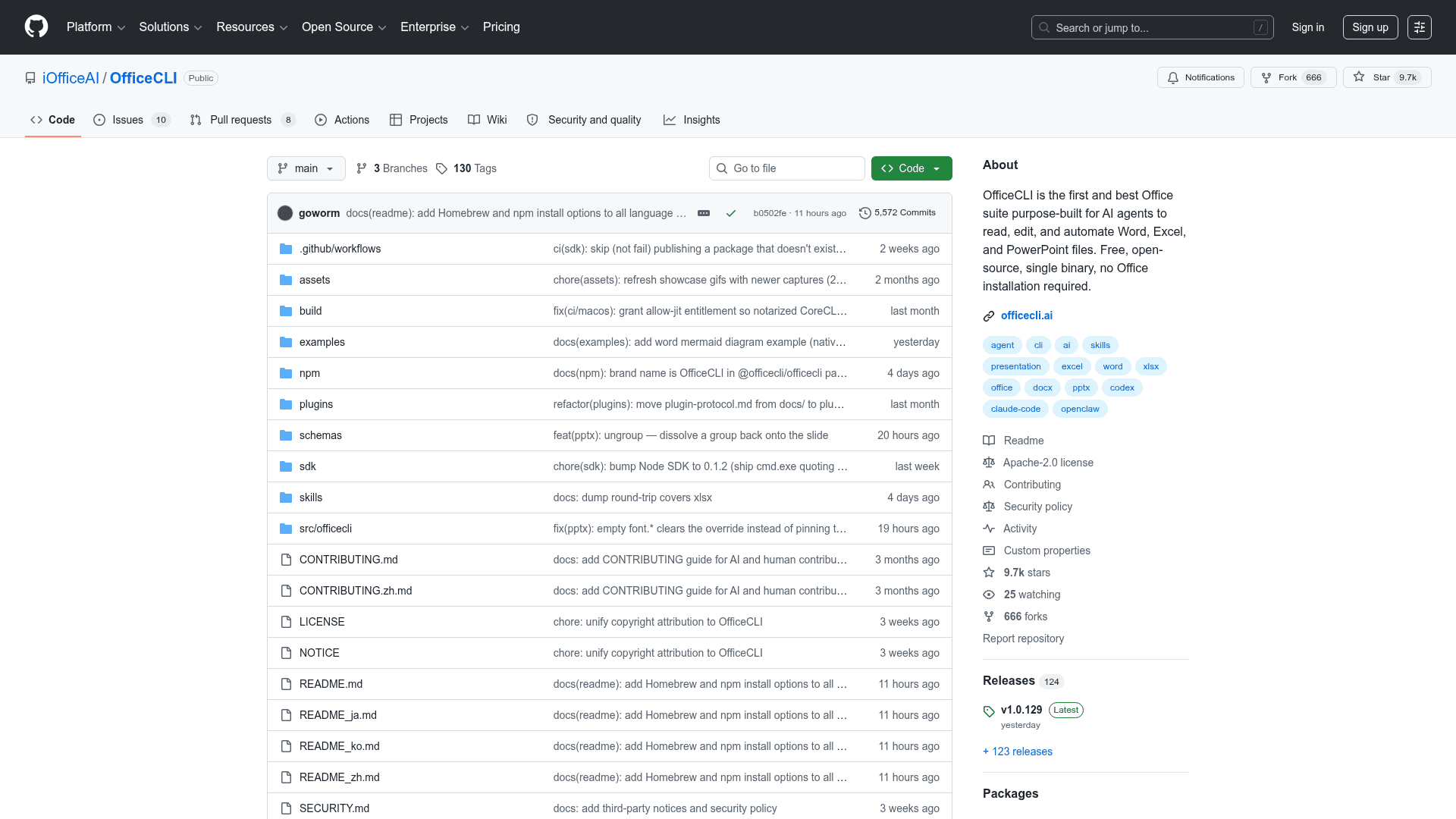
The latest release is v1.0.129, published July 6, 2026, with 5,572 commits and 130 tags across 124 releases. Recent commits show active development across all three formats: Word mermaid diagram support (native editable shapes and full-fidelity PNG), Excel worksheet dump coverage for .xlsx, PowerPoint group ungroup, macOS notarization fixes for CoreCLR JIT on Hardened Runtime, and Node SDK quoting fixes for cmd.exe. The repository has 13 contributors and is written primarily in C# (94.4%).
Community Discussions
Be the first to start a conversation about OfficeCLI
Share your experience with OfficeCLI, ask questions, or help others learn from your insights.
Pricing
Open Source
Fully free and open-source under Apache 2.0. All features included.
- Full Word, Excel, and PowerPoint support
- Single self-contained binary
- Built-in rendering engine
- MCP server integration
- Python and Node.js SDKs
Capabilities
Key Features
- Create, read, and modify Word (.docx), Excel (.xlsx), and PowerPoint (.pptx) files
- Single self-contained binary — no Office installation or runtime required
- Built-in high-fidelity HTML rendering engine for document preview and PNG screenshots
- 350+ Excel functions auto-evaluated on write including dynamic arrays and financial math
- Native OOXML pivot table creation from a source range with one command
- Template merge with {{key}} placeholders across all three Office formats
- Round-trip dump/batch JSON for learning from and replaying existing documents
- Path-based element addressing (/slide[1]/shape[2]) for stable AI agent navigation
- Deterministic JSON output for all commands via --json flag
- Built-in MCP server for Claude Code, Cursor, VS Code, and LM Studio integration
- Auto-installs skill file into detected AI coding agents on first run
- Resident mode via named pipes for near-zero latency multi-step workflows
- Batch mode for applying multiple operations in a single pass
- Live preview with auto-refresh via `watch` command
- Three-layer architecture: semantic views, DOM operations, raw XML fallback
- CSS-like query selectors with boolean and/or operators
- Full i18n and RTL support for Word documents
- LaTeX equation input for Word and PowerPoint
- Mermaid diagram rendering to native editable shapes or PNG
- Cross-platform: macOS (Apple Silicon/Intel), Linux (x64/ARM64), Windows (x64/ARM64)
- Python SDK (officecli-sdk) and Node.js SDK (@officecli/sdk)
- Homebrew and npm package manager installation support
- Structured error codes with suggestions for agent self-correction
- OpenXML schema validation via `validate` command
- Plugin system for extending format support (PDF export, .doc, .hwpx)