Open Minis
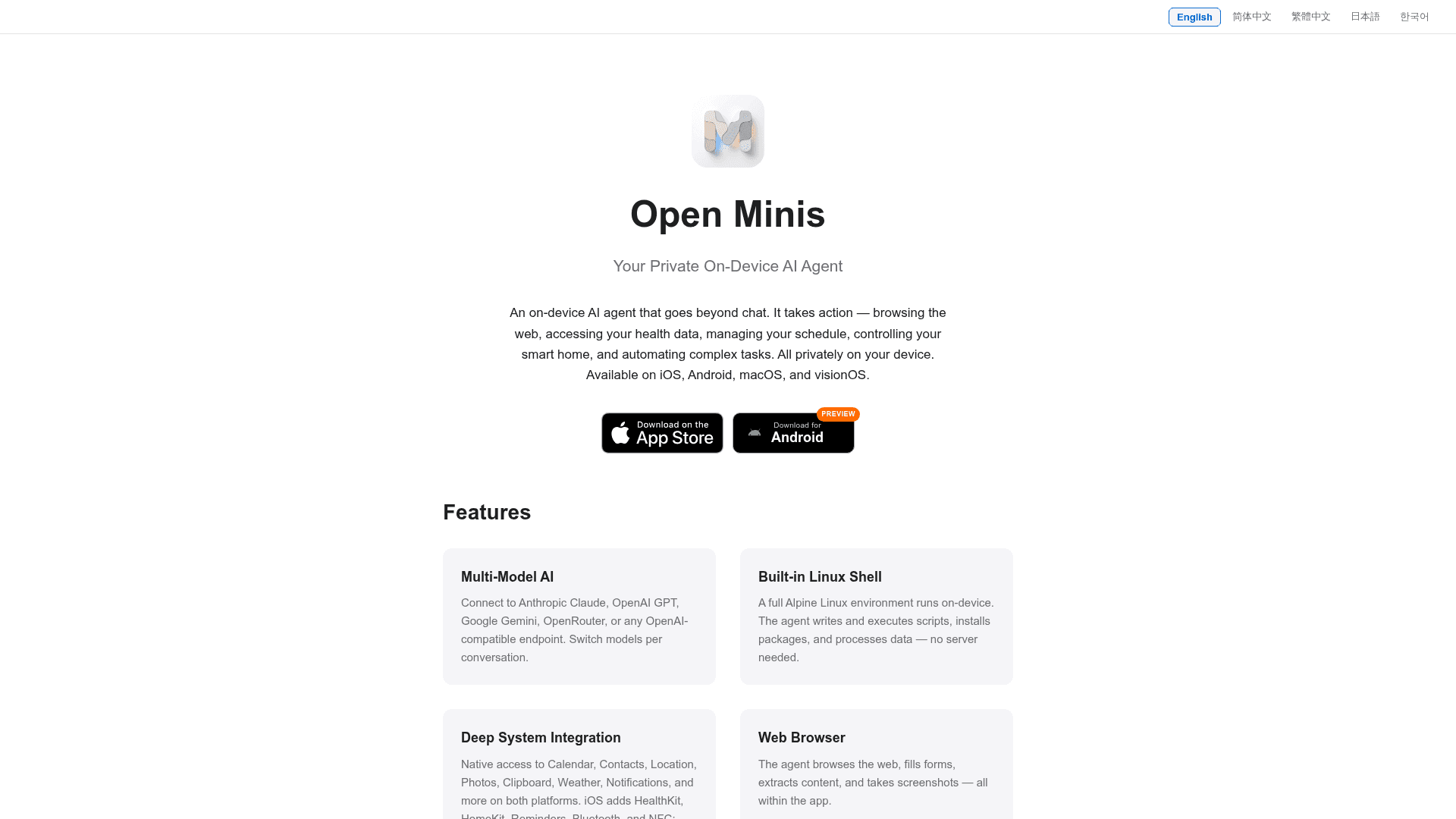
A free, open-source, on-device AI agent for iOS, Android, macOS, and visionOS that browses the web, runs a Linux shell, and integrates deeply with device systems — all privately on your device.
At a Glance
Fully free and open-source under GPLv3. Download from the App Store (iOS/macOS/visionOS) or GitHub releases (Android). Bring your own API keys.
Engagement
Available On
Alternatives
Listed Aug 2026
About Open Minis
Open Minis is a fully free and open-source AI agent app available on iOS, Android, macOS, and visionOS, licensed under GPLv3. It brings leading AI models — Claude, GPT, Gemini, and more — into a native mobile experience and gives them real compute to work with: a sandboxed Alpine Linux shell running entirely on-device, browser automation, extensible skills, persistent memory, and deep system integration. The project is developed by the OpenMinis organization and the source code is publicly available on GitHub.
What It Is
Open Minis is a mobile-first AI agent that goes beyond conversational chat. Rather than simply answering questions, it takes action: executing shell scripts, browsing the web, reading health data, managing calendars, controlling smart home devices, and automating complex multi-step tasks. All processing happens on-device, with no data collected and no third-party analytics. Users bring their own API keys from supported providers (Anthropic, OpenAI, Google Gemini, OpenRouter, or any OpenAI-compatible endpoint), which are stored in the device Keychain.
On-Device Linux Shell and Browser Automation
The most distinctive technical feature of Open Minis is a full Alpine Linux environment that runs on-device — powered by iSH (an ARM64 fork) on iOS and PRoot on Android. The agent can write and execute scripts, install packages via apk or pip, process data with FFmpeg, and work with real files in an isolated per-session filesystem mounted at /var/minis/. Supported runtimes include Python (with uv for dependencies), Node.js, Go, and Rust. A built-in web browser lets the agent browse pages, fill forms, extract content, and take screenshots — all within the app, without a server.
Deep System Integration by Platform
Open Minis exposes native device APIs as agent tools, with platform-specific capabilities:
- iOS / iPadOS / macOS / visionOS: HealthKit, HomeKit, Calendar, Reminders, Contacts, Location, Photos, Clipboard, Bluetooth, NFC, Alarms, and Media playback. Requires iOS 16+, iPadOS 16+, macOS 13+ Apple Silicon, or visionOS 1.0+.
- Android (Preview): Accessibility Service for full UI automation across any app — reading UI trees, tapping buttons, filling forms, scrolling, and capturing system-wide screenshots. Shizuku (or AXManager) integration grants adb-level privileges: install/uninstall packages, grant/revoke permissions, manage app ops, and execute shell commands without a computer. Built-in scheduled tasks via AlarmManager support one-time, daily, weekday, and custom repeat schedules. Requires Android 10+.
Skills, MCP, and Extensibility
Open Minis uses a skill system based on SKILL.md files — folders containing instructions, scripts, references, and assets that the agent loads on demand. Skills built for Claude, Codex, OpenClaw, or Hermes Agent generally run in Open Minis as-is, with Minis-adapted skills gaining direct access to the Linux shell and device integrations. The official skill repository is available at OpenMinis/MinisSkills on GitHub.
MCP (Model Context Protocol) server integration is also supported, with HTTP and STDIO transports, Claude Desktop-compatible JSON import, per-session toggles, and secret injection via environment variables. Advanced model configuration includes fallback and load-balance routing groups, and a separate agent loop model pool for sub-task delegation.
Why It Got Attention
MacStories described Open Minis as "the iOS agent I wish Siri AI could be" (July 2026), and Chinese tech publication Zhihu noted it "largely achieves and locally surpasses Apple Intelligence" (June 2026). The GitHub repository accumulated over 3,000 stars and 360 forks since its creation in April 2026, reflecting rapid community interest. A community-curated collection of use cases — OpenMinis/AwesomeMinis — covers health logging, timeline summarization, task extraction from messaging apps, Obsidian vault management, and calendar event creation from shared content.
Open-Source Deployment Model
The full source code is available under GPLv3 at github.com/OpenMinis/OpenMinis. The repository includes iOS (Swift/SwiftUI), Android (Kotlin/Compose), shared assets, native dependency build scripts, and architecture specifications. Building from source requires compiling native dependencies including iSH, PRoot, FFmpeg, and LAME, plus preparing an Alpine rootfs — detailed in BUILDING.md. The repository is a mirror of a private development tree and does not accept pull requests; community contribution flows through GitHub Issues, AwesomeMinis, and MinisSkills.
Community Discussions
Be the first to start a conversation about Open Minis
Share your experience with Open Minis, ask questions, or help others learn from your insights.
Pricing
Open Source
Fully free and open-source under GPLv3. Download from the App Store (iOS/macOS/visionOS) or GitHub releases (Android). Bring your own API keys.
- All agent features included
- Multi-model support (Claude, GPT, Gemini, OpenRouter, custom)
- On-device Linux shell
- Web browser automation
- Deep system integration (HealthKit, HomeKit, Calendar, etc.)
Capabilities
Key Features
- On-device AI agent with no data collection
- Built-in Alpine Linux shell (iSH on iOS, PRoot on Android)
- Multi-model support: Claude, GPT, Gemini, OpenRouter, custom OpenAI-compatible endpoints
- Web browser with form filling, content extraction, and screenshots
- iOS HealthKit, HomeKit, Calendar, Reminders, Contacts, Bluetooth, NFC integration
- Android Accessibility Service for cross-app UI automation
- Android Shizuku privileged operations (adb-level)
- Android scheduled tasks with AlarmManager
- Floating overlay for background agent status on Android
- Custom skills via SKILL.md format
- MCP (Model Context Protocol) server integration
- Per-session isolated filesystem at /var/minis/
- Shared memory and skills directories across sessions
- Model fallback and load-balance routing groups
- Agent loop model pool for sub-task delegation
- API keys stored in device Keychain
- iOS Shortcuts integration for automation
- FFmpeg with hardware acceleration built-in
- Background audio keep-alive for long-running tasks
- Enhanced cache support for Anthropic Claude models