
OpenTeam
Open-source, self-hosted platform for running a team of AI bots that each have their own browser, desktop, memory, and scheduled routines.
At a Glance
About OpenTeam
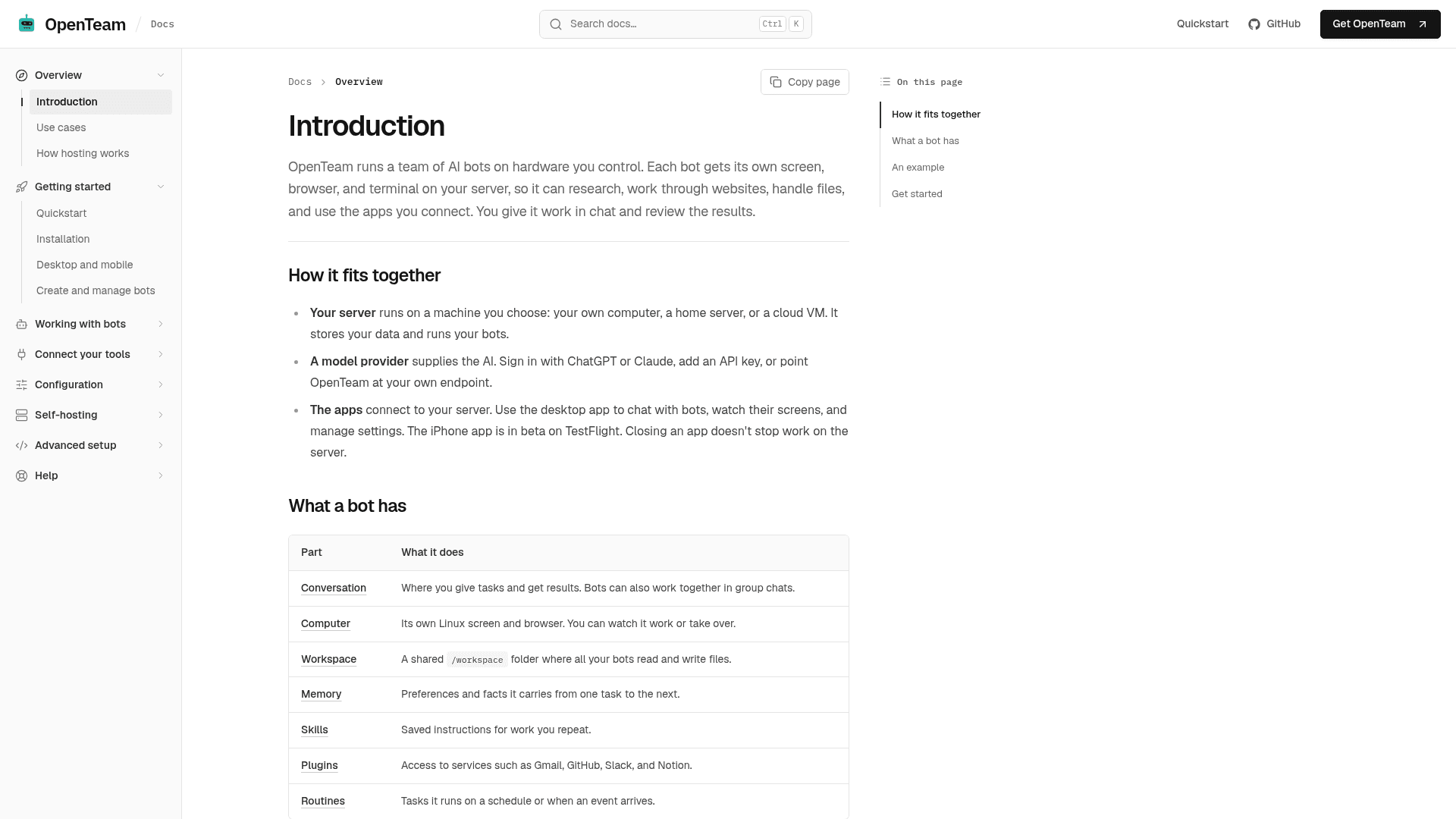
OpenTeam is an open-source, self-hosted platform that runs a team of AI bots on hardware you control, such as your own computer, a home server, or a cloud VM. Each bot gets its own screen, browser, and terminal, and you assign work in chat and review the results. It is licensed under GPL-3.0, and the website labels the current release as v0.
What It Is
OpenTeam is a self-hosted AI agent workspace. You install a server on a machine you choose, connect a model provider, and then create bots with a role and instructions. Bots can research, work through websites, handle files, and use apps you connect. Server-side work continues when you close the app.
Each bot has a conversation, its own Linux computer and browser (which you can watch or take over), a shared /workspace folder, memory, skills, plugins, and routines.
How the Workflow Runs
The docs give an example: attach a spreadsheet of suppliers and ask for a shortlist of three. The bot opens the file, checks supplier websites in its browser, and attaches a Markdown report. If it needs a decision or an account, it asks in the chat. Bots can also work together in group chats, message each other, or delegate tasks to subagents.
Routines let a bot or group run recurring tasks on a schedule or in response to configured events. The site says workers check with you before they delete, send, or post.
Connections and Model Choice
Plugins connect services such as Gmail, GitHub, Slack, and Notion, and custom tools can be added through MCP. Skills save instructions for repeated work. For models, you can sign in with ChatGPT or Claude, use OpenAI, Anthropic, or OpenRouter API keys, or point to a compatible hosted or local endpoint.
Setup Path
Installation uses a one-line script on macOS and Linux or PowerShell on Windows, followed by guided setup that prints a server URL. The README lists an x64 or arm64 machine with Docker Engine and Docker Compose 2.20+, recommending 8 GB RAM and 8 GB free disk. The desktop app is available for macOS (Apple silicon) and Linux (x64), and an iPhone app is in beta on TestFlight. The CLI includes status, doctor, setup, and update commands.
Community Discussions
Be the first to start a conversation about OpenTeam
Share your experience with OpenTeam, ask questions, or help others learn from your insights.
Pricing
Open Source (Self-Hosted)
Self-hosted OpenTeam core licensed under GPL-3.0; runs on your own hardware with your own model provider.
- Licensed under GNU General Public License v3.0 (OSI-approved)
- Self-hosted on your own computer, home server, or cloud VM
- Bring your own model provider (ChatGPT/Claude sign-in, API key, or own endpoint) - external cost
- Some bundled third-party components keep their own licenses
- Desktop app for macOS (Apple silicon) and Linux (x64); iPhone app in beta
Capabilities
Key Features
- Per-bot Linux desktop, browser, and terminal with watch and take-over
- Shared /workspace folder across bots
- Persistent memory across conversations
- Group chats and delegation to subagents
- Scheduled and event-driven routines
- Reusable skills
- Plugins for Gmail, GitHub, Slack, Notion and custom MCP servers
- Approval prompts before deleting, sending, or posting
- Bring-your-own model via ChatGPT/Claude sign-in, API keys, or custom endpoints
- Desktop and iPhone (beta) apps
- CLI for setup, status, diagnostics, and updates with backup and rollback