
Operator
Web-based control room for running Claude Code and Codex agent sessions in parallel across projects, each in an isolated git worktree.
At a Glance
About Operator
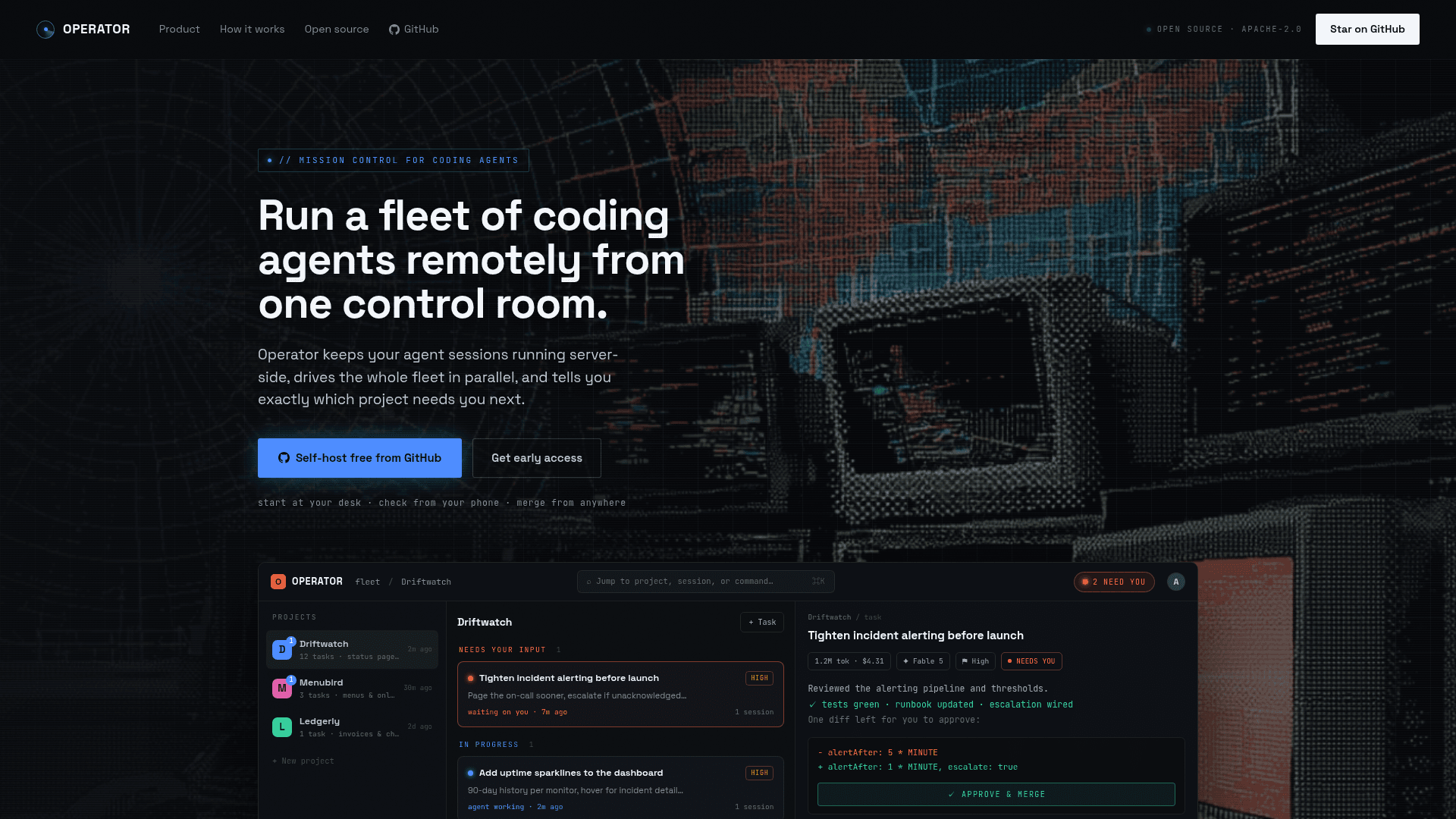
Operator is an open-source (Apache-2.0) web workspace for running many coding agent sessions at once. Each task gets a persistent Claude Code or Codex session in its own git worktree, with one view across all projects showing which sessions need input. It can be run locally, self-hosted, or used as a hosted version that the homepage lists as a waitlist offering.
What It Is
Operator is a mission-control style app for coding agents. You define tasks per project on a list or kanban board, and each task launches an agent in an isolated worktree and branch with its own transcript. Because sessions run server-side, they continue after you close a browser tab or laptop, and a cross-project inbox flags sessions waiting for you.
How the Workflow Runs
Tasks can depend on earlier tasks, so work can branch into parallel paths and rejoin. With Start when unblocked enabled, Operator launches each task once its blockers finish. For review, you inspect the diff beside the conversation, sync the branch, resolve conflicts, then merge or open a pull request. Using /clear condenses the transcript into a summary and seeds a fresh context window while keeping task lineage. Project knowledge can be saved once, and custom slash commands store reusable prompts.
Models, Permissions and Insights
The model picker shows versioned Claude and Codex models, accepts custom model IDs, and discovers choices from the connected agents. Codex permission modes include Auto-run, Plan, and an explicit Full access opt-in. A usage dashboard reports API-equivalent spend, tokens, tasks shipped, and lines merged over selectable time ranges. An optional prompt inspector, off by default, shows the inputs sent to the agents.
Setup Path
Local use requires Node 20.9 or newer, macOS or Linux, and at least one supported agent CLI. After cloning, run npm install, npm run build, and npm start, then open localhost:3000 for a first-run wizard. Both agents support subscription login, so an API key is not required. A self-hosting guide covers Docker, authentication, and TLS; the README warns against exposing an unauthenticated instance to a network.
Community Discussions
Be the first to start a conversation about Operator
Share your experience with Operator, ask questions, or help others learn from your insights.
Pricing
Self-host
Run the full Operator app locally on your own hardware under Apache-2.0, using your existing Claude Pro/Max login.
- The complete app, nothing held back
- Repos, worktrees and transcripts stay on your machine
- Runs while your machine is awake
- Apache-2.0 licensed
- Requires Node 20.9+, macOS or Linux, and a supported agent CLI (Claude Code or Codex)
Capabilities
Key Features
- Parallel agent sessions, each in an isolated git worktree
- Cross-project inbox showing sessions that need input
- List and kanban task views
- Task dependency pipelines with Start when unblocked
- Diff review, conflict resolution, merge or pull request
- Context carry-over with /clear summaries
- Custom slash commands
- Per-project and per-task terminals and managed services with live logs
- Usage and token insights dashboard
- Versioned model picker with custom model IDs
- Codex permission modes
- Optional prompt inspector
- Local, self-hosted, or hosted deployment