
Orca
An open-source AI orchestrator IDE that runs multiple coding agents like Claude Code, Codex, and Gemini side-by-side across Git worktrees on macOS, Windows, and Linux.
At a Glance
Fully free and open-source under the MIT License. Download and use with your own agent subscriptions.
Engagement
Available On
Alternatives
Listed May 2026
About Orca
Orca is an open-source desktop IDE built by stablyai for developers who want to run multiple AI coding agents in parallel. It is available for macOS, Windows, and Linux, and is distributed under the MIT License. The project reached v1.3.50 as of May 2026 and has accumulated over 2,100 stars on GitHub.
What It Is
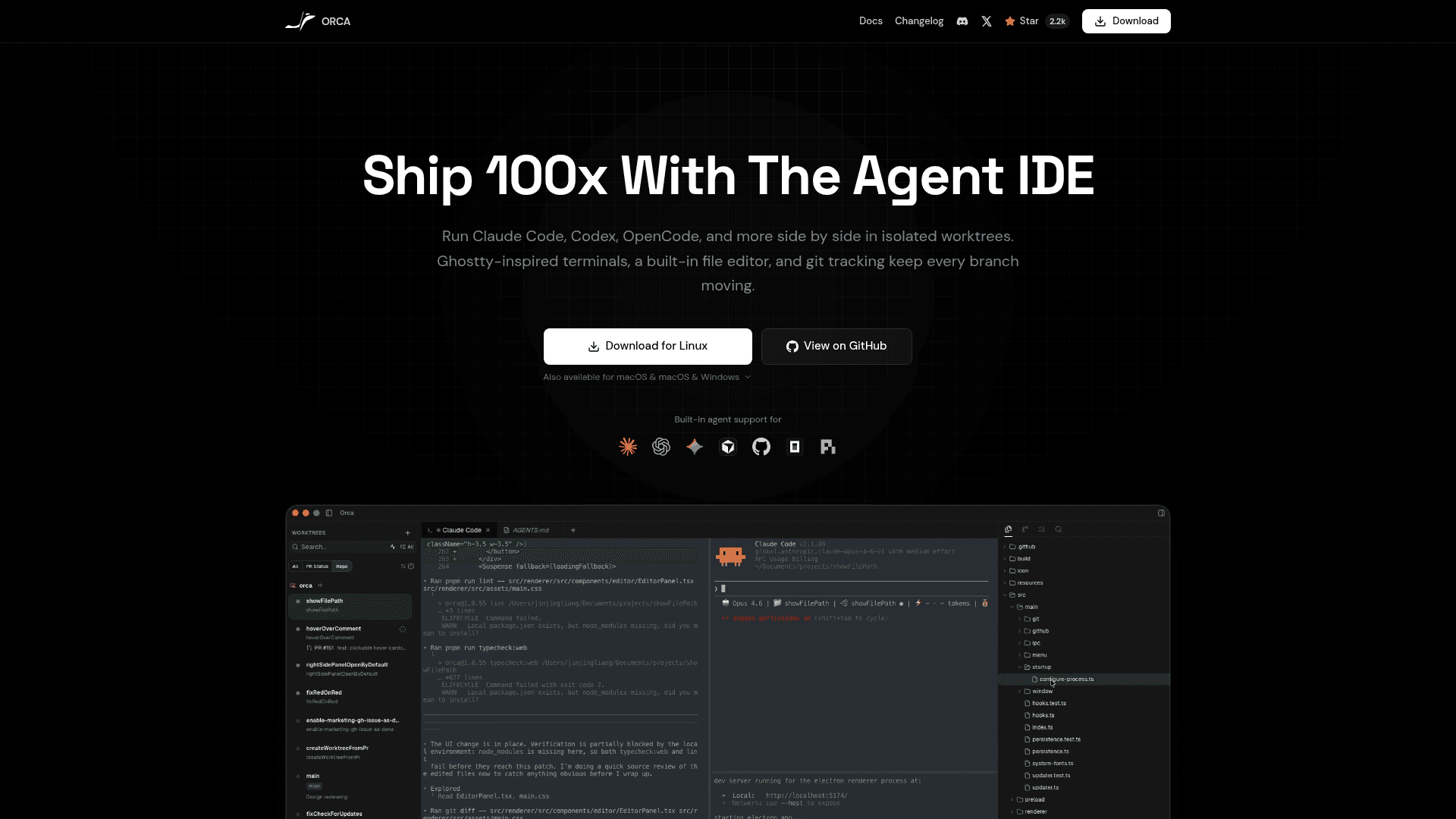
Orca is a next-generation IDE designed around the concept of "parallel agent orchestration." Rather than running a single AI coding assistant in one terminal session, Orca lets developers spin up multiple agents — each in its own Git worktree — and manage them all from a single interface. It supports any CLI-based agent, with explicit support listed for Claude Code, OpenAI Codex, Gemini CLI, GitHub Copilot, Cursor, Cline, Continue, Amp, Kilocode, Mistral Vibe, Qwen Code, and many others.
How the Worktree-Native Workflow Works
Every feature or task in Orca gets its own Git worktree, eliminating the need to stash changes or juggle branches manually. Developers can spin up a new worktree and switch between them instantly. Each worktree runs its own agent session in a dedicated terminal tab or pane, and a live status dashboard shows what every agent is doing across all worktrees at a glance — whether working, waiting for input, or finished.
Key Capabilities
- Multi-agent terminals — Run multiple AI agents side-by-side in tabs and panes with live activity indicators
- Built-in source control — Review AI-generated diffs, annotate specific lines with feedback, send revisions back to the agent, and commit without leaving the IDE
- GitHub integration — PRs, issues, and Actions checks are linked to each worktree automatically
- Per-worktree browser and Design Mode — A built-in browser lets developers preview their app, then click any UI element to drop it directly into the AI chat as context
- SSH support — Connect to remote machines and run agents on them from within Orca
- Notifications — Alerts when an agent finishes or needs attention, with the ability to mark threads unread
- Hot-swap accounts — Switch between multiple Codex accounts in one click without re-login or config file edits
- Orca CLI — An optional terminal tool that lets AI agents control the IDE, add projects, spin up worktrees, and post progress checkpoints
Deployment Model and Setup
Orca requires no login of its own — users bring their own subscriptions to Claude Code, Codex, or other supported agents. It can be downloaded directly from onOrca.dev or via GitHub Releases. On macOS it is also installable via Homebrew (brew install --cask stablyai/orca/orca), and on Arch Linux it is available through the AUR as either a precompiled binary or a source build.
Update: v1.3.50
The latest release is v1.3.50, published on May 12, 2026. Recent additions highlighted in the README include live agent status tracking across all worktrees, inline diff annotation with agent feedback loops, Codex account hot-swapping, the per-worktree browser with Design Mode, and the Orca CLI for terminal-driven IDE control. The repository shows active daily shipping with 123 open issues and a last push on the same day as the latest release, signaling a fast-moving development cadence.
Community Discussions
Be the first to start a conversation about Orca
Share your experience with Orca, ask questions, or help others learn from your insights.
Pricing
Open Source (MIT)
Fully free and open-source under the MIT License. Download and use with your own agent subscriptions.
- Worktree-native parallel agent sessions
- Multi-agent terminal tabs and panes
- Built-in source control and diff review
- GitHub integration
- Per-worktree browser with Design Mode
Capabilities
Key Features
- Worktree-native parallel agent sessions
- Multi-agent terminal tabs and panes
- Live agent status dashboard across all worktrees
- Built-in source control with AI diff review
- Inline diff annotation with agent feedback loop
- GitHub integration (PRs, issues, Actions checks)
- Per-worktree browser with Design Mode
- SSH support for remote agent execution
- Notifications when agents finish or need input
- Hot-swap between multiple Codex accounts
- Orca CLI for terminal-driven IDE control
- No login required — bring your own agent subscription
- Supports any CLI-based AI coding agent