
Perch
A native macOS app for running Claude Code, Codex, Gemini, DeepSeek and Grok coding agents with visual rooms, permission modes and approvals.
At a Glance
Fourteen days with everything the licence includes; no card required. After the trial ends, starting new work needs the licence; existing data stays available.
Engagement
Available On
Listed Nov 2026
About Perch
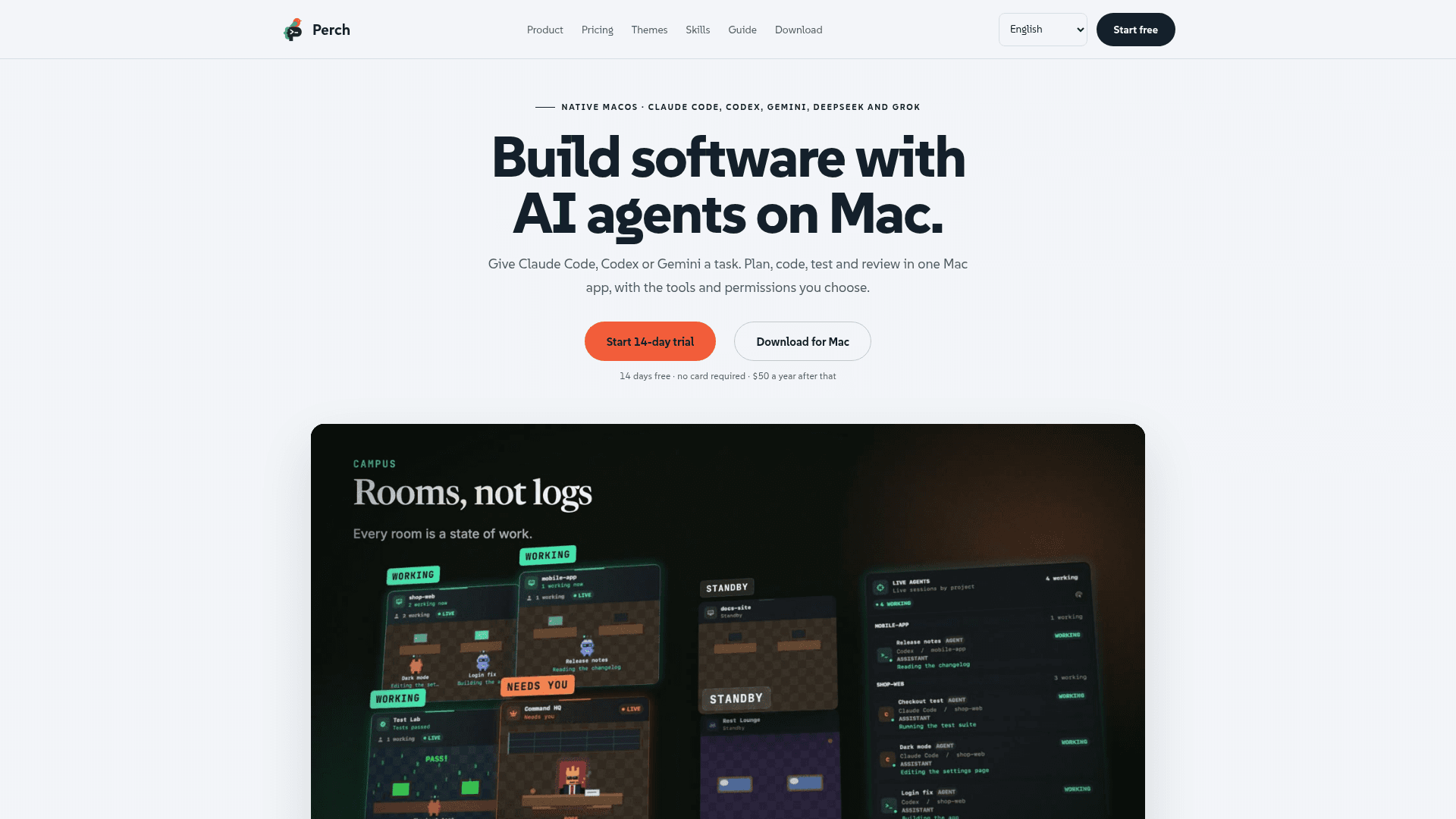
Perch Studio makes Perch, a native macOS app for building software with AI coding agents. Users give a supported agent such as Claude Code, Codex or Gemini a task, then plan, code, test and review from one app. Agent activity is shown as rooms in a Studio view instead of a raw log.
What It Is
Perch is a command center for AI coding agents on Mac. It supports Claude Code, Codex, Gemini, DeepSeek and Grok, and users bring their own provider access because Perch does not include or resell model access. Claude and Codex get the deepest integration, including quota tracking and account switching. Gemini runs through Antigravity CLI, DeepSeek through Claude Code with a separate API key, and Grok through its own CLI.
How the rooms and approvals work
Each agent moves between rooms that map to its state: Project Office, Source Archive, Test Lab, Planning HQ, Design Studio, Memory Vault, File Waiting Room, Rest Lounge and Command HQ. Requests that need an answer land in Command HQ with a macOS notification. Users can allow once, allow for the rest of the run, allow and remember, or decline with a note.
Six permission modes can be set per task: Plan only, Ask every step, Auto, Accept edits, Don't ask and Full access. New tasks start in Full access, and protected files still ask in every mode. Gemini offers only four of the modes.
Tools around the agents
Perch includes work plans that split large jobs into phased tasks, a per-project source tree and history, and a Git conflict resolver. Agents can use the user's signed-in Chrome, allowed Mac apps and attached SSH servers, pausing before sensitive actions. It also offers MCP server selection per provider, multi-account switching at a usage threshold, quota views, token analysis, a work log, and AI Cleanup and memory review.
Themes and privacy
The Standard theme is included, and optional themes such as Halloween, Prehistoric, Military, Future Cyber, Heaven and Christmas change the look of the studio. According to the site, projects, source code, transcripts and provider sign-ins stay on the Mac. Usage statistics and diagnostic reports are off by default.
Community Discussions
Be the first to start a conversation about Perch
Share your experience with Perch, ask questions, or help others learn from your insights.
Pricing
Free trial
Fourteen days with everything the licence includes; no card required. After the trial ends, starting new work needs the licence; existing data stays available.
- Everything the licence includes, from multi-account switching to automatic failover
Annual licence
One plan, one price, billed once a year.
- AI provider subscriptions, paid themes and skills are separate
Capabilities
Key Features
- Room-based visualization of agent state
- Six per-task permission modes
- One-click approvals in Command HQ with macOS notifications
- Phased work plans drafted by AI
- Browser (signed-in Chrome) and Mac app control
- Remote server access over SSH with approval dialogs
- Git conflict resolver
- MCP server selection per provider
- Claude and Codex multi-account switching at a usage threshold
- Quota and refresh windows per provider
- Token analysis per project and model
- Work log with copyable summary
- AI Cleanup and memory review
- Optional themes
- Signed in-app updates
- Optional usage statistics and diagnostics