Phone Harness
An open-source CLI harness that lets an LLM agent control a real iPhone via macOS iPhone Mirroring using screencapture, Vision OCR, and HID-level CGEvents — no jailbreak required.
At a Glance
Fully free and open-source under the MIT license. Clone, use, modify, and distribute freely.
Engagement
Available On
Alternatives
Listed Aug 2026
About Phone Harness
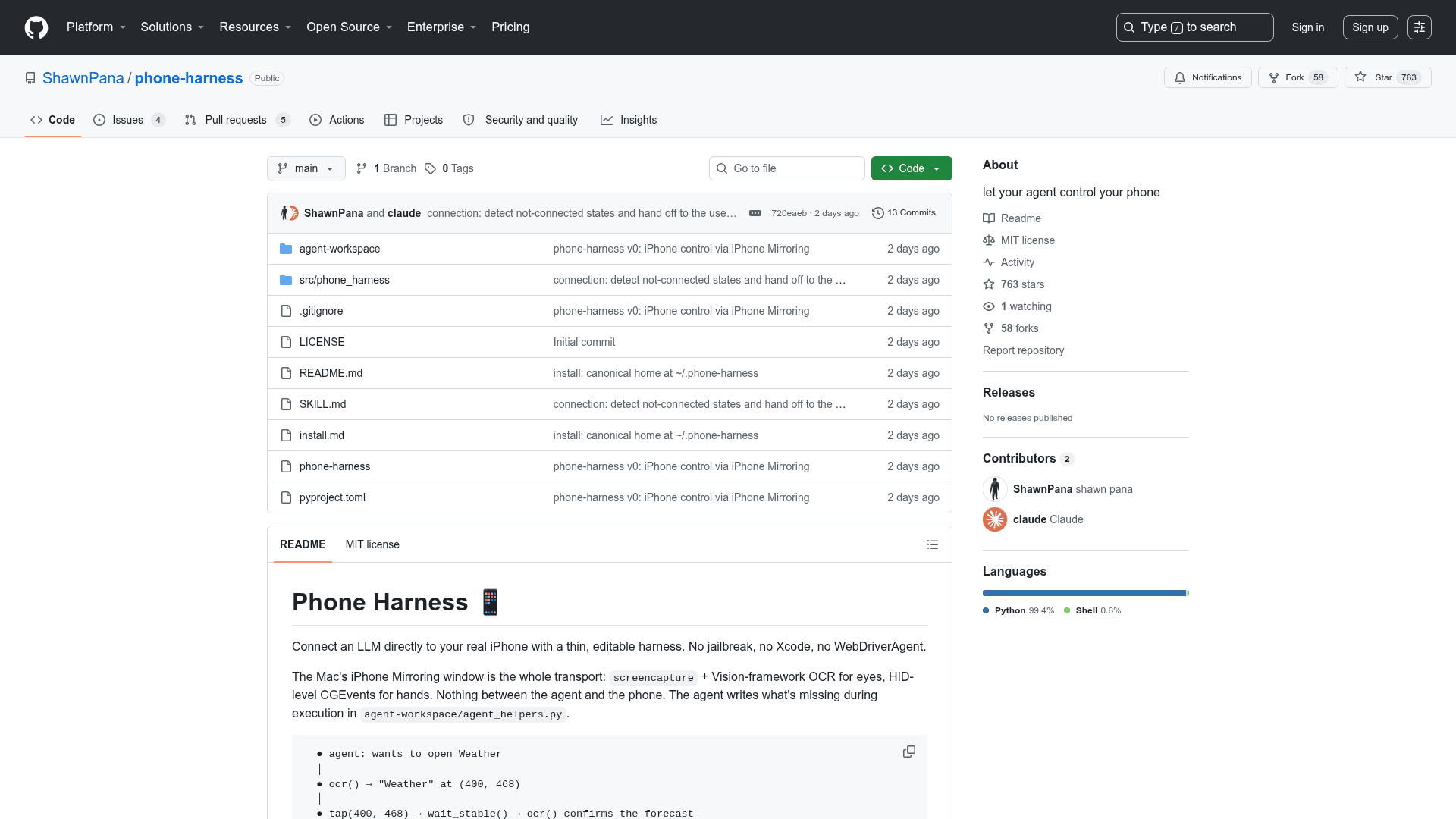
Phone Harness is a lightweight, open-source Python tool that connects an LLM agent directly to a real iPhone through macOS's iPhone Mirroring window. It requires no jailbreak, no Xcode, and no WebDriverAgent — just the standard macOS Sequoia+ mirroring feature, a terminal with the right permissions, and a vision-capable model. The project is MIT-licensed and hosted on GitHub by ShawnPana.
What It Is
Phone Harness is an agent skill harness that gives an LLM "eyes" and "hands" on a physical iPhone. It uses screencapture to grab the iPhone Mirroring window, Apple's Vision framework for OCR to locate on-screen text with tap-ready coordinates, and HID-level CGEvents to post taps, long-presses, drags, flicks, scrolls, and unicode typing. The result is a thin, stateless transport layer: every invocation re-queries the window bounds and captures fresh, so there is no background daemon.
How the Transport Works
iPhone Mirroring (macOS Sequoia+) renders the phone as a Mac window and forwards real mouse and keyboard input as actual touches on the device. Phone Harness exploits this to give an agent a complete interaction loop:
- See — captures the mirroring window and runs Vision-framework OCR, returning every visible string with a screen coordinate. The README describes this as "the poor man's DOM."
- Act — posts CGEvents at the HID tap layer: taps, long-presses, drags/flicks, scroll gestures, unicode typing, and built-in shortcuts (Cmd+1 Home, Cmd+2 App Switcher, Cmd+3 Spotlight).
- Verify — takes another screenshot. Because there is no DOM, the capture is the ground truth.
The README documents several things that do NOT work: AppleScript click at (silently ignored because the window is a video stream with no accessibility tree), unicode key payloads (mirroring forwards raw HID keycodes), slow touch-drags on iOS lists, and input while the window is not frontmost.
Architecture and Codebase
The core is roughly 500 lines of Python in src/phone_harness/:
mirror.py— window discovery, focus, capture, CGEvent inputocr.py— Vision-framework text recognition mapped to screen-point boxeshelpers.py— primitives pre-imported into every scriptadmin.py— the--doctorhealth-check commandrun.py— the CLI (execstdin with helpers in scope)
An agent-workspace/agent_helpers.py file is intentionally editable by the agent at runtime and auto-loaded into every script's namespace, enabling the agent to write missing helpers during execution.
Setup Path
Installation is designed to be bootstrapped by an LLM agent (Claude Code or Codex) using a single paste-in prompt. The only steps that require the human are: pairing iPhone Mirroring with the physical phone once, and granting the terminal Accessibility and Screen Recording permissions in macOS System Settings → Privacy & Security. After that, ./phone-harness --doctor verifies the full chain. The tool also registers itself as an agent skill (phone-harness skill) so the agent reaches for it automatically.
Known Limits
- One phone per session; unlocking the physical phone pauses mirroring.
- No multi-touch (no pinch), no camera/Face ID flows, DRM video renders black.
- OCR sees text, not semantics — unlabeled icons require a screenshot plus a vision-capable model to interpret.
Current Status
The repository was created in August 2026 and had accumulated 763 stars and 58 forks within days of its initial push, according to the GitHub project metadata. The project is actively maintained under the MIT license with 9 open issues at the time of indexing.
Community Discussions
Be the first to start a conversation about Phone Harness
Share your experience with Phone Harness, ask questions, or help others learn from your insights.
Pricing
Open Source
Fully free and open-source under the MIT license. Clone, use, modify, and distribute freely.
- Full source code access
- iPhone control via macOS iPhone Mirroring
- Vision OCR screen reading
- HID-level CGEvent input
- Agent skill registration
Capabilities
Key Features
- Control real iPhone via macOS iPhone Mirroring — no jailbreak required
- Vision-framework OCR returns on-screen text with tap-ready coordinates
- HID-level CGEvents for taps, long-presses, drags, flicks, scrolls, and typing
- Stateless transport — no background daemon, every invocation is self-contained
- Agent-editable helper file (agent_helpers.py) auto-loaded at runtime
- Built-in --doctor health-check command
- Registers as an agent skill for automatic LLM invocation
- Supports Home Screen, App Switcher, and Spotlight shortcuts
- MIT-licensed open-source Python codebase (~500 lines of core)