
Main Menu
  • Tools
  • Developers
  • Topics
  • Discussions
  • Communities
  • News
  • Blogs
  • Builds
  • Contests
  • Compare
  • Arena
Create
    EveryDev.ai
    Sign inSubscribe
    Home
    Tools

    2,147+ AI tools

    • New
    • Trending
    • Featured
    • Compare
    • Arena
    Categories
    • Agents1228
    • Coding1045
    • Infrastructure455
    • Marketing414
    • Design374
    • Projects340
    • Analytics319
    • Research306
    • Testing200
    • Data171
    • Integration169
    • Security169
    • MCP164
    • Learning146
    • Communication131
    • Prompts122
    • Extensions120
    • Commerce116
    • Voice107
    • DevOps92
    • Web73
    • Finance19
    1. Home
    2. Tools
    3. PinchTab
    PinchTab icon

    PinchTab

    Browser Automation

    A standalone HTTP server and CLI that gives AI agents direct, token-efficient control over Chrome for browser automation and multi-instance orchestration.

    Visit Website

    At a Glance

    Pricing
    Open Source

    Fully free and open-source under the MIT License. No paid tiers.

    Engagement

    Available On

    Windows
    macOS
    Linux
    Web
    API

    Resources

    WebsiteDocsGitHubllms.txt

    Topics

    Browser AutomationAutonomous SystemsMCP Servers

    Alternatives

    ExecuteAutomation Playwright MCP ServerNotteChrome DevTools MCP
    Developer
    PinchTabLondon, United KingdomEst. 2026

    Listed May 2026

    About PinchTab

    PinchTab is an open-source, local-first browser automation tool built as a small Go binary (~16 MB) that exposes an HTTP API and CLI for AI agents to control Chrome. It supports both headless and headed Chrome profiles, persistent sessions, and multi-instance orchestration with strong isolation between parallel browser processes. Designed for token efficiency, PinchTab extracts page content at ~800 tokens per page — 5–13x cheaper than screenshot-based approaches — making it well-suited for agentic workflows where API cost matters.

    • Token-efficient extraction — Use pinchtab text to extract page content at ~800 tokens instead of 10,000, dramatically reducing LLM API costs.
    • Headless and headed Chrome — Run Chrome without a visible window for automation, or with a visible window for tasks requiring authenticated profiles.
    • Persistent profiles — Create named browser profiles with saved cookies, history, and local storage so agents stay logged in across restarts.
    • Multi-instance orchestration — Spin up multiple isolated Chrome processes in parallel via the HTTP API, each with its own profile.
    • HTTP API and CLI — Control the browser via curl or the pinchtab CLI; the server runs as a local daemon on port 9867.
    • MCP server support — Expose browser tools to AI agents via the Model Context Protocol for seamless agent integration.
    • Self-contained binary — Single ~16 MB Go binary with no external runtime dependencies; install via shell script, Homebrew, npm, or Docker.
    • ARM64 support — First-class Raspberry Pi support with automatic Chromium detection.
    • Local-first security — Binds to 127.0.0.1 by default, no telemetry, no analytics, and no required outbound service dependency.
    • Dashboard — Real-time web dashboard for monitoring and managing instances, profiles, and tabs.

    To get started, install the binary with curl -fsSL https://pinchtab.com/install.sh | bash, then run pinchtab daemon install to start the background control plane. Point your agent or tool at http://localhost:9867 and use the CLI or HTTP API to navigate pages, extract content, and interact with the DOM.
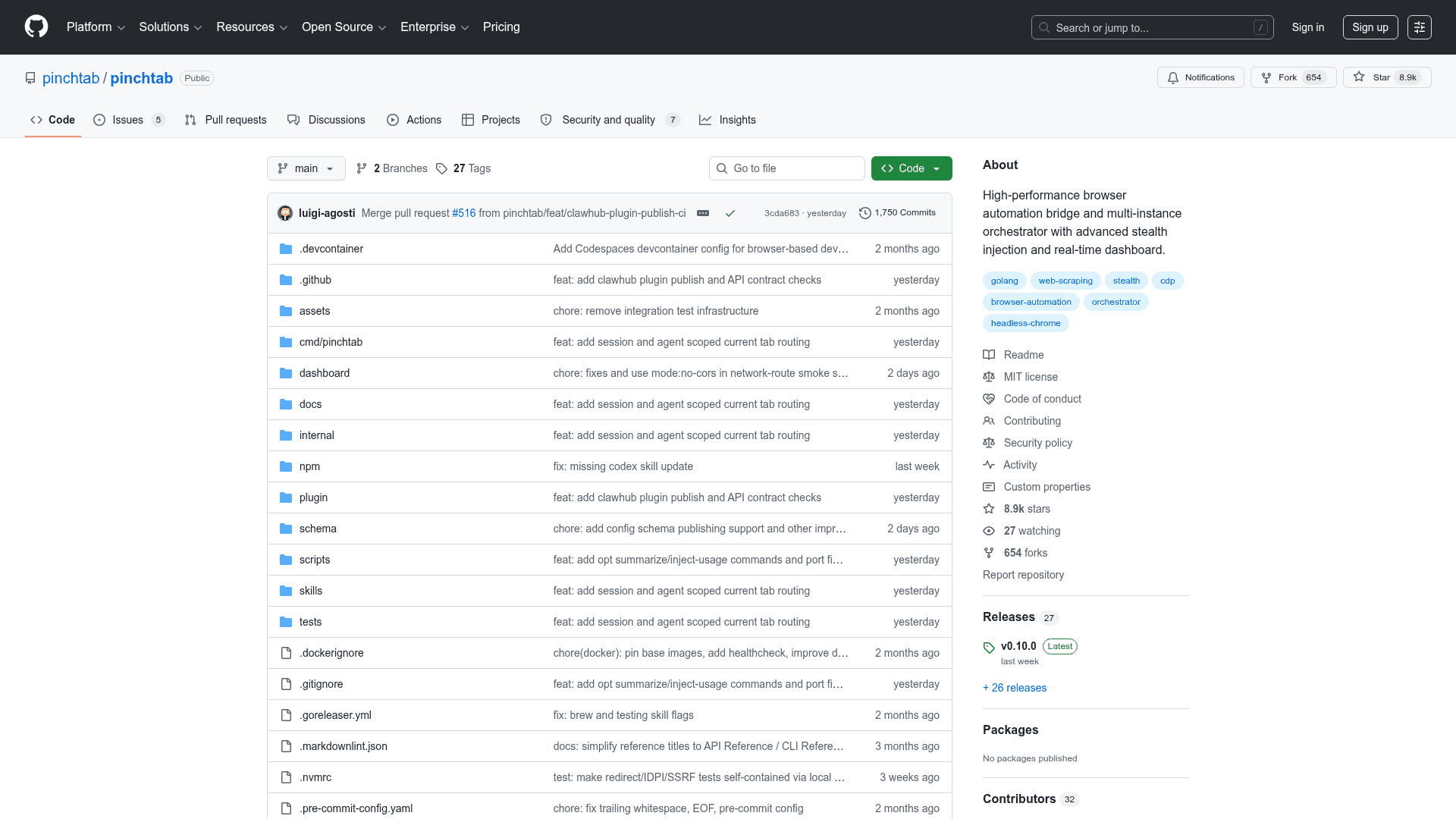
    PinchTab - 1

    Community Discussions

    Be the first to start a conversation about PinchTab

    Share your experience with PinchTab, ask questions, or help others learn from your insights.

    Pricing

    OPEN SOURCE

    Open Source

    Fully free and open-source under the MIT License. No paid tiers.

    • Full HTTP API and CLI browser control
    • Headless and headed Chrome support
    • Persistent browser profiles
    • Multi-instance orchestration
    • MCP server integration

    Capabilities

    Key Features

    • Standalone HTTP API server for browser control
    • Token-efficient page text extraction (~800 tokens/page)
    • Headless and headed Chrome support
    • Persistent browser profiles with saved sessions
    • Multi-instance parallel Chrome orchestration
    • CLI with interactive menu and shell completions
    • MCP server integration for AI agents
    • Real-time dashboard for monitoring instances and tabs
    • Docker container support with volume persistence
    • Local-first security with loopback binding by default
    • ARM64 / Raspberry Pi support
    • External Chrome attach via remote debug mode
    • Accessibility-first stable element references
    • No telemetry or analytics

    Integrations

    Chrome
    Chromium
    Docker
    Homebrew
    npm
    Model Context Protocol (MCP)
    Anthropic Claude
    curl
    API Available
    View Docs

    Reviews & Ratings

    No ratings yet

    Be the first to rate PinchTab and help others make informed decisions.

    Developer

    PinchTab Team

    PinchTab builds open-source browser automation tooling for AI agents, focused on token efficiency and local-first security. The project ships a self-contained Go binary that acts as a full browser control plane, supporting headless and headed Chrome, persistent profiles, and multi-instance orchestration. PinchTab prioritizes verifiability — the entire binary is buildable from source — and ships with no telemetry or required cloud dependencies.

    Founded 2026
    London, United Kingdom
    5 employees

    Used by

    Open Source Community
    OpenClaw users
    Hermes Agent developers
    Read more about PinchTab Team
    WebsiteGitHub
    1 tool in directory

    Similar Tools

    ExecuteAutomation Playwright MCP Server icon

    ExecuteAutomation Playwright MCP Server

    A community-built MCP server for browser and API automation using Playwright, with built-in API testing not found in the official Microsoft version.

    Notte icon

    Notte

    Unified platform for building and deploying web automations with AI agents, browser infrastructure, and serverless deployment.

    Chrome DevTools MCP icon

    Chrome DevTools MCP

    An MCP server that exposes Chrome DevTools Protocol capabilities to AI agents, enabling browser automation, debugging, and inspection through the Model Context Protocol.

    Browse all tools

    Related Topics

    Browser Automation

    AI-powered agents that autonomously navigate and interact with web applications to automate repetitive tasks, extract data, fill forms, and perform web-based workflows using intelligent understanding of page structure and content.

    56 tools

    Autonomous Systems

    AI agents that can perform complex tasks with minimal human guidance.

    173 tools

    MCP Servers

    Model Context Protocol servers that extend AI capabilities.

    65 tools
    Browse all topics
    Back to all tools
    Explore AI Tools
    • AI Coding Assistants
    • Agent Frameworks
    • MCP Servers
    • AI Prompt Tools
    • Vibe Coding Tools
    • AI Design Tools
    • AI Database Tools
    • AI Website Builders
    • AI Testing Tools
    • LLM Evaluations
    Follow Us
    • X / Twitter
    • LinkedIn
    • Reddit
    • Discord
    • Threads
    • Bluesky
    • Mastodon
    • YouTube
    • GitHub
    • Instagram
    Get Started
    • About
    • Editorial Standards
    • Corrections & Disclosures
    • Community Guidelines
    • Advertise
    • Contact Us
    • Newsletter
    • Submit a Tool
    • Start a Discussion
    • Write A Blog
    • Share A Build
    • Terms of Service
    • Privacy Policy
    Explore with AI
    • ChatGPT
    • Gemini
    • Claude
    • Grok
    • Perplexity
    Agent Experience
    • llms.txt
    Theme
    With AI, Everyone is a Dev. EveryDev.ai © 2026
    Discussions