EveryDev.ai
Subscribe
Home
Tools

5,901+ AI tools

  • Featured
  • Gems
  • Trending
  • New
  • Rate tools
  • Compare
  • Arena
Categories
  • Agents2972
  • Coding2248
  • Infrastructure1067
  • Projects818
  • MCP794
  • Research744
  • Analytics565
  • Marketing527
  • Design488
  • Testing476
  • Data442
  • Security412
  • Integration288
  • Communication284
  • Prompts283
  • Extensions238
  • Voice213
  • DevOps190
  • Commerce183
  • Web128
  • Learning123
  • Finance44
AI Tools by Topic
  • AI Coding Assistants
  • Agent Frameworks
  • MCP Servers
  • AI Prompt Tools
  • Vibe Coding Tools
  • AI Design Tools
  • AI Database Tools
  • AI Website Builders
  • AI Testing Tools
  • LLM Evaluations
Follow Us
  • X / Twitter
  • LinkedIn
  • Reddit
  • Discord
  • Threads
  • Bluesky
  • Mastodon
  • YouTube
  • GitHub
  • Instagram
Get Started
  • Users
  • Rate Tools
  • About
  • Editorial Standards
  • Corrections & Disclosures
  • Community Guidelines
  • Advertise
  • Contact Us
  • Newsletter
  • Submit a Tool
  • Start a Discussion
  • Write A Blog
  • Share A Build
  • Terms of Service
  • Privacy Policy
Explore with AI
  • ChatGPT
  • Gemini
  • Claude
  • Grok
  • Perplexity
Agent Experience
  • llms.txt
Theme
With AI, Everyone is a Dev. EveryDev.ai ©
    1. Home
    2. Tools
    3. PocketUI
    PocketUI icon

    PocketUI

    MCP Servers
    Featured

    Chrome extension that saves sections, colors, fonts, icons and screenshots from any website and lets AI agents or design tools build with them.

    Visit Website

    At a Glance

    Pricing
    Free tier available

    Free forever plan to try PocketUI; no card needed.

    Pro: $12/mo
    Studio: $24/mo
    Founding Member Lifetime: $199 one-time

    Engagement

    Available On

    Web
    API
    Browser

    Resources

    WebsiteDocsllms.txt

    Topics

    MCP ServersBrowser ExtensionsDesign Tool Extensions

    Alternatives

    OpenCode BrowseSite SpyExcaliClaw MCP
    Developer
    SoraiaSoraia is a developer and designer who builds PocketUI. She…

    Listed Nov 2026

    About PocketUI

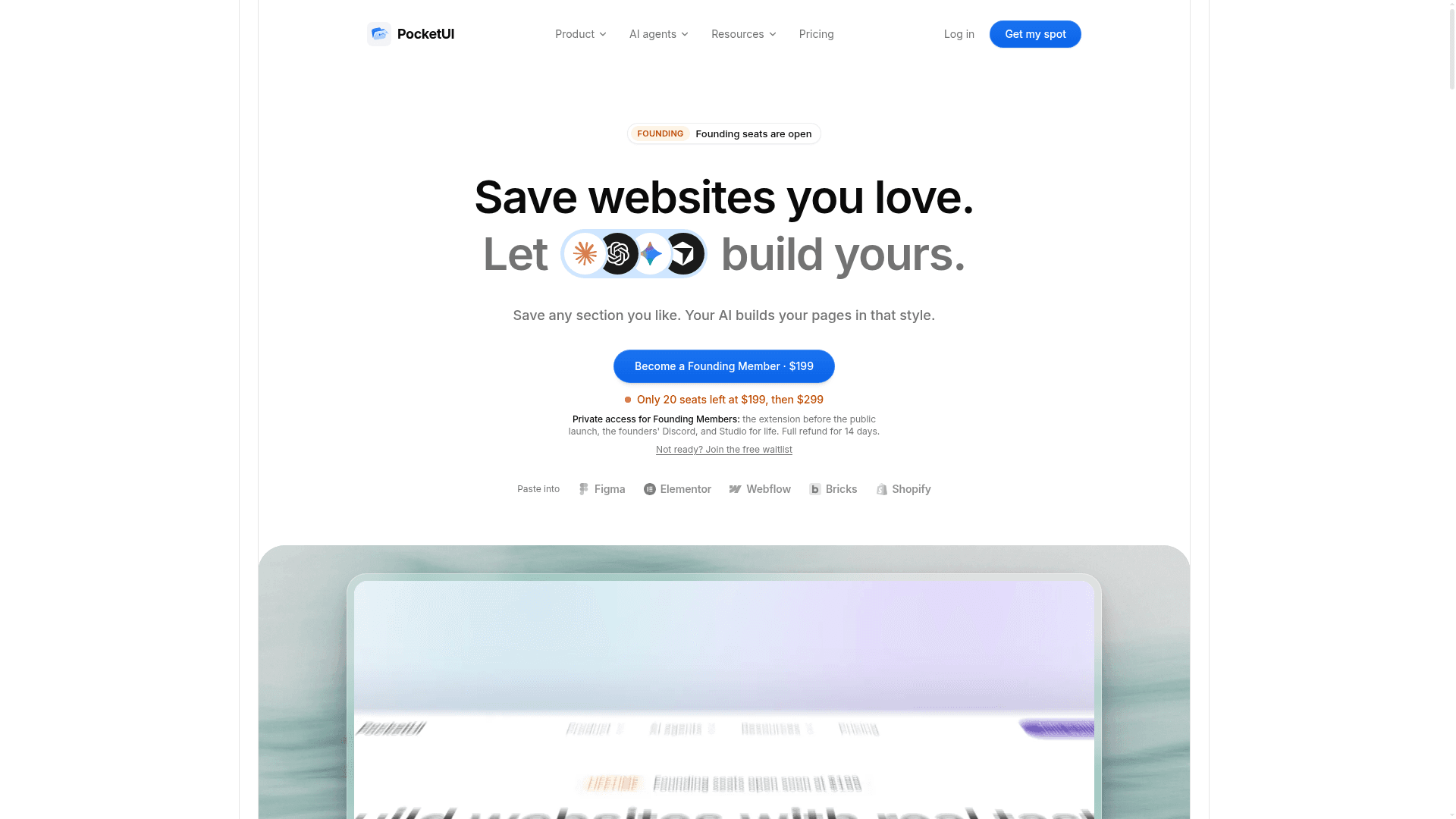
    PocketUI is a Chrome extension and web library built by Soraia that captures design elements from any website and stores them in a personal library. Saved items can be pasted into Figma, exported as code or page-builder elements, or exposed to AI agents through an MCP server. The product is in a pre-public-launch phase, with Founding Members getting private extension access and a free waitlist open.

    What It Is

    PocketUI is a design-inspiration and extraction tool. From the browser toolbar it saves components (with their real code, including hover and focus states), colors, fonts, images, SVG icons, screenshots and whole pages as bookmarks. Saves are organized into folders named by idea, such as "Dark UI" or "Pricing", and the same library is available in the extension and on the web at pocketui.app/library.

    Exporting to Figma, Code and Page Builders

    A captured section can be exported as editable Figma layers at desktop, tablet and mobile sizes, with colors becoming styles and fonts becoming text styles. Code export covers HTML, Tailwind, React and Vue. Elementor, Bricks, Webflow and Shopify Liquid exports produce native, editable elements, and whole-page export is also listed.

    Building with AI through MCP

    PocketUI includes an MCP (Model Context Protocol) server. Users add one link, sign in and click Allow, after which Claude, Claude Code, Cursor or ChatGPT can read saved colors, fonts and components rather than inventing generic ones. The features page states that the AI saves only with the user's approval and never deletes. Folders can also be copied as CSS, Tailwind or a prompt for any AI.

    Teams and Browser Support

    Studio seats let teams share folders while keeping others private, with invitations by email. PocketUI works in Chrome and other Chromium-based browsers such as Brave, Arc, Edge and Opera; Firefox support is described as on the way.
    PocketUI - 1

    Community Discussions

    Be the first to start a conversation about PocketUI

    Share your experience with PocketUI, ask questions, or help others learn from your insights.

    Pricing

    FREE

    Free

    Free forever plan to try PocketUI; no card needed.

    • 50 saves a month
    • 10 exports a month
    • 500 MB of storage
    • Web library on every device
    • Figma, editable layers

    Pro

    Popular

    For designers and developers who build from what they save.

    $12/mo
    billed annually
    $15/mo monthly
    • Unlimited saves
    • Unlimited exports
    • 10 GB of storage
    • Figma, editable layers
    • HTML · Tailwind · React · Vue
    • Whole pages in one export
    • Page builders via +$4/mo pack (billed yearly; $5 monthly)
    • Your AI reads your library (MCP)
    • 14-day money-back guarantee

    Studio

    For agencies and freelancers shipping client sites.

    $24/mo
    billed annually
    $29/mo monthly
    • Unlimited saves
    • Unlimited exports
    • 50 GB of storage
    • Priority support
    • Shared and private folders
    • Invite by email
    • Elementor, Bricks, Webflow and Shopify Liquid exports
    • Whole pages in one export
    • Team seats from $19/mo each (billed yearly)
    • 14-day money-back guarantee

    Founding Member Lifetime

    One-time payment for Studio for life, including future export formats; limited seats at tiered prices.

    $199
    one time
    • Everything in Studio for life
    • Private access to the extension and founders' Discord
    • $199 for first 50 seats, then $299 for next 25, then $399
    • Full refund for 14 days
    View official pricing

    Capabilities

    Key Features

    • Component capture with real code, including hover and focus states
    • Color palette extraction as HEX, RGB or HSL
    • Font detection with names, weights and sizes
    • Image, SVG icon and screenshot capture
    • Folder-based library synced across devices
    • Export to Figma as editable layers and styles
    • Export to HTML, Tailwind, React and Vue
    • Export to Elementor, Webflow, Bricks and Shopify
    • MCP server for AI agents
    • Shared team folders

    Integrations

    Figma
    Claude
    Claude Code
    Cursor
    ChatGPT
    Gemini
    Elementor
    Webflow
    Bricks
    Shopify
    Tailwind CSS
    API Available
    View Docs

    Ratings & Reviews

    No ratings yet

    Be the first to rate PocketUI and help others make informed decisions.

    Rate other tools you’ve used

    Developer

    Soraia

    Soraia is a developer and designer who builds PocketUI. She started the project after tiring of switching between multiple Chrome extensions to capture design inspiration. She shares the build journey on X.

    Read more about Soraia
    WebsiteX / Twitter
    1 tool in directory

    Similar Tools

    OpenCode Browse icon

    OpenCode Browse

    An MCP server and Chromium extension that lets AI agents drive your real browser with your tabs, logins and extensions.

    Site Spy icon

    Site Spy

    Site Spy monitors any webpage for content changes, notifies you instantly, and shows exactly what was added or removed with visual diffs.

    ExcaliClaw MCP icon

    ExcaliClaw MCP

    Hosted MCP server that lets Claude, Cursor, Codex, and other AI assistants create, edit, validate, and export diagrams in an ExcaliClaw workspace.

    Browse all tools

    Related Topics

    MCP Servers

    Model Context Protocol servers that extend AI capabilities.

    552 tools

    Browser Extensions

    AI-powered plugins and extensions for web browsers.

    54 tools

    Design Tool Extensions

    Plugins and extensions for design tools like Figma, Sketch, and Adobe products.

    6 tools
    Browse all topics
    Back to all toolsSuggest an edit
    ratings
    discussions