
Version-aware Ruby and Rails gem documentation for developers and coding agents via a terminal UI, CLI and MCP server.
At a Glance
About POSH
POSH is a documentation tool for Ruby projects, built by KROONI B.V. It shows docs for the exact Ruby and gem versions in a project's Gemfile.lock through a terminal UI, and exposes the same docs to coding agents via CLI and MCP interfaces. It runs on macOS and Linux, and the current version listed on the site is 0.42.0.
What It Is
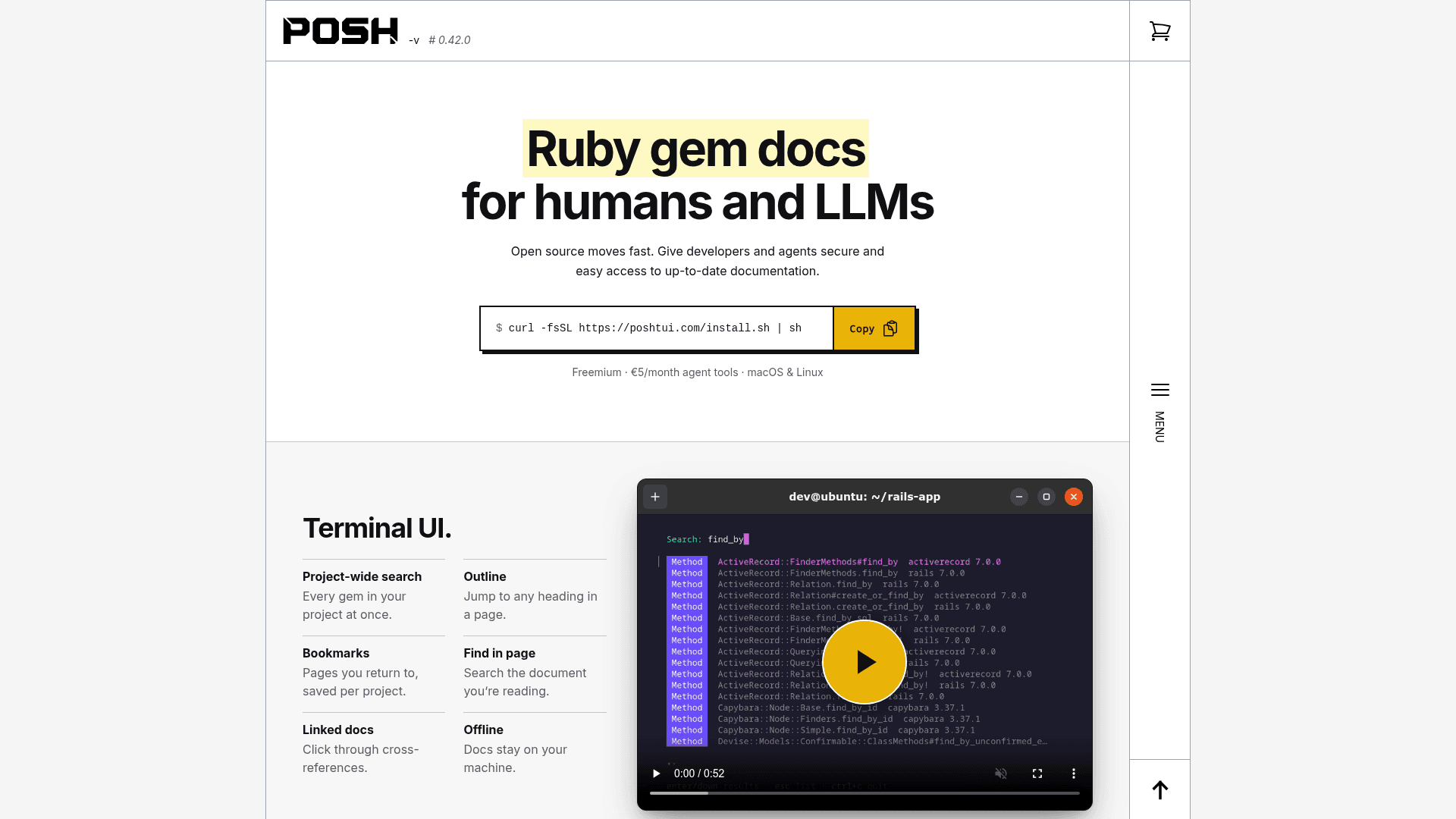
POSH is an offline-first documentation browser and agent tool for Ruby gems. Running posh sync with an internet connection downloads or updates documentation; after that, searching and reading happen locally. The terminal UI offers project-wide search across every gem in a project, an outline of page headings, per-project bookmarks, find in page, and clickable cross-references. The terminal browser and sync are free, while the agent tools (CLI and MCP) require a license.
How Agents Use It
Agents can search and read documentation through local CLI or MCP calls, for example searching for a method with a gem reference and then reading the specific section. The site says the agent receives only the section it needs as Markdown rather than a whole GitHub page, which it says saves tokens and reduces harness loops. Harness plugins are provided for Claude Code, OpenCode, Gemini CLI, Codex and GitHub Copilot CLI, and the site recommends installing them so the LLM uses POSH well.
Security Model
The site states that documentation is checked in multiple layers: built in an isolated VM, injections neutralized, a specialized model scanning for prompt injections, and docs treated as data rather than instructions.
Availability
POSH supports Ruby today, and the site says Python and Go support are planned. The client and back-end are not open source. It installs with a one-line install script, with Homebrew, AUR and manual downloads also documented.
Community Discussions
Be the first to start a conversation about POSH
Share your experience with POSH, ask questions, or help others learn from your insights.
Pricing
For you
Your project’s docs in your terminal.
- Terminal UI
- Unlimited project and documentation
- Plugins for Editor's
Free trial
14-day trial of the coding agent tools plan.
For your coding agent
The same docs, with tools your agent can use.
- Local MCP/CLI server
- Plugins for harness
- Priority support
Capabilities
Key Features
- Terminal UI for browsing docs
- Project-wide search across all gems
- Outline navigation
- Per-project bookmarks
- Find in page
- Linked cross-reference docs
- Offline documentation after sync
- Version-matched docs from Gemfile.lock
- CLI interface for agents
- MCP server for agents
- Harness plugins for coding agents
- Security scanning of documentation for prompt injection