
QM
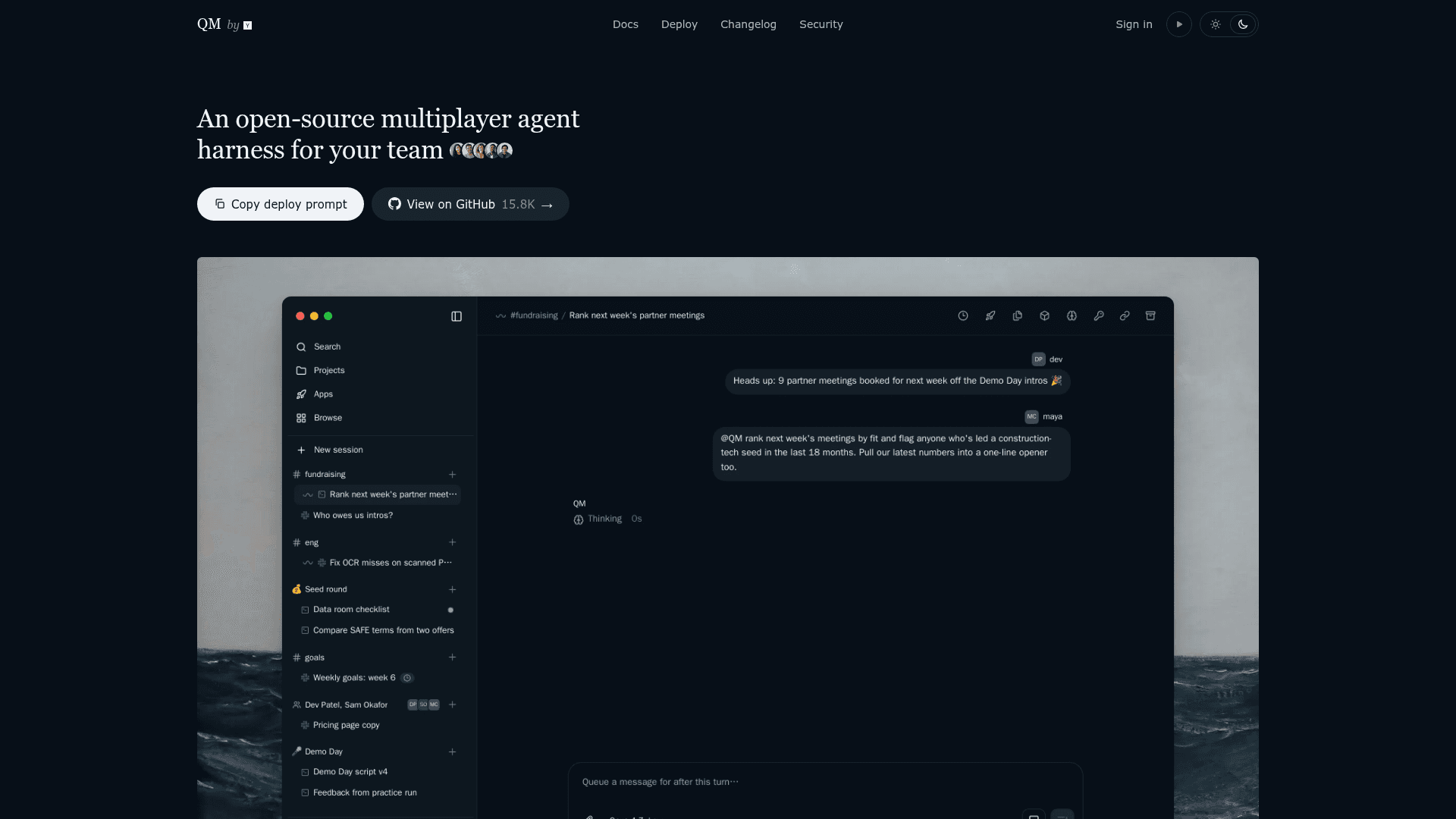
Open-source multiplayer agent harness for teams that runs in your own cloud with your own models and keys, in Slack and on the web.
At a Glance
MIT-licensed multiplayer agent harness for teams; deploy in your own cloud with your own models and keys.
Engagement
Available On
Listed Nov 2026
About QM
QM is an open-source, MIT-licensed multiplayer agent harness from YC Labs, part of Y Combinator. It gives each team member a private agent workspace while the same agent also works in shared channels, group messages and projects. It is deployed in the operator's own cloud with their own models and keys, and the project describes itself as early, experimental software.
What It Is
QM is an agent harness designed for teams rather than as a single personal assistant. Each person and each room gets its own scoped memory, files, keychain view, permissions, crons, web apps and a durable sandbox. Agents stay on and keep working on schedules, watches and inbound webhooks while users are away. It is available through a web app and a desktop app, with Slack as an optional surface that shares the same identity and settings.
How It Works
Every turn runs through a central headless core that handles the API, identity, policy and scheduling, and calls models through the Pi agent loop. Postgres stores sessions, memory and queue state. The agent has a small fixed tool surface, including an execute tool that runs commands in the scope's isolated sandbox, where installed tools persist. The core runs TypeScript on Node with Fastify, the Slack plugin uses Bolt, and the web UI is built with Vite and Lit. Team-specific configuration, tools, skills and infrastructure live in a deployment directory validated and deployed by the qm CLI.
Security Model
The agent acts as the person it works for, using their credentials and permissions, and its actions are audited. An org picks a posture: Strict requires approval for every tool call, Auto (default) blocks private-network access, and Dangerous removes approval gates. Administrators can add command-policy rules that block or require approval for specific commands, and optional content screening can observe or enforce. Sharing is Isolated by default or Open. The project states it is not a hardened multi-tenant service and does not replace a security review of your own deployment.
Deployment and Customization
Users can ask a coding agent such as Claude Code, Codex or Cursor to deploy the repository, or use the qm CLI to target AWS, Render, Fly or a local Docker test drive. One-click options are listed for DigitalOcean, E2B, Render and Superserve, and Agent 37 offers a hosted option. Customization happens through a deployment repository that pins a QM release, or by forking the source.
Community Discussions
Be the first to start a conversation about QM
Share your experience with QM, ask questions, or help others learn from your insights.
Pricing
Open Source (Self-hosted)
MIT-licensed multiplayer agent harness for teams; deploy in your own cloud with your own models and keys.
- MIT License
- Self-hosted in your own cloud (Fly, AWS, DigitalOcean, E2B, Render)
- Bring your own model provider and API keys (external cost)
- Early, experimental software; not a hardened multi-tenant service
- Fully hosted option is offered separately by third-party Agent 37
Capabilities
Key Features
- Personal and shared scopes with isolated memory, files, keychain and sandbox
- Slack and web app with shared identity and configuration
- Desktop app
- Admin control over org configuration, security posture and available models
- Internal web apps published to selected people
- Shared skills with grants and skill packs imported from git repositories
- Background work via crons, watches and inbound webhooks
- Strict, Auto and Dangerous security postures with command policy rules
- Optional content screening and audit logging
- Multi-provider model support
- qm CLI for init, plan, up and check deployments