Receiptor AI
AI-powered receipt and invoice extraction tool that automatically finds, extracts, and organizes financial documents from email, WhatsApp, and file uploads.
At a Glance
About Receiptor AI
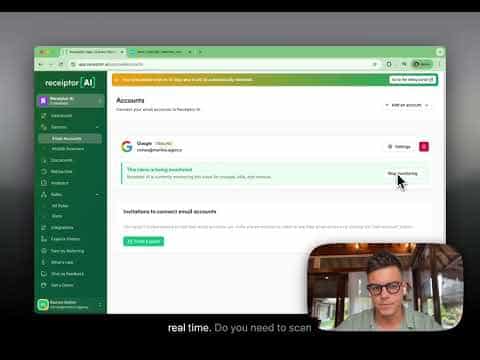
Receiptor AI automatically scans email inboxes, WhatsApp messages, and file uploads to find, extract, and organize receipts and invoices—eliminating manual bookkeeping for small businesses, freelancers, and accountants. Built by Romeo Bellon and Luigi Fernandez Ortega and launched in August 2023, the tool connects to Gmail, Outlook, and any IMAP provider, then syncs extracted documents to accounting platforms like QuickBooks and Xero. According to the company, it has processed over 7.2 million emails, WhatsApp messages, and uploads, extracting more than 550,000 receipts and invoices for over 7,000 businesses.
What It Is
Receiptor AI is an automated bookkeeping tool in the financial document extraction category. Its core job is to replace the manual process of hunting through email for receipts and invoices. Users connect their email accounts or WhatsApp, and the AI continuously monitors for new financial documents—extracting key fields like amounts, categories, currencies, and dispute deadlines—then routes them to accounting software or export formats. It also supports retroactive scanning of historical email archives, which the company positions as a one-time cleanup step before ongoing subscription monitoring begins.
How the Extraction Workflow Works
The tool accepts input from multiple sources and delivers output to multiple destinations:
- Inputs: Google (Gmail), Microsoft (Outlook), any IMAP email provider, WhatsApp forwarding, and bulk file uploads
- Outputs: QuickBooks, Xero, Expensify, Google Drive, Dropbox, banking transaction attachment, CSV, PDF, ZIP, and email forwarding
Once connected, Receiptor AI automatically identifies emails containing receipts, attached documents, or embedded links to receipts. Its AI categorization uses transaction context rather than keyword matching alone, and a multi-entity separation feature can distinguish between different business entities (e.g., Company Inc. vs. Company Ltd.) within the same email source. Workflow automations let users trigger categorization and export rules on events or schedules.
Retroactive Scan vs. Ongoing Subscription
Receiptor AI separates its two core use cases into distinct products. The subscription plan monitors new emails from the moment of signup. A separate one-time Retroactive Scan product processes historical inbox backlogs, priced per email volume with tiered rates. The company notes that most customers purchase both: a one-time scan to recover past receipts, then a subscription to stay current going forward.
Audience and Use Cases
The company targets three primary segments:
- Small businesses that want background automation without manual bookkeeping overhead
- Freelancers who need to capture receipts from email, uploads, and WhatsApp without admin distraction
- Accountants who want cleaner client books with auto-categorized documents and reduced back-and-forth
Additional use cases listed on the site include academic researchers, digital nomads, e-commerce operators, event planners, non-profits, real estate investors, and SaaS users.
Security and Compliance Posture
Receiptor AI completed a Cloud Application Security Assessment (CASA) validated by the App Defense Alliance (ADA), meeting CASA TIER 2 requirements (valid from June 2023 through June 2026). The company states it follows Google API Services User Data Policy including Limited Use requirements, and references PCI DSS, SOC 2, ISO 27001, GDPR, and HIPAA as internal control mapping frameworks—explicitly noting these references reflect monitoring benchmarks rather than formal certifications or attestations unless stated otherwise. The company states it does not store email message content, only message IDs for processing state tracking.
Update: Receiptor AI 2.0
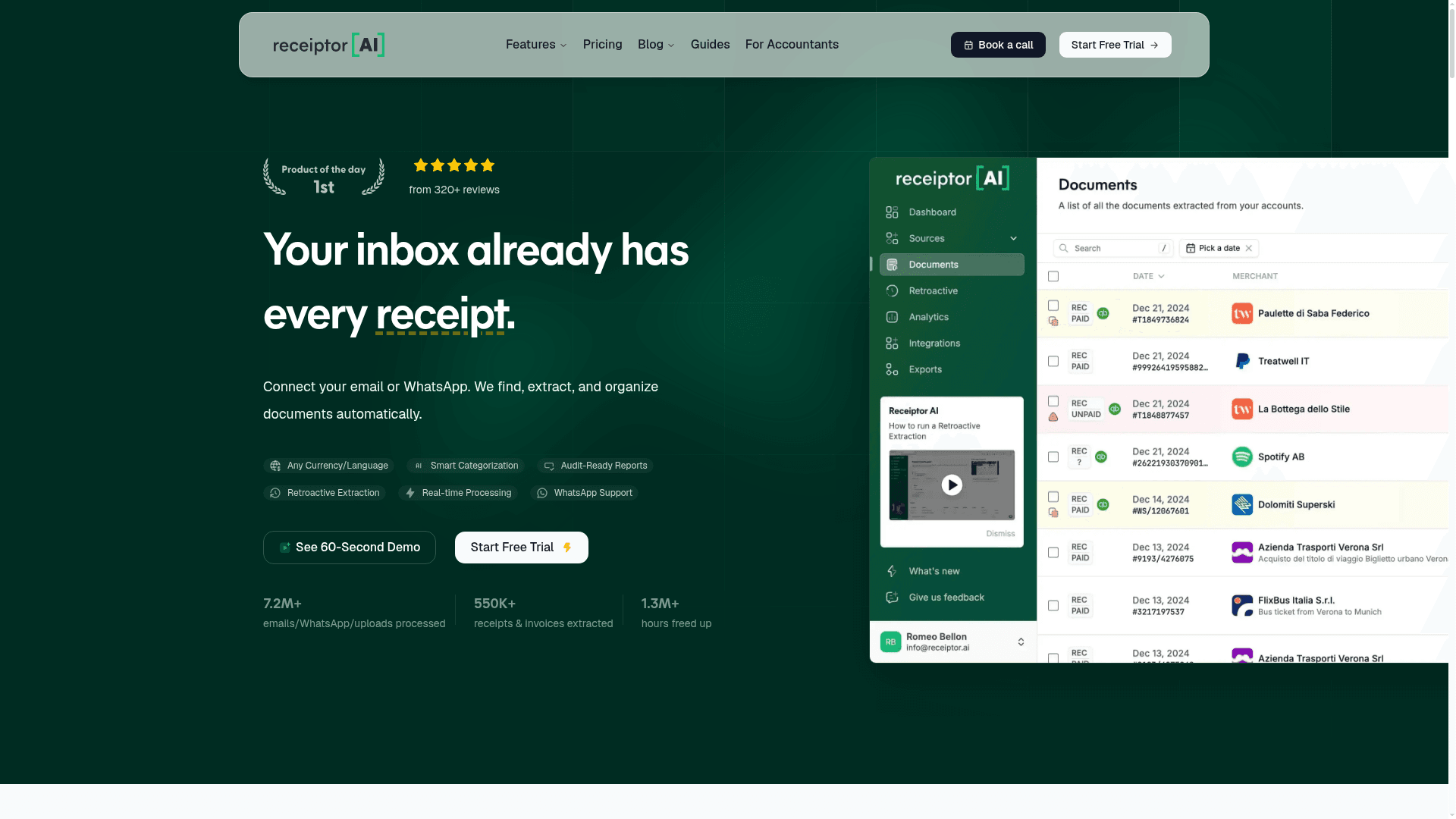
The product launched a major version called Receiptor AI 2.0, which earned a Product Hunt "Product of the Day" badge. The 2.0 release is described as delivering every receipt from the inbox automatically. The company has since expanded capabilities to include API, MCP, and CLI access (available on the Growth plan and above), a Receiptor Agent for AI-driven queries, webhook support, and workspace management for multi-entity workflows. An active product roadmap and system status page indicate ongoing development.
Community Discussions
Be the first to start a conversation about Receiptor AI
Share your experience with Receiptor AI, ask questions, or help others learn from your insights.
Pricing
Free Trial
Try Receiptor AI for 14 days with access to Full access to subscription features during trial period.
- Full access to subscription features during trial period
Starter
Bookkeeping that works out of the box for one business.
- Unlimited email accounts
- Unlimited mobile scanners
- Accounting export
- Forward export
- Built-in automations
- Memory
- First 500 items checked included (then $0.03/unit)
- First 50 documents captured included (then $0.04/unit)
- First 50 agent queries included (then $0.01/unit)
- 1 accounting connection included (then $12 each)
Growth
Bookkeeping that adapts to how your business operates.
- Everything in Starter
- Storage export
- Custom automations
- Workspaces
- Business entity matching
- API, MCP, and CLI access
- Webhooks
- First 2,500 items checked included (then $0.03/unit)
- First 250 documents captured included (then $0.04/unit)
- First 250 agent queries included (then $0.01/unit)
- 2 accounting connections included (then $12 each)
- 1 export destination included (then $5 each)
Scale
Bookkeeping infrastructure for multi-entity and team workflows.
- Everything in Growth
- First 10,000 items checked included (then $0.03/unit)
- First 1,000 documents captured included (then $0.04/unit)
- First 1,000 agent queries included (then $0.01/unit)
- 5 accounting connections included (then $12 each)
- 3 export destinations included (then $5 each)
Enterprise
Fully tailored for your business needs.
- Everything in Scale
- Advanced security
- Custom authentication
- Custom integrations
- Custom SLA agreement
Retroactive Scan
One-time scan of past email history to recover missed receipts. Tiered pricing by volume: $0.025/email up to 1,000; $0.020 for 1,001–10,000; $0.018 for 10,001–25,000; $0.015 for 25,001–50,000; $0.012 for 50,001+.
- Scan emails from any year with no time limits
- Smart filtering to exclude specific senders or domains
- Extract unlimited documents in one scan
- Direct sync with QuickBooks, Xero, and more
- Export as CSV, PDF, or ZIP
- One-time fee per scan, no subscription required
Capabilities
Key Features
- Automatic receipt and invoice extraction from email
- WhatsApp receipt forwarding and extraction
- Bulk file upload processing
- Retroactive email history scanning
- AI-powered smart categorization
- Multi-entity business separation
- Workflow automations (event and schedule triggers)
- Recurring expense and subscription detection
- Multi-currency normalization and conversion
- QuickBooks and Xero sync
- Expensify integration
- Google Drive and Dropbox export
- CSV, PDF, ZIP export
- Expense analytics and spending trend visualization
- Audit-ready reports
- API, MCP, and CLI access
- Webhooks
- Workspaces for team workflows
- Agent queries (Receiptor Agent)
- Tax preparation support
Integrations
Demo Video