
Getbeel
Getbeel automatically finds, extracts, and organizes invoices and receipts from your email, matching them to bank statements and sharing them with your accountant in real time.
At a Glance
Engagement
Available On
Alternatives
Listed Mar 2026
About Getbeel
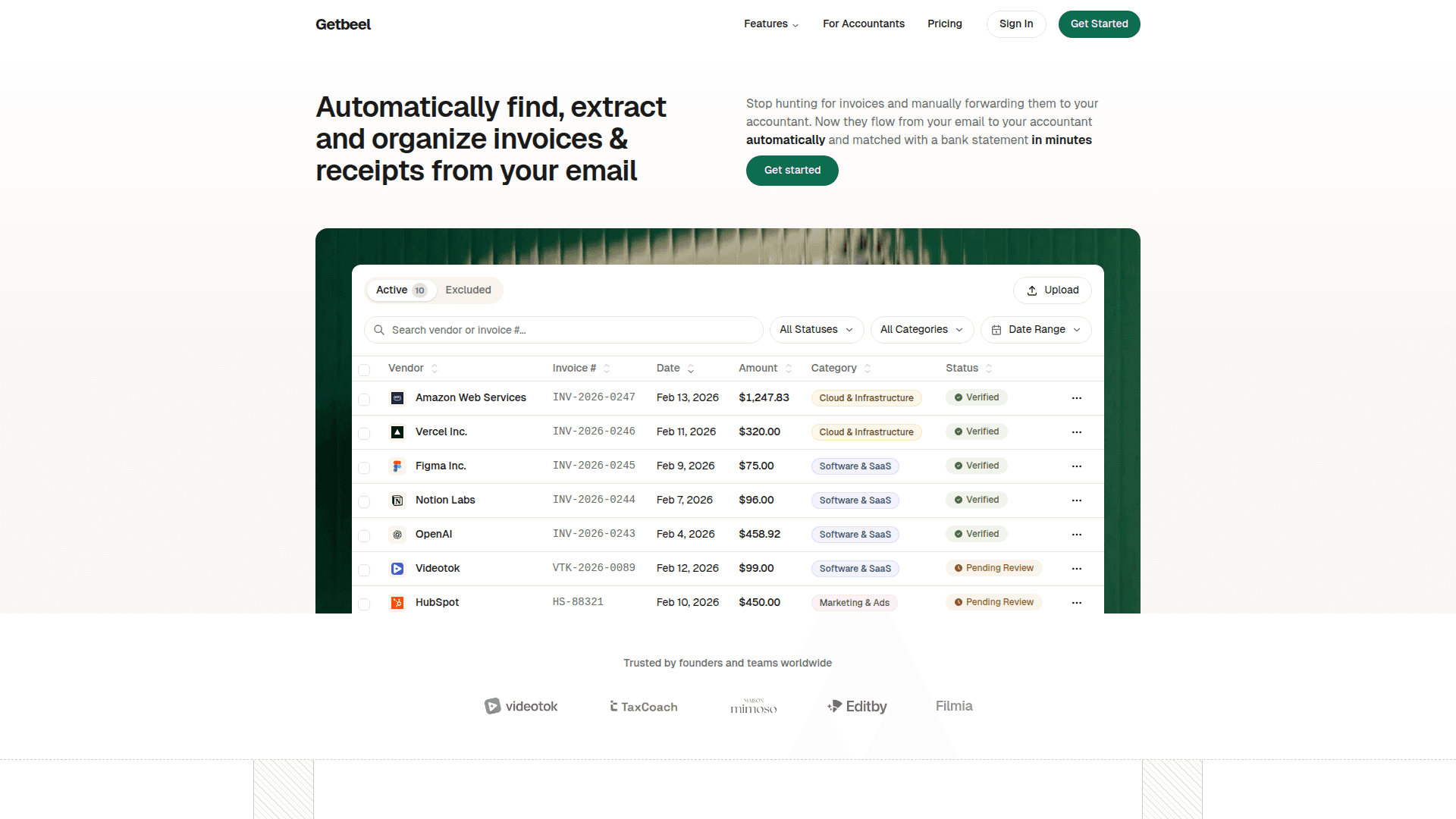
Getbeel is an AI-powered invoice management platform that connects to your Gmail or other email accounts and automatically extracts, categorizes, and organizes every invoice and receipt it finds. It monitors your inbox 24/7, processes invoices in real time, and presents them in a clean dashboard — eliminating the need to manually hunt for, forward, or sort financial documents. Getbeel also matches invoices to uploaded bank statements using AI, flags discrepancies, and gives accountants auditor-level access so the entire bookkeeping workflow stays in one place.
- Automatic invoice extraction: Connect your Gmail (or other email via IMAP/MIME) and Getbeel continuously scans your inbox, pulling every invoice and receipt automatically.
- AI data extraction: The AI reads invoice details — vendor, amount, date, invoice number — and populates your dashboard without manual entry.
- Bank statement reconciliation: Upload a bank statement and Getbeel matches each transaction to the corresponding invoice, flagging exact matches, fuzzy matches, and unmatched items for review.
- Spending analytics: Real-time dashboards show monthly trends, vendor breakdowns, and category analysis that update automatically as new invoices arrive.
- Retroactive search: Find invoices from any past quarter or year using built-in search, so historical records are always accessible.
- Accountant / auditor access: Invite your accountant or team members with role-based permissions; auditors can review and export invoices without touching your email or settings.
- Invoice packs add-on: Purchase additional invoice capacity on a monthly basis and scale up or cancel anytime.
- Integrations: Connects with Stripe, QuickBooks, Xero, Sage, and Google Drive (integrations pack coming soon).
- Compliance: GDPR compliant, SSL encrypted, and data encrypted at rest.
To get started, sign up at getbeel.com, connect your Gmail account via OAuth, and Getbeel will immediately begin collecting and organizing your invoices in the dashboard.
Community Discussions
Be the first to start a conversation about Getbeel
Share your experience with Getbeel, ask questions, or help others learn from your insights.
Pricing
Starter
For starting businesses
- 125 monthly invoices
- 2 emails
- Bank statements conciliations
- Analytics
- Unlimited users
- Invite your accountant
Startup
For growing startups
- 250 monthly invoices
- 10 emails
- Bank statements conciliations
- Analytics
- Unlimited users
- Invite your accountant
Grow
For scaling businesses
- 450 monthly invoices
- Unlimited emails
- Bank statements conciliations
- Analytics
- Unlimited users
- Invite your accountant
Email Routing
Automatic email routing and forwarding add-on
- Automatic email routing and forwarding
Integrations Pack
Connect with accounting tools and ERPs (coming soon)
- Stripe integration
- Google Drive integration
- QuickBooks integration
- Xero integration
- Sage integration
Capabilities
Key Features
- Automatic invoice extraction from email
- AI-powered data extraction (vendor, amount, date, invoice number)
- Bank statement reconciliation
- Fuzzy and exact transaction matching
- Spending analytics and category breakdowns
- Retroactive invoice search
- Auditor/accountant access with role-based permissions
- Multi-email support
- Invoice PDF download
- Real-time dashboard
- GDPR compliant
- SSL and at-rest data encryption