
SaturnSQL Context
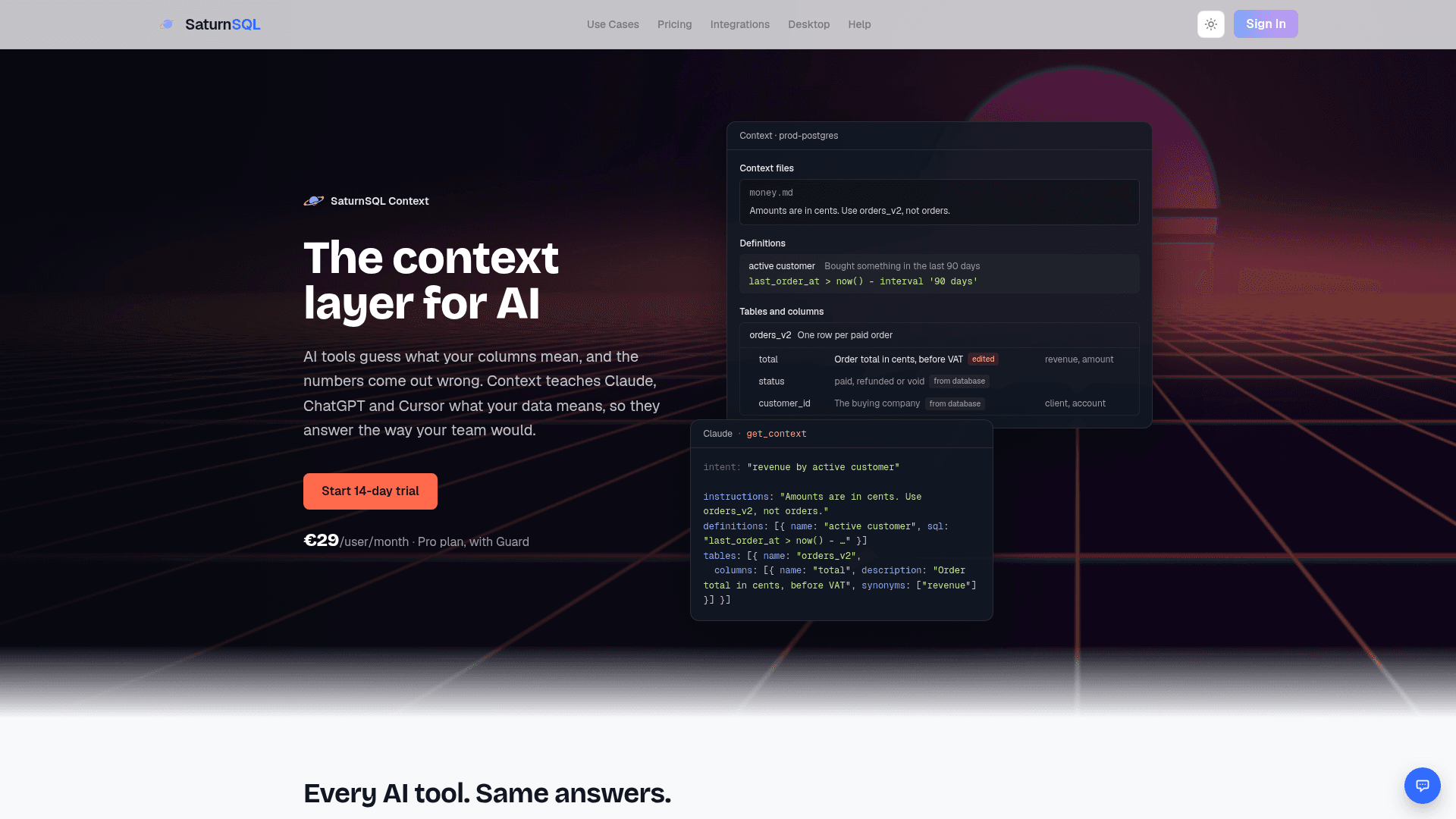
A context layer that teaches AI tools like Claude, ChatGPT and Cursor what your database columns, tables and business terms mean via an MCP server.
At a Glance
About SaturnSQL Context
SaturnSQL Context is a feature of SaturnSQL, made by Panda Capital Oy Ab, that gives AI tools the meaning of a database rather than just its schema. Teams write context files, definitions, descriptions and synonyms, and MCP clients such as Claude, ChatGPT, Cursor, Claude Code and Windsurf read them through SaturnSQL's MCP server. It is included with the Pro plan together with Guard.
What It Is
A context layer holds what an AI needs beyond the schema: which units a column uses, which of two tables is current, and how the business defines terms like an active customer. When an AI tool asks a question, SaturnSQL returns the matching instructions, definitions, and table and column descriptions so the AI can write the SQL itself. Existing table and column comments are read from PostgreSQL, Redshift, MySQL, SQL Server, Oracle, BigQuery and ClickHouse, and descriptions written by the team take precedence without changing the database.
Correcting and maintaining context
AI tools can save corrections for everyone through MCP tools such as set_description, set_descriptions, write_context_file, upsert_definition, delete_definition and import_ossie. Writing requires owning the connection or being an admin, a plan with Context, and an API key or sign-in with write scope. Each change is recorded with the person's name. The same changes are available over the REST API at /api/context.
Context layer versus semantic layer
The vendor positions Context as different from a semantic layer: definitions guide the AI but do not guarantee identical numbers, and Context is not a metrics engine. It does not crawl lineage, does not describe table relationships yet, and does not cover Snowflake or Databricks.
Open format and governance
Context can be exported on every plan as Apache Ossie YAML or dbt schema.yml, and Ossie models can be imported on Pro with a preview of changes. Under Guard, hidden tables and masked columns stay hidden in context, and turning AI off for a database also turns off its context.
Community Discussions
Be the first to start a conversation about SaturnSQL Context
Share your experience with SaturnSQL Context, ask questions, or help others learn from your insights.
Pricing
Free
Free plan with one database connection, one saved query and CSV export.
- 1 database connection
- 1 saved query
- CSV export
- Unlimited queries
Free trial
14-day trial on Starter and Pro.
Starter
Essential features for teams getting started
- PostgreSQL, MySQL, SQL Server, Oracle, Redshift, ClickHouse, BigQuery, DynamoDB
- Shared SQL library
- Unlimited queries
- CSV & Excel exporting
- Export to Google Sheets
- Send to Slack
- MCP server — let Claude, ChatGPT or Cursor query your database
- Scheduling (minute-level precision)
- Static IP address
- SSH tunnel connections
- Dashboards & charts
Pro
Everything in Starter plus Context and Guard: AI that understands your data and only sees what it should
- Context: context files, definitions, and table and column descriptions every AI tool reads with the schema
- AI tool access per connection: off, shared queries only, read-only or same as the user
- Approvals: risky AI tool requests wait for a person
- Limits on AI tool queries for each database or group
- Access rules per group: hide tables, hide or mask columns, filter rows
- Audit log of every query, from people and AI
- Query version history
Enterprise
Advanced security and compliance for large organizations
- Guard+: AI review of every AI query against your written policies
- Snowflake connections
- AI SQL editor in the app
- Real-time collaborative editing
- SSO/SAML authentication
- Audit log streaming to Datadog, Splunk or a webhook
- Dedicated IP address
- Compliance features
- Custom AI allowances
- Priority and dedicated support, with SLAs
Capabilities
Key Features
- Context files, definitions, descriptions and synonyms
- Reads existing database table and column comments
- MCP server access for AI tools
- AI tools can save corrections to context
- Change attribution for every edit
- Apache Ossie YAML and dbt YAML export
- Apache Ossie import with preview (Pro)
- REST API at /api/context
- Guard rules apply to context (hidden tables, masked columns)