
ScreenMind
AI-powered screen memory tool that captures your screen, analyzes it with Gemma 4, and builds a searchable, conversational local memory — 100% private with zero cloud dependencies.
At a Glance
Fully free and open-source under the MIT License. Self-host on your own machine.
Engagement
Available On
Listed Jun 2026
About ScreenMind
ScreenMind is an open-source, privacy-first screen memory tool built by Ayush Shekhar and released under the MIT License. It continuously captures your screen, runs multimodal AI analysis locally using Gemma 4 E2B via llama.cpp, and stores everything in a searchable SQLite database — no cloud, no telemetry, no data leaving your machine. The project positions itself explicitly as a privacy-respecting alternative to Microsoft Recall, which the README notes "stores data in plaintext, sends telemetry, and was met with massive privacy backlash."
What It Is
ScreenMind is a local AI memory system for your desktop. It sits in the background, detects meaningful screen changes (rather than firing on a fixed timer), and sends each screenshot through a multi-model pipeline: EasyOCR extracts raw text, Gemma 4 E2B analyzes the image and text together to produce structured JSON (app name, activity category, mood, scene description, spatial layout), MiniLM-L6-v2 generates semantic embeddings, and FTS5 indexes everything for keyword search. The result is a personal knowledge base you can query conversationally — asking things like "what did Ishaa say on Discord?" and getting the actual message back.
Architecture and AI Pipeline
The system runs four AI models in concert:
- EasyOCR — extracts raw screen text fed as context to Gemma
- Gemma 4 E2B (via llama.cpp) — vision + audio + reasoning in one model; handles screenshot analysis, voice memo transcription, meeting transcription, daily summaries, and chat answers
- MiniLM-L6-v2 — 80MB CPU-resident model generating 384-dim semantic vectors
- SQLite WAL + FTS5 — zero-config database with concurrent reads and full-text search
Three analysis modes trade speed for depth: Accurate (~76s, deep thinking + layout detection), Balanced (~40s, thinking enabled), and Fast (~12s, no thinking, layout via OCR clustering). A per-app perceptual hash cache with app-aware staleness (communication apps refresh faster than IDEs) significantly reduces inference calls.
Privacy and Security Model
All computation happens on-device after the one-time model download (~5GB GGUF). Key privacy controls include:
- Sensitive data filter — auto-redacts credit cards, SSNs, API keys, and passwords before storage
- AES encryption at rest — Fernet encryption for screenshots with OS keyring integration
- Dashboard PIN lock — session-based auth with configurable auto-lock timeout
- Incognito mode — one-click pause; nothing recorded
- App blocklist — silently skips capture for specified applications
Agent Platform and MCP Integration
ScreenMind ships a full agent/plugin system. Markdown agents (.md files with YAML frontmatter) let anyone write English prompts that Gemma executes against screen data on a schedule. Python plugins (.py) get full SDK access with state persistence and direct LLM calls. Four built-in agents cover daily journaling, focus reporting, meeting action extraction, and code changelog summarization.
The project also exposes an MCP server (mcp_server.py) over stdio transport, making screen history available to Claude Desktop, Cursor, and VS Code. MCP tools include search_screen, get_recent_activity, get_daily_summary, capture_now, and search_audio for meeting transcripts.
Setup Path and System Requirements
ScreenMind requires Python 3.10+, approximately 5GB of disk space for the Gemma 4 E2B GGUF model, and a GPU with 4GB+ VRAM (recommended). It runs on Windows, macOS, and Linux via OS-specific platform adapters. Setup is: clone the repo, create a virtual environment, install requirements, and run main.py. On first launch it auto-downloads the model, starts llama-server, and opens a web dashboard at http://127.0.0.1:7777. Configuration is available via .env, environment variables, or the Settings tab in the dashboard.
Current Status
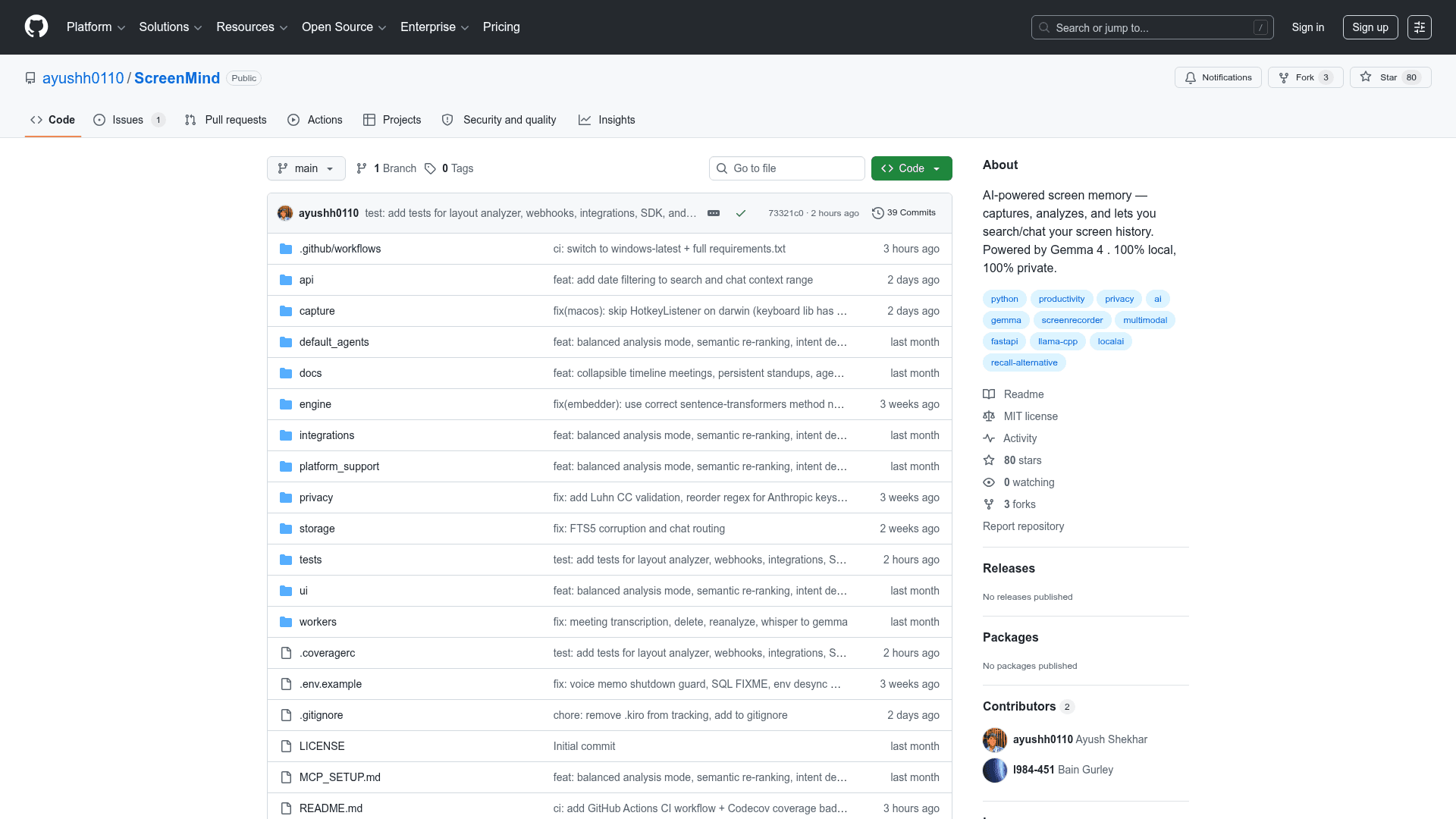
The repository was created in May 2026 and last pushed in June 2026, with 80 stars and 3 forks at time of indexing. The project is actively maintained with CI via GitHub Actions and Codecov coverage tracking. The README notes macOS/Linux platform adapters exist but flags real-hardware testing as a high-impact contribution area, suggesting Windows is the most tested platform currently.
Community Discussions
Be the first to start a conversation about ScreenMind
Share your experience with ScreenMind, ask questions, or help others learn from your insights.
Pricing
Open Source
Fully free and open-source under the MIT License. Self-host on your own machine.
- Full screen capture and AI analysis
- Gemma 4 E2B multimodal inference via llama.cpp
- Hybrid semantic + keyword search
- Conversational chat with screen memory
- Voice memo and meeting transcription
Capabilities
Key Features
- Smart screen capture with content-change detection
- Gemma 4 E2B multimodal analysis (vision + audio + reasoning)
- Hybrid semantic + keyword search (MiniLM + FTS5)
- Conversational RAG chat with screen memory
- Voice memo recording and transcription
- Meeting auto-detection and transcription (Zoom/Teams/Meet)
- Analytics dashboard with category breakdown and hourly heatmap
- Day Rewind timelapse playback
- Three analysis modes: Accurate, Balanced, Fast
- Per-app perceptual hash cache
- 100% local inference via llama.cpp
- Sensitive data auto-redaction (credit cards, SSNs, API keys)
- AES encryption at rest with OS keyring
- Dashboard PIN lock with auto-lock timeout
- Incognito mode (one-click pause)
- Agent platform: Markdown AI agents and Python plugins
- MCP server for Claude Desktop, Cursor, VS Code
- Obsidian and Notion integration
- Webhook support (HMAC signed, auto-retry)
- System-wide hotkeys (bookmark, pause, voice memo)
- FastAPI REST server with Swagger docs
- Cross-platform support: Windows, macOS, Linux