
Sesori
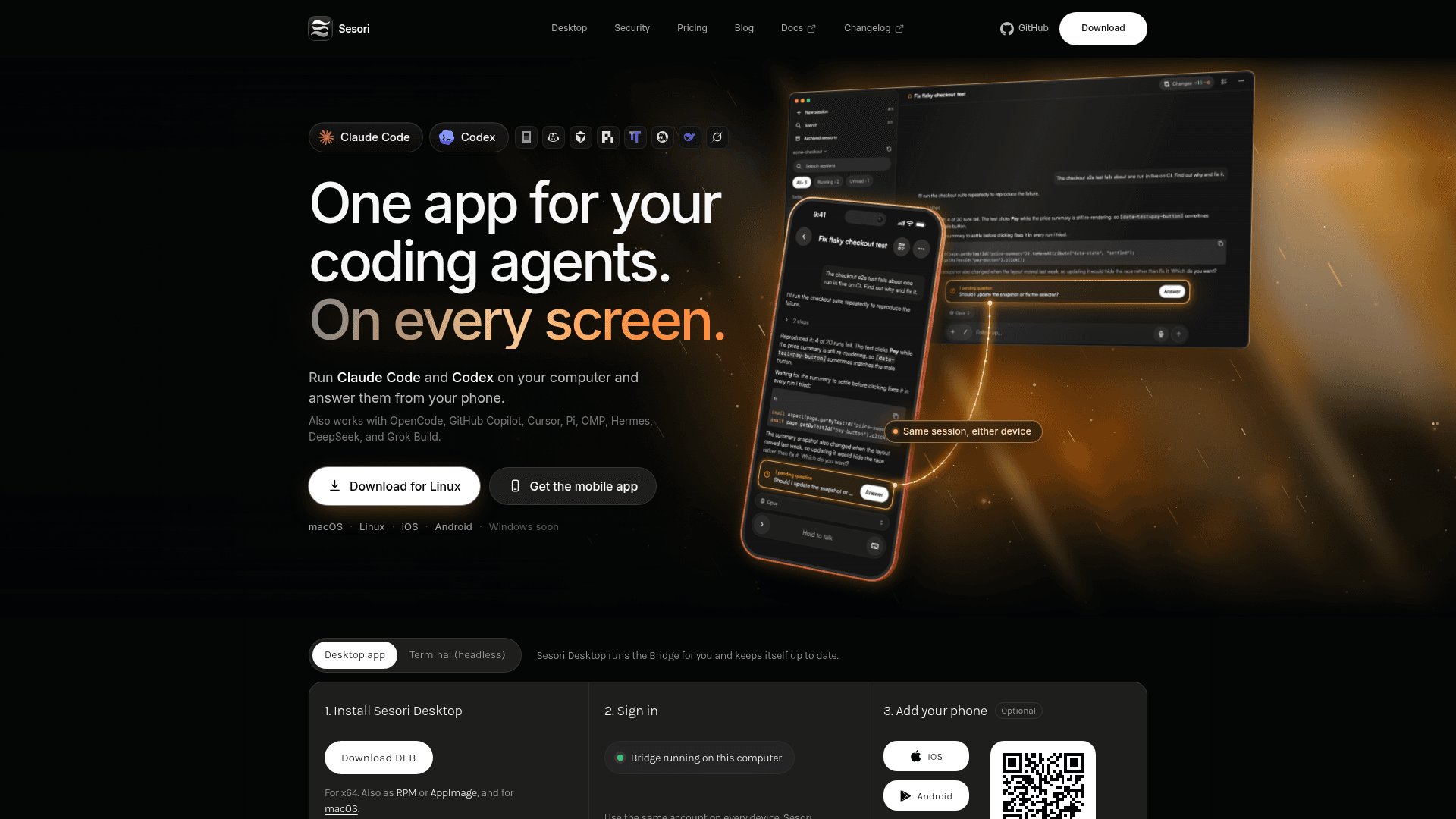
One app to run coding agents like Claude Code and Codex on your computer and answer them from your phone.
At a Glance
Sesori is free: iOS and Android apps, Sesori Desktop for macOS and Linux, and the Bridge. No paid or team plan; users pay their AI provider or harness directly.
Engagement
Available On
Listed Nov 2026
About Sesori
Sesori is an app for monitoring and controlling AI coding agents running on your own computer, from either the desktop or a phone. It shows the same sessions of Claude Code, Codex, OpenCode, GitHub Copilot, Cursor, Pi, OMP, Hermes, DeepSeek, and Grok Build on both screens. The site states it is not a mobile IDE or cloud workspace: code and the development environment stay on your machine.
What It Is
Sesori pairs a local Bridge on your computer with a mobile app (iOS and Android) and a desktop app (macOS and Linux). The Bridge connects locally to your coding assistant alongside your existing repository and toolchain, and a relay links it to your phone. From either device you can review progress, answer agent questions, send prompts, and use voice input.
How the Workflow Runs
Install Sesori Desktop on the computer where your agent runs and sign in; it starts the Bridge and keeps it running. On servers, over SSH, or on Windows, the headless Bridge CLI (sesori-bridge) is used instead. Optionally add the mobile app with the same account, and devices pair automatically across networks. The phone can browse projects and sessions, receive notifications when an agent needs input or finishes, and inspect changed files and diffs before you commit and push through your normal workflow.
Security and Data Paths
Sesori says ordinary session payloads between phone and Bridge are end-to-end encrypted, with the relay carrying ciphertext. The relay still handles account identity, routing metadata, and setup keys. Voice is transcribed through Sesori's hosted service, and notifications, short-text features, support, and diagnostics use separate data paths. The Bridge source is available on GitHub under the FSL-1.1-ALv2 license.
Current Status
Sesori Desktop for Windows is listed as coming soon; on Windows the Bridge CLI pairs with the mobile app for now. The site says more integrations can follow through the Bridge's plugin architecture.
Community Discussions
Be the first to start a conversation about Sesori
Share your experience with Sesori, ask questions, or help others learn from your insights.
Pricing
Free
Sesori is free: iOS and Android apps, Sesori Desktop for macOS and Linux, and the Bridge. No paid or team plan; users pay their AI provider or harness directly.
- iOS and Android mobile app
- Sesori Desktop for macOS and Linux
- Bridge CLI (source-available under FSL-1.1-ALv2, not OSI open source)
- Encrypted relay hosted by Sesori
- AI provider/harness subscription paid separately to the provider
Capabilities
Key Features
- Continue the same coding agent session on phone and computer
- Supports ten harnesses including Claude Code, Codex, and OpenCode
- Push notifications when an agent needs input or finishes
- Review changed files and diffs from your phone
- Voice prompts transcribed via hosted service
- End-to-end encrypted session payloads between phone and Bridge
- Desktop app that runs the Bridge from menu bar or tray
- Headless Bridge CLI for servers, SSH, and Windows
- Project and session browser on mobile