
Sim
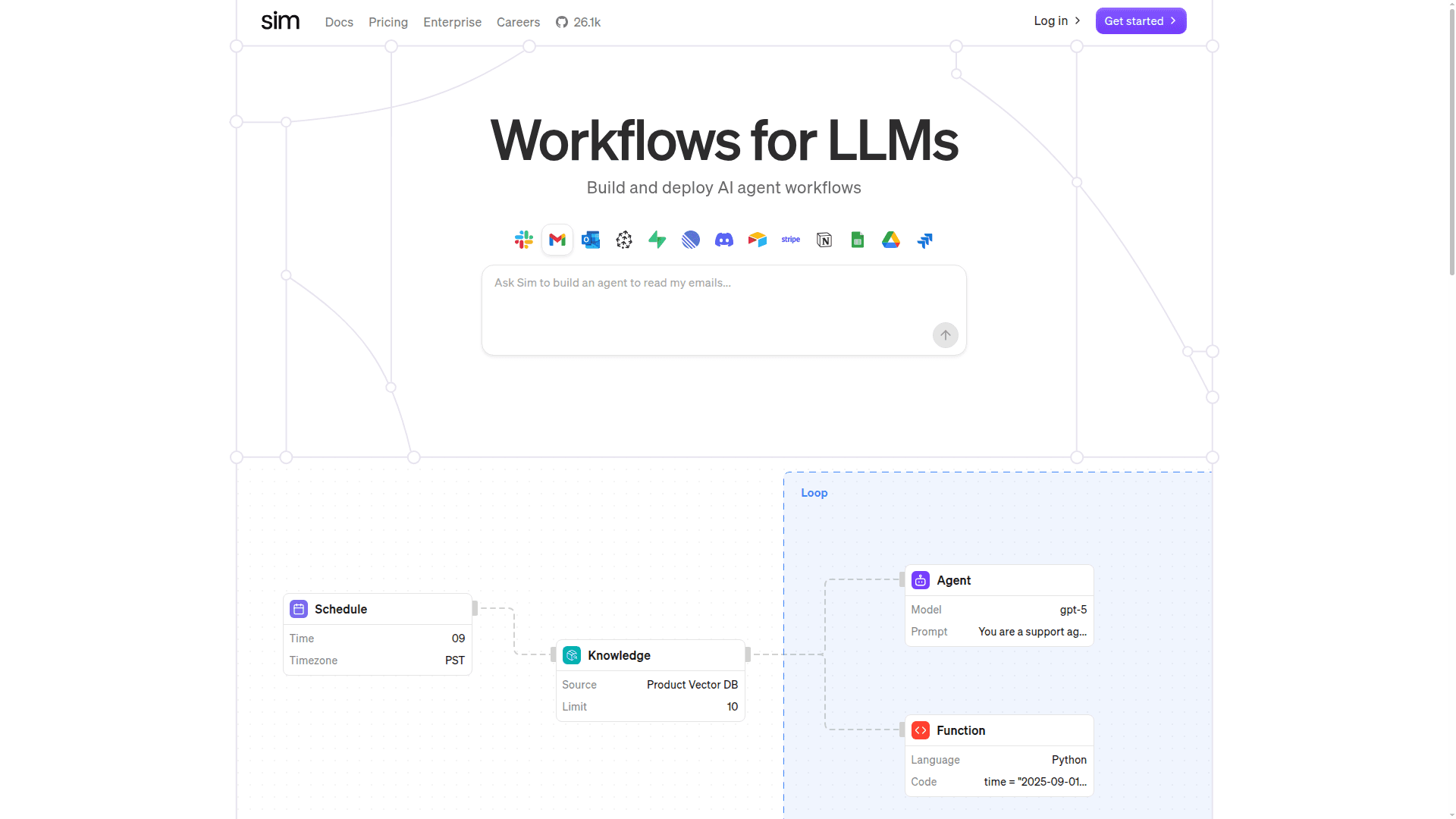
Sim is a visual workflow builder for LLMs that lets you build and deploy AI agent workflows using a drag-and-drop canvas with 100+ model and app integrations.
At a Glance
About Sim
Sim is an open-source, Figma-like visual canvas for building and deploying AI agent workflows. It connects to 100+ LLMs and apps, enabling both technical and non-technical users to compose complex multi-step agent pipelines without writing boilerplate code. Sim supports scheduling, looping, parallel execution, human-in-the-loop steps, and more — all from a single drag-and-drop interface. It is SOC2 compliant and offers a CLI/SDK for programmatic access.
- Visual Workflow Canvas: Drag-and-drop blocks (Agent, Function, Router, Loop, Parallel, Condition, etc.) onto a canvas to compose agent pipelines visually.
- 100+ Integrations: Connect immediately to services like OpenAI, Gemini, Groq, Ollama, Slack, GitHub, HubSpot, Salesforce, Notion, Jira, and many more.
- Flexible Execution Blocks: Use Starter, Webhook, Scheduler, Loop, Parallel, and Condition blocks to control workflow logic and timing.
- Human-in-the-Loop: Insert approval or review steps into any workflow to keep humans in control of critical decisions.
- Knowledge & Vector DB Support: Connect to Pinecone, Qdrant, and other vector databases for RAG-powered agent workflows.
- MCP Integration: Native support for Model Context Protocol (MCP) tools, enabling standardized model-tool communication.
- CLI/SDK Access: Use the Sim CLI or SDK to trigger, manage, and integrate workflows programmatically from your own codebase.
- Guardrails & Evaluators: Add safety and quality checks directly into workflows with built-in Guardrails and Evaluator blocks.
- Open Source: Self-host or use the cloud version; the codebase is publicly available on GitHub with an active community.
- Enterprise-Ready: SOC2 compliant with SSO, custom rate limits, dedicated support, and a dedicated Slack channel for team plans.
Community Discussions
Be the first to start a conversation about Sim
Share your experience with Sim, ask questions, or help others learn from your insights.
Pricing
Community
Free tier with basic usage limits for individuals getting started.
- $20 usage limit
- 5GB file storage
- 5 min execution limit
- Limited log retention
- CLI/SDK Access
Pro
For individual power users needing higher throughput and storage.
- 150 runs per minute (sync)
- 1,000 runs per minute (async)
- 50 min sync execution limit
- 50GB file storage
- Unlimited invites
- Unlimited log retention
Team
For teams needing higher limits, pooled storage, and dedicated support.
- 300 runs per minute (sync)
- 2,500 runs per minute (async)
- 50 min sync execution limit
- 500GB file storage (pooled)
- Unlimited invites
- Unlimited log retention
- Dedicated Slack channel
Enterprise
Custom plan for large organizations with compliance and dedicated support needs.
- Custom rate limits
- Custom file storage
- SSO
- SOC2
- Dedicated support
Capabilities
Key Features
- Visual drag-and-drop workflow canvas
- 100+ LLM and app integrations
- Agent, Function, Router, Loop, Parallel, Condition blocks
- Human-in-the-loop support
- Webhook and scheduler triggers
- Knowledge base and vector DB connectivity
- MCP (Model Context Protocol) support
- CLI and SDK access
- Guardrails and evaluator blocks
- SOC2 compliance
- SSO for enterprise
- Unlimited log retention (Pro+)
- File storage
- Open source codebase