
Skillbox
AI skill manager that keeps your agent skills in one library, synced and scanned across your coding tools and machines.
At a Glance
Keep your skills in sync across your machines.
7-day trial of Individual features (Trim, AI, Try in chat), started when turned on.
Engagement
Available On
Alternatives
Listed Nov 2026
About Skillbox
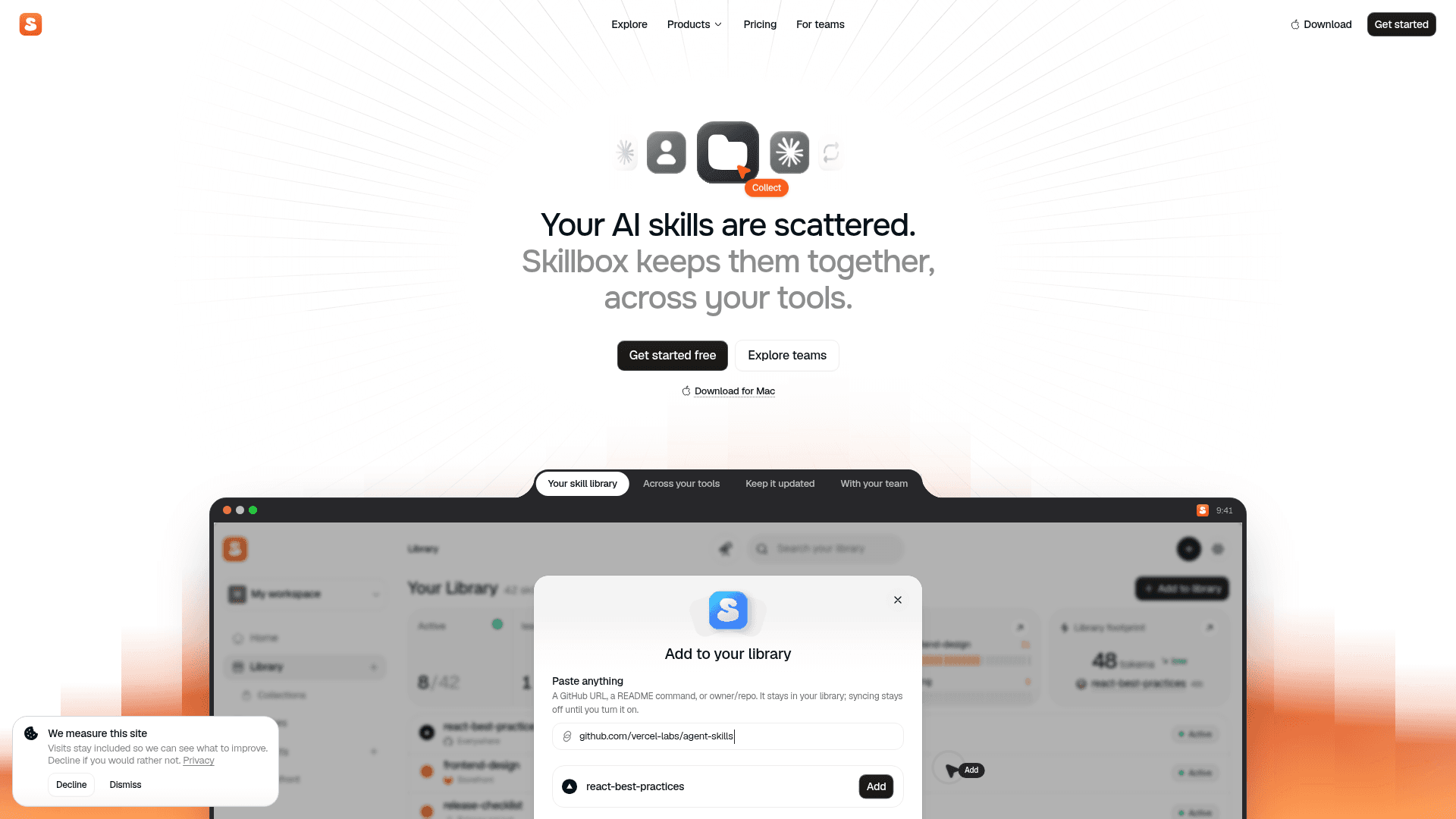
Skillbox is an AI skill manager that helps individuals and teams keep their agent skills together, current, and available across the tools they use. Skills can be imported from a computer, added from GitHub or GitLab, or kept from the Explore directory, and the active set is delivered to supported tools on connected machines. A macOS download is offered, and there is a team workspace option.
What It Is
Skillbox sits between your repositories and your AI coding tools as a library and delivery layer for skills (SKILL.md-based instructions and bundled files). It remembers where each skill came from, so source-linked skills can be compared against upstream changes. It delivers skills to folders that tools such as Claude Code and Cursor already read, rather than replacing those tools.
Library vs. active setup
A saved skill stays in your Library; only skills you activate are delivered to your machines, either everywhere or just inside a particular project. Skillbox can pause unused installs and flag overlapping skills, and paused skills remain in the Library. Machines report what they have so you can check it against what should be installed.
Updates, editing, and capture
When a source repository changes, the incoming version stays separate from the version in use. You can view the diff, choose automatic updates, skip a version, or promote it, and conflicts with local customizations are flagged for review. You can read a skill's instructions and files, preview it in a text-only chat, and edit it by hand or with an editing assistant. After a good coding session you can ask your agent to save the approach as a private skill that is not published to Explore unless you choose.
Trust and scanning
New skill versions are checked with Cisco Skill Scanner for prompt injection, data exfiltration, secrets, and obfuscated code, with findings labeled in STRIDE and OWASP terms. Skills containing executables require opt-in before syncing, and an exception applies only to the specific version allowed. Skillbox states that a passing check is not a guarantee a skill is harmless.
Teams and related products
Shared workspaces let teams keep common skills and collections; sharing does not install a skill for everyone automatically. Skillbox also offers Trim, which shortens noisy command output such as test, build, and Git logs so less of it fills the agent's context, plus an MCP offering.
Community Discussions
Be the first to start a conversation about Skillbox
Share your experience with Skillbox, ask questions, or help others learn from your insights.
Pricing
Free
Keep your skills in sync across your machines.
- One library for your AI skills
- Delivery across your tools
- Source tracking and updates
- Skillbox Trust
- Automatic maintenance
Individual 7-day trial
7-day trial of Individual features (Trim, AI, Try in chat), started when turned on.
- Context trim
- Skillbox AI
- Try in chat
Individual
Trim and AI for one person.
- Everything in Free
- Context trim
- Skillbox AI
- Try in chat
- No device or source limits
Team
Skillbox for a whole team, billed per active member.
- Everything in Individual
- Shared workspaces
- Team standards
- Workspace usage
- Weekly report
- More library storage
Capabilities
Key Features
- Unified library of AI skills
- Import from computer, GitHub, GitLab, or Explore
- Per-project and global skill activation
- Sync to connected machines and tool skill folders
- Source-linked update tracking with diff review
- Automatic or manual update policy
- Pause unused skills and flag overlapping ones
- Capture successful sessions as private reusable skills
- Skill file inspection, editing, and chat preview
- Cisco Skill Scanner security checks with STRIDE/OWASP labels
- Opt-in required for skills with executables
- Shared team workspaces and collections
- Explore directory of public skills and agents
- Skillbox Trim output reduction