
SlimSnap
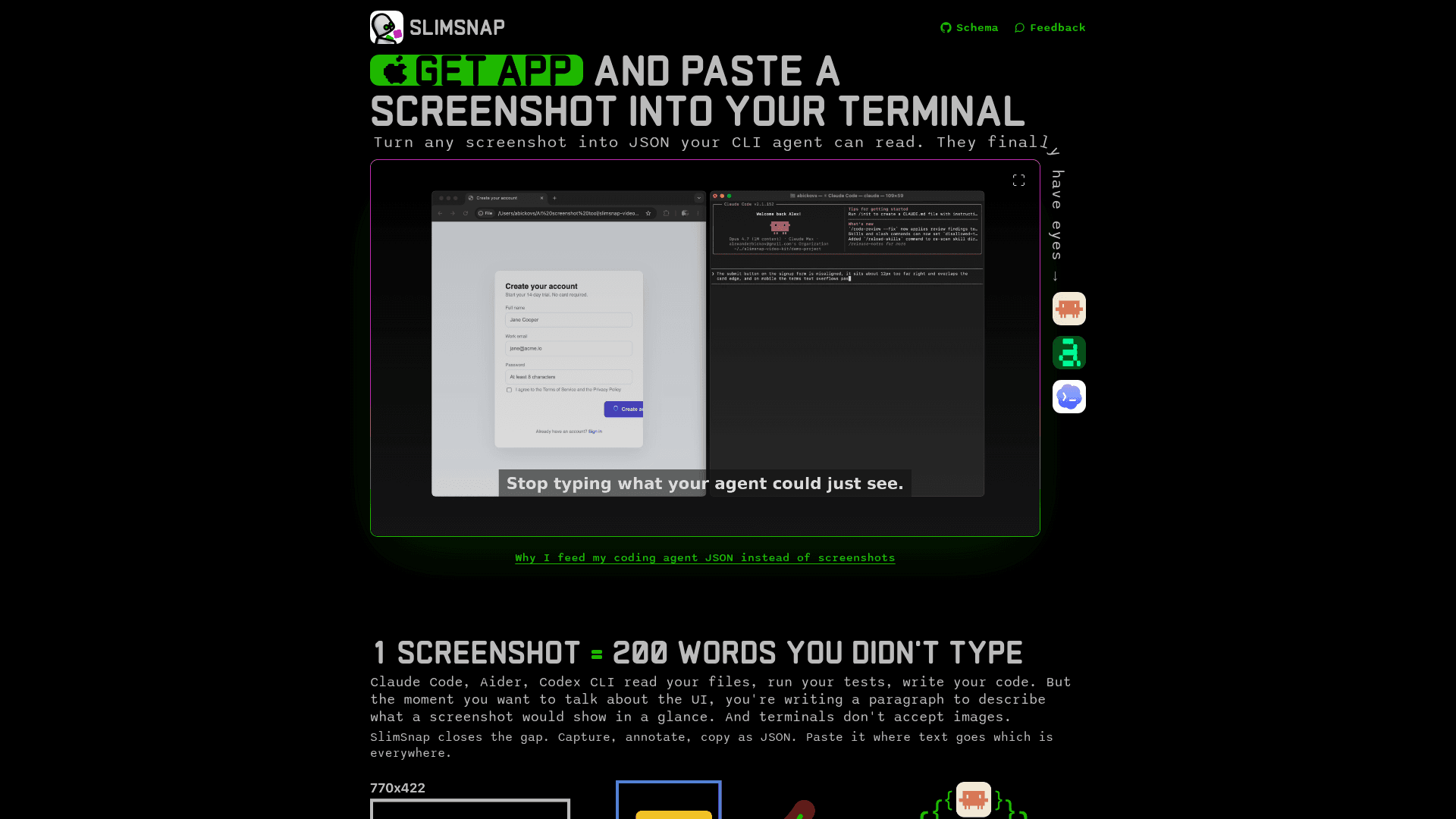
A macOS app that converts screenshots into structured JSON so terminal-based AI coding agents like Claude Code, Aider, and Codex CLI can read and reason about UI elements.
At a Glance
About SlimSnap
SlimSnap is a macOS desktop app built by Alexander Bickov that turns any screenshot into a compact JSON blob — complete with OCR'd text, element bounding boxes, and user annotations — so terminal-based AI coding agents can "see" the UI without accepting image input. The app is free during launch, with a paid tier planned, and the underlying JSON schema is published on GitHub under the MIT license. It targets developers and product people who use CLI agents like Claude Code, Aider, and Codex CLI.
What It Is
SlimSnap bridges the gap between visual UIs and text-only AI agents. Terminal agents can read files, run tests, and write code, but they cannot accept image input — meaning any UI discussion requires writing out a paragraph description of what a screenshot would show instantly. SlimSnap captures a screen region, runs local OCR, extracts element types and bounding boxes, and serializes everything into a structured JSON format that can be pasted anywhere text is accepted: terminals, SSH sessions, CI logs, git commits, and more.
The JSON schema (SlimSnap Schema v1.0) is a formal JSON Schema 2020-12 specification. Each export includes a schema_version, ISO-8601 timestamp, image metadata, a screen context object (window title, app name, URL), an elements array of detected UI primitives with normalized 0–1 bounding boxes, and an annotations array capturing user-drawn arrows, callouts, and highlights with structured intent values.
Token Efficiency
The homepage states that a single screenshot billed through Anthropic's vision API costs approximately 1,568 tokens on Claude Sonnet and Haiku, and up to 4,784 tokens on Opus 4.7 and 4.8. A typical SlimSnap JSON export of the same screen runs 600–800 tokens — roughly 55% fewer tokens per turn on Sonnet and up to 85% fewer on Opus, according to the vendor. The GitHub README claims approximately 12× fewer tokens compared to raw vision input. The reduction compounds across long iterative sessions where the same UI context is referenced repeatedly.
How the Workflow Works
- Capture: Press ⌘⇧S, drag to select any screen region, release. Runs natively on macOS with no additional installation.
- Annotate: Add arrows, callouts, and highlights to point at specific elements. Annotations are serialized as structured objects with
intentfields (highlight,explain,action,question) and optionaltarget_refIDs linking them to specific elements. - Copy JSON: One click copies the full JSON blob to the clipboard. Paste it into Claude Code, Aider, Codex CLI, Cursor, Continue.dev, or any text input.
A Claude Code skill is also published on GitHub (bickov/slimsnap-skill). It reads a config file at ~/.slimsnap/config.json to find the default save folder, lists the folder, and loads the latest JSON file into the agent's context automatically — no hardcoded paths.
Privacy and Local Processing
The homepage explicitly states that capture and OCR run locally on the Mac. Screenshots never leave the machine, and no account or server is required to use the app. The free tier requires no registration.
Open Schema, Closed App
The JSON schema specification (bickov/slimsnap-schema) is MIT-licensed and open for anyone to read, validate against, or implement independently. The Mac desktop app that produces the JSON is closed-source. The vendor notes that the schema is implementation-agnostic: users can hand-write valid JSON, generate it from another OCR pipeline, or build exporters for Windows or Linux. The app is currently Mac-only, with Windows and Linux support described as dependent on user demand.
Community Discussions
Be the first to start a conversation about SlimSnap
Share your experience with SlimSnap, ask questions, or help others learn from your insights.
Pricing
Free
Full app access during launch, no registration required.
- Screenshot capture with ⌘⇧S
- Local OCR
- JSON export with bounding boxes and annotations
- Claude Code skill
- No account required
Capabilities
Key Features
- Screenshot capture with ⌘⇧S keyboard shortcut
- Local OCR extracts all text labels, buttons, and error messages
- Structured JSON export with element bounding boxes in normalized 0–1 coordinates
- Annotation tools: arrows, callouts, highlights
- Annotations serialized with structured intent values (highlight, explain, action, question)
- One-click copy JSON to clipboard
- Claude Code skill for automatic JSON ingestion
- Deterministic element IDs for agent reference
- Estimated token count included in every export
- MIT-licensed open JSON schema (SlimSnap Schema v1.0)
- No account or registration required
- All processing runs locally — no server uploads
- Compatible with Claude Code, Aider, Codex CLI, Cursor, Continue.dev