
Main Menu
  • Tools
  • Developers
  • Topics
  • Discussions
  • News
  • Blogs
  • Builds
  • Contests
Create
Sign In
    EveryDev.ai
    Sign inSubscribe
    Home
    Tools

    1,624+ AI tools

    • New
    • Trending
    • Featured
    • Compare
    Categories
    • Coding733
    • Agents640
    • Marketing302
    • Infrastructure298
    • Design239
    • Analytics228
    • Research224
    • Projects207
    • Integration148
    • Testing129
    • Data125
    • Learning115
    • MCP113
    • Security107
    • Extensions94
    • Prompts79
    • Communication73
    • Voice71
    • Commerce70
    • Web59
    • DevOps46
    • Finance12
    Sign In
    1. Home
    2. Tools
    3. smug
    smug icon

    smug

    Command Line Assistants

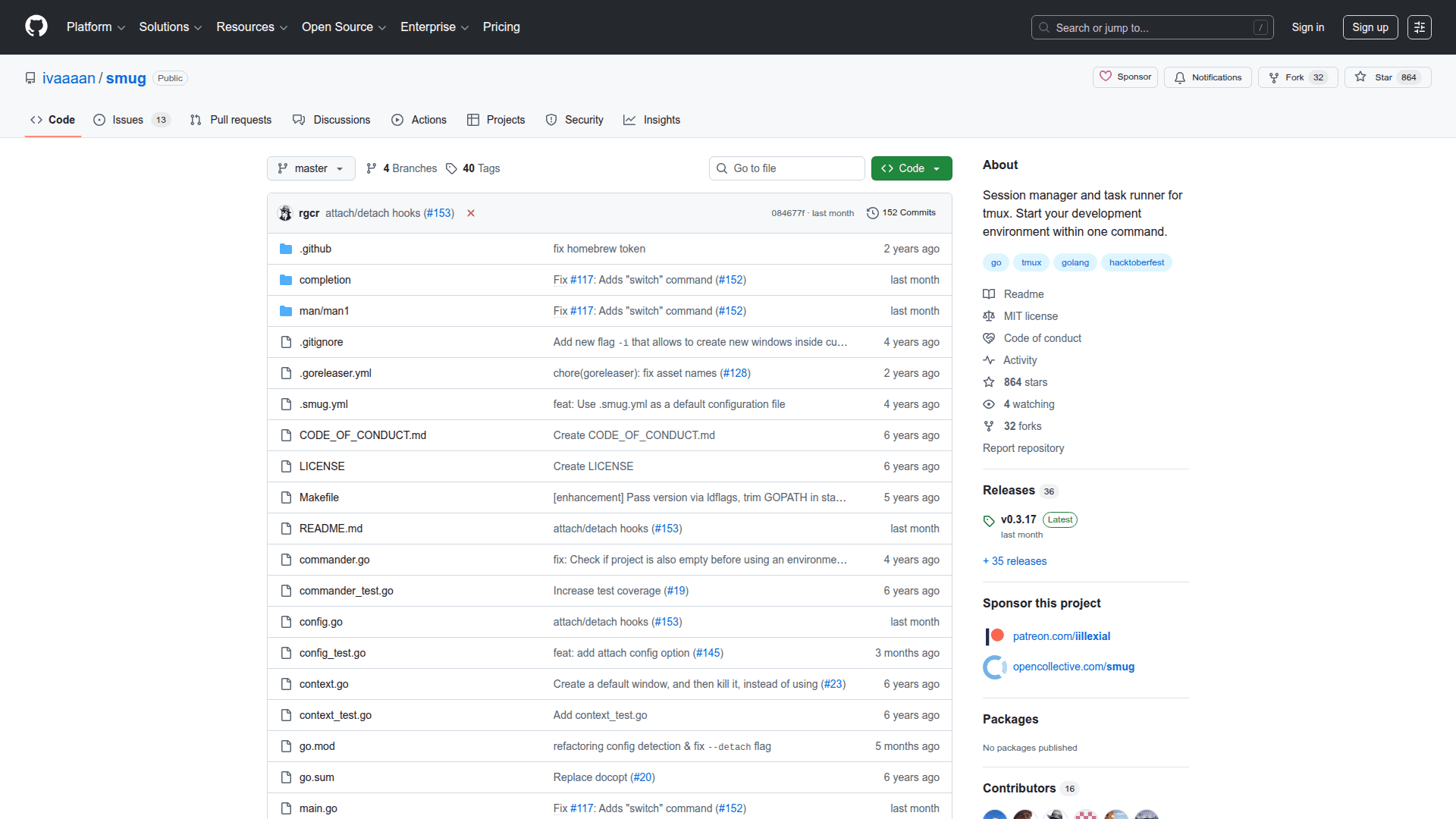
    smug is a terminal multiplexer session manager for tmux that lets you define and start pre-configured tmux sessions from YAML configuration files.

    Visit Website

    At a Glance

    Pricing

    Open Source

    Fully free and open source under the MIT license.

    Engagement

    Available On

    macOS
    Linux
    Web
    API
    CLI

    Resources

    WebsiteGitHubllms.txt

    Topics

    Command Line AssistantsDevelopment EnvironmentsWorkflow Automation

    Listed Mar 2026

    About smug

    smug is a command-line session manager for tmux that automates the creation and management of complex terminal workspace layouts. It reads YAML configuration files to define windows, panes, commands, and layouts, then launches fully configured tmux sessions with a single command. smug is written in Go and distributed as an open-source tool under the MIT license, making it easy to version-control your development environments alongside your projects.

    • YAML-based configuration: Define tmux sessions declaratively in YAML files, specifying windows, panes, layouts, working directories, and startup commands.
    • Session start/stop: Use smug start <config> and smug stop <config> to spin up or tear down entire tmux session setups instantly.
    • Project-scoped configs: Store .smug.yml files in project directories so each project can have its own reproducible terminal workspace.
    • Window and pane layouts: Configure split directions, sizes, and tiling layouts for panes within each window, matching tmux's native layout options.
    • Command execution: Automatically run shell commands in each pane on session start, such as starting servers, watchers, or REPLs.
    • Preview mode: Use smug edit to open the config file in your default editor, and smug list to see all available session configs.
    • Cross-platform CLI: Runs on any Unix-like system (Linux, macOS) where tmux is installed; distributed as a single compiled binary.
    • Go-based and open source: Source code is publicly available on GitHub under the MIT license, welcoming contributions and custom builds.
    smug - 1

    Community Discussions

    Be the first to start a conversation about smug

    Share your experience with smug, ask questions, or help others learn from your insights.

    Pricing

    OPEN SOURCE

    Open Source

    Fully free and open source under the MIT license.

    • YAML-based tmux session configuration
    • Session start and stop
    • Window and pane layout management
    • Automatic command execution
    • Single binary distribution
    View official pricing

    Capabilities

    Key Features

    • YAML-based tmux session configuration
    • Session start and stop commands
    • Window and pane layout management
    • Automatic command execution on session start
    • Project-scoped configuration files
    • List available session configs
    • Edit config via default editor
    • Single compiled binary distribution
    • MIT licensed open source

    Integrations

    tmux
    API Available

    Reviews & Ratings

    No ratings yet

    Be the first to rate smug and help others make informed decisions.

    Developer

    Ivan Andreev

    Read more about Ivan Andreev
    WebsiteGitHub
    1 tool in directory

    Similar Tools

    tmux icon

    tmux

    tmux is an open-source terminal multiplexer that lets you create, manage, and navigate multiple terminal sessions from a single window.

    Beehive icon

    Beehive

    Manage multiple GitHub repos, create isolated git workspaces, and run coding agents side-by-side — all from one desktop or terminal window.

    cmux icon

    cmux

    A native macOS terminal app built for coding agents, featuring vertical tabs, notification rings, split panes, an in-app browser, and a socket API for automation.

    Browse all tools

    Related Topics

    Command Line Assistants

    AI-powered command-line assistants that help developers navigate, search, and execute terminal commands with intelligent suggestions and context awareness.

    85 tools

    Development Environments

    AI-enhanced code editors and IDEs that improve the coding experience.

    106 tools

    Workflow Automation

    Agents designed to automate complex business and development workflows.

    167 tools
    Browse all topics
    Back to all tools
    Explore AI Tools
    • AI Coding Assistants
    • Agent Frameworks
    • MCP Servers
    • AI Prompt Tools
    • Vibe Coding Tools
    • AI Design Tools
    • AI Database Tools
    • AI Website Builders
    • AI Testing Tools
    • LLM Evaluations
    Follow Us
    • X / Twitter
    • LinkedIn
    • Reddit
    • Discord
    • Threads
    • Bluesky
    • Mastodon
    • YouTube
    • GitHub
    • Instagram
    Get Started
    • About
    • Editorial Standards
    • Corrections & Disclosures
    • Community Guidelines
    • Advertise
    • Contact Us
    • Newsletter
    • Submit a Tool
    • Start a Discussion
    • Write A Blog
    • Share A Build
    • Terms of Service
    • Privacy Policy
    Explore with AI
    • ChatGPT
    • Gemini
    • Claude
    • Grok
    • Perplexity
    Agent Experience
    • llms.txt
    Theme
    With AI, Everyone is a Dev. EveryDev.ai © 2026
    Sign in
    0views
    0upvotes
    0discussions