
sshx
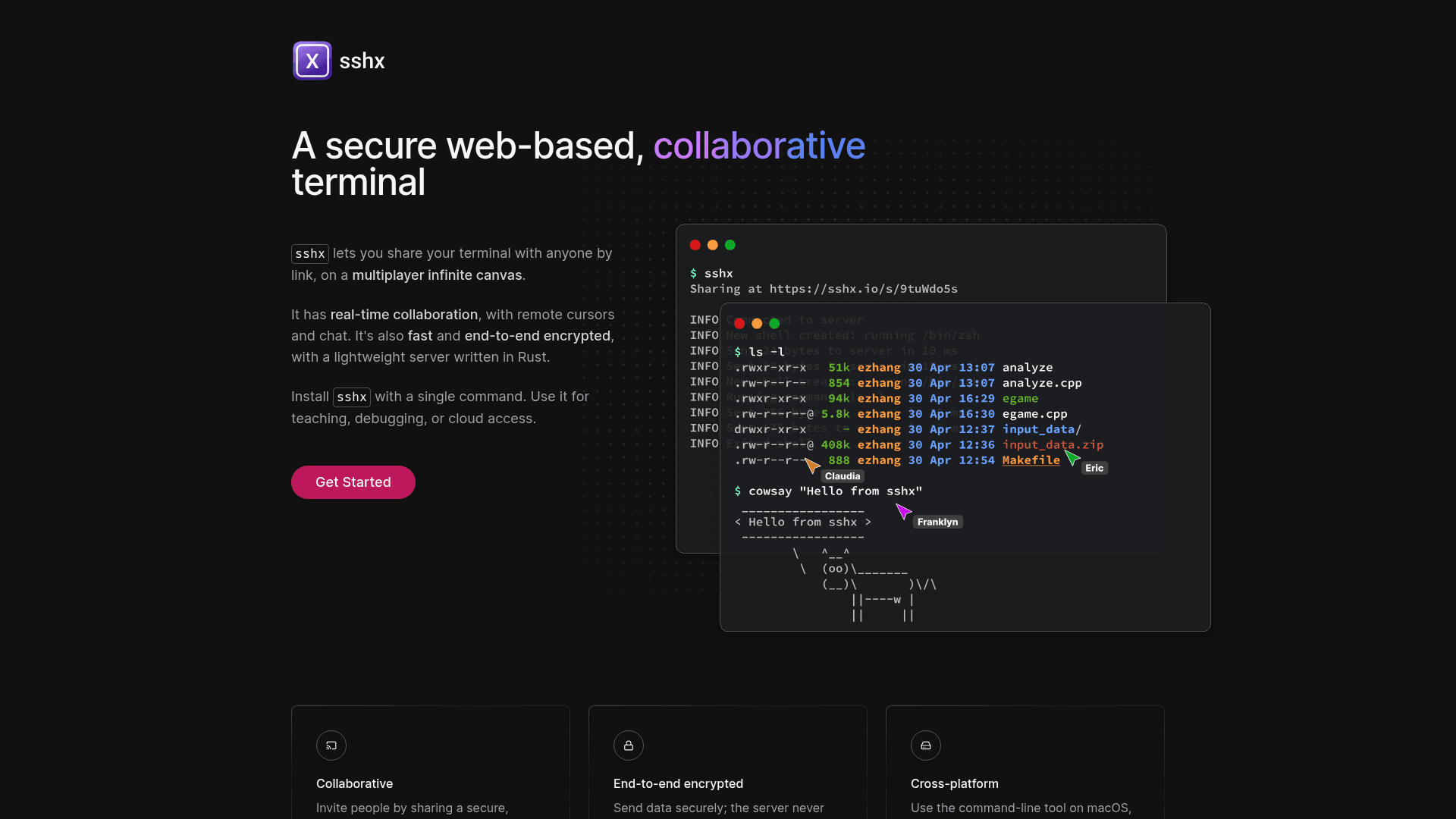
A secure, web-based collaborative terminal that lets you share your terminal with anyone via a link on a multiplayer infinite canvas with real-time cursors and chat.
At a Glance
About sshx
sshx is an open-source tool created by Eric Zhang that lets you share a live terminal session with anyone through a unique browser link. It runs a lightweight server written in Rust and uses end-to-end encryption so the relay server never sees what you type. The project is licensed under the MIT License and hosted on GitHub with over 7,500 stars as of mid-2025.
What It Is
sshx is a collaborative terminal-sharing tool in the category of remote access and pair-programming utilities. Its core job is to let a developer run a single command on their machine and instantly produce a shareable URL that others can open in a browser to view and interact with the terminal in real time. Unlike traditional SSH tunneling or screen-sharing tools, sshx renders sessions on an infinite canvas where multiple terminal windows can be moved, resized, and arranged freely — all visible to every participant simultaneously.
How the Multiplayer Canvas Works
When a session starts, participants join a shared infinite canvas in their browser. Each person's cursor is visible to others, labeled with their name, enabling the kind of spatial awareness familiar from collaborative document editors. Multiple terminal windows can be opened, repositioned, and resized on the canvas independently. The live-presence layer shows who is connected and where they are looking, making it practical for teaching, pair debugging, or guided walkthroughs.
Security and Networking Architecture
End-to-end encryption is implemented using Argon2 for key derivation and AES for data encryption, meaning the relay server handles only ciphertext. The server infrastructure is hosted on Fly.io with Redis Cloud for state, and sessions connect to the nearest node in a globally distributed mesh network for low latency. The README notes that self-hosted deployments are not officially supported and require manual configuration of HTTP/TCP reverse proxies, gRPC forwarding, TLS termination, and private mesh networking.
Installation and CI/CD Use
sshx installs with a single curl command on macOS and Linux, and pre-built binaries are available for Windows (x86-64, x86, ARM64), Linux (x86-64, ARM64, ARMv6, ARMv7), macOS (Apple Silicon and Intel), and FreeBSD. It can also be installed via Homebrew on macOS or built from source with Cargo. A notable use case highlighted in the README is CI/CD debugging: adding the install command to a GitHub Actions workflow (or GitLab CI, CircleCI, Buildkite, etc.) pauses the job and opens a live terminal session, letting developers inspect a failing build environment interactively.
Update: v0.4.1
The latest release is v0.4.1, published on February 12, 2025. The repository was last pushed to in June 2025, indicating active maintenance. The project was originally created in February 2022 and has accumulated over 7,500 GitHub stars and 292 forks, reflecting sustained community interest in the tool.
Community Discussions
Be the first to start a conversation about sshx
Share your experience with sshx, ask questions, or help others learn from your insights.
Pricing
Open Source
Fully free and open-source under the MIT License. Self-hosting requires manual infrastructure setup.
- Share terminal via unique browser link
- Multiplayer infinite canvas
- Real-time cursors and live presence
- End-to-end encryption
- Global distributed mesh networking
Capabilities
Key Features
- Share terminal via a unique browser link
- Multiplayer infinite canvas for terminal windows
- Real-time cursors and live presence
- End-to-end encryption with Argon2 and AES
- Globally distributed mesh networking
- Automatic reconnection and latency estimates
- Predictive echo for faster local editing
- Multiple terminal windows with free resize and move
- CI/CD integration for debugging workflows
- Cross-platform binaries (macOS, Linux, Windows, FreeBSD)