superfile
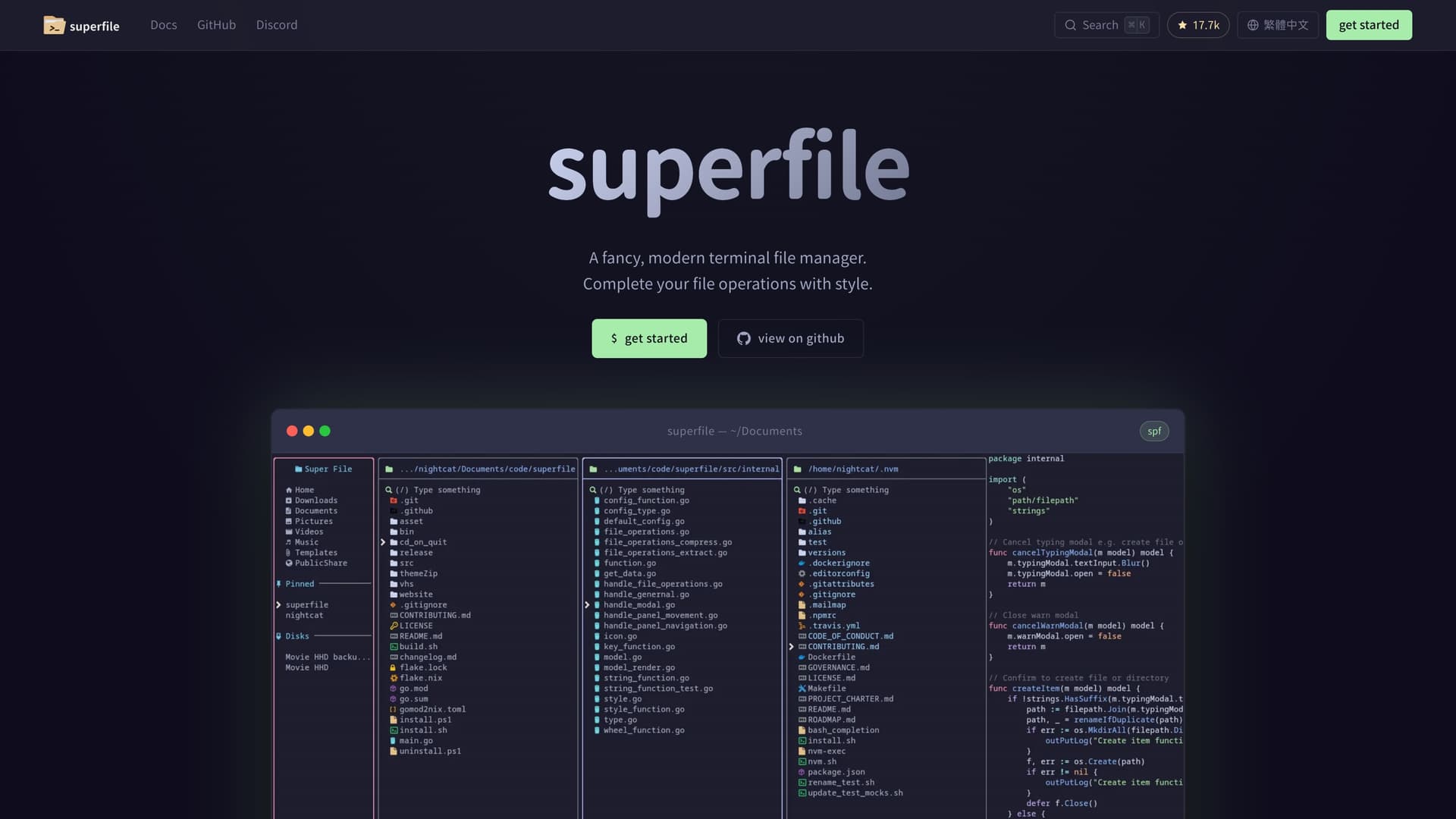
A fancy, modern terminal file manager built with Go and Bubble Tea, featuring multiple panels, fuzzy search, image preview, and 20+ built-in themes.
At a Glance
Fully free and open source under the MIT License. No cost to use, modify, or distribute.
Engagement
Available On
Alternatives
Listed Jul 2026
About superfile
superfile is a modern, visually refined terminal file manager built with Go and the Bubble Tea TUI framework. Created by yorukot and released under the MIT License, it targets developers who spend most of their time in the terminal and want a file management experience that matches the polish of graphical apps without leaving the command line. The project has accumulated over 17,700 GitHub stars since its creation in March 2024.
What It Is
superfile is a terminal user interface (TUI) file manager that runs in any terminal emulator on macOS, Linux, and Windows. It is invoked with the spf command and provides a multi-panel file browsing experience with keyboard-driven navigation, bulk operations, fuzzy search, and image preview. The project is fully open source under the MIT License and is built on top of the Bubble Tea framework from Charm.
Core Features
- Multiple panels: Split the terminal into several directory panes simultaneously and copy/paste across them with a few keystrokes.
- Complete file operations: Copy, move, delete, rename, fuzzy search, bulk operations, and image preview are all built in.
- Full customization: Every hotkey can be remapped, any theme can be selected, and borders and colors are all configurable.
- Plugin support: Community plugins extend functionality with Git status integration, system monitoring, and custom commands.
- Rich themes: 20+ built-in themes including Catppuccin, Nord, Tokyo Night, Dracula, Gruvbox, and Rose Pine.
Installation and Setup
superfile supports multiple installation paths across platforms:
- Linux/macOS: One-line bash script via
curl, orbrew install superfile - Windows: PowerShell script,
winget install --id yorukot.superfile, or Scoop - Arch Linux:
sudo pacman -S superfile - Nix:
nix profile install github:yorukot/superfile#superfile
After installation, the tool is launched with spf. The project requires Go 1.21+ if building from source. An auto-update check runs every 24 hours by default and can be disabled in the config file.
Architecture and Technology
superfile is written entirely in Go and uses the Bubble Tea library for its TUI rendering. The project is tagged with topics including bubbletea, cli, file-manager, golang, and tui on GitHub. The codebase is maintained by original author @yorukot and core maintainer @lazysegtree, with contributions from the broader open-source community. JetBrains provides open-source licenses to support maintenance.
Update: v1.6.0
The latest release is v1.6.0, published on June 7, 2026, with the last code push to the main branch on June 30, 2026. The repository remains actively maintained with 190 open issues and 475 forks, indicating ongoing community engagement and development momentum.
Community Discussions
Be the first to start a conversation about superfile
Share your experience with superfile, ask questions, or help others learn from your insights.
Pricing
Free & Open Source
Fully free and open source under the MIT License. No cost to use, modify, or distribute.
- Multiple directory panels
- File copy, move, delete, rename
- Fuzzy search
- Bulk operations
- Image preview
Capabilities
Key Features
- Multiple directory panels
- File copy, move, delete, rename
- Fuzzy search
- Bulk operations
- Image preview
- Fully customizable hotkeys
- 20+ built-in themes (Catppuccin, Nord, Tokyo Night, Dracula, Gruvbox, Rose Pine)
- Plugin support
- Git status integration via plugins
- System monitoring via plugins
- Auto-update check
- Vim-style hotkey config