
swe-mux
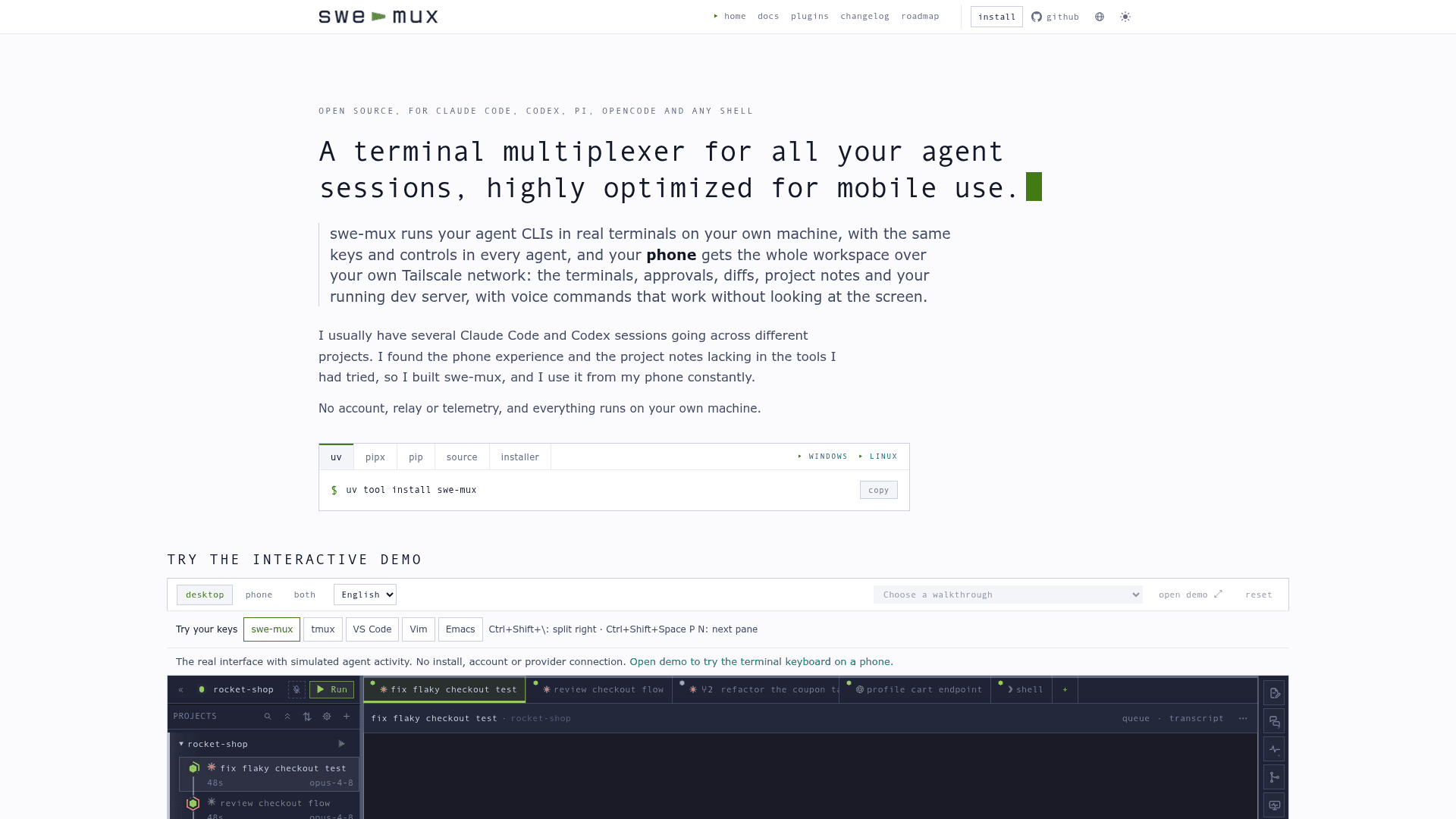
Open-source terminal multiplexer that runs Claude Code, Codex, pi, opencode and any shell in real terminals, with a full mobile workspace over Tailscale.
At a Glance
swe-mux core is open source under Apache-2.0, self-hosted on your own machine with no account, relay or telemetry.
Engagement
Available On
Listed Nov 2026
About swe-mux
swe-mux is an open-source (Apache-2.0) terminal multiplexer for agent CLI sessions, published by jatoran. It runs Claude Code, Codex, pi, oh-my-pi, opencode or any shell in real terminals on your own machine and exposes the same workspace to a phone over your own Tailscale network. The project states it has no account, relay or telemetry, and the latest release listed is v0.4.2.
What It Is
swe-mux is a workspace for managing several coding-agent sessions across projects. Terminals are arranged in panes and tabs, and typing a command such as claude or codex in a pane promotes it into a tracked session in place, keeping the same pane and scrollback. A sidebar lists projects and their sessions with a status of working, idle or waiting, read from the agent's hooks, transcript, terminal and process tree. Waiting states name a reason such as an approval, question, rate limit or login.
Mobile and Voice Workflow
The phone client is the same application as the desktop, installed as a web app from the browser. It offers the live terminal with extra keys, approvals, diffs, files, project notes, a prompt queue and dev-server previews proxied through swe-mux. Access is over Tailscale, and Tailscale policy is the access boundary. Conversation mode adds hands-free voice commands matched against a fixed grammar, dictation, read-aloud replies and an assistant that uses a model endpoint you configure. Speech-to-text runs on the host machine.
Agent Oversight and Coordination
- Shared keys in every recognized agent prompt, with swe-mux, tmux, VS Code, Vim and Emacs keymap presets.
- Per-project Markdown notes, and a Scratchpad outside any project.
- Quota tracking for saved Claude and Codex accounts, split by where usage came from, with one-click login switching between accounts you own.
- An Agent tab listing the tools, skills, MCP servers, plugins and hooks a session can see, plus searchable transcripts across agents.
- Process and port attribution per session, flagging leftovers, with nothing ended automatically.
- Agent-to-agent messaging and a land queue that fast-forwards branches only after approved checks pass.
- A separate supervisor that keeps terminals alive through daemon restarts and app updates.
Setup Path
Install with uv tool install swe-mux or pipx (Python 3.12+), or use the Windows 10/11 x64 installer, which is not code-signed. Windows gets a native desktop app and tray; Linux and macOS run the daemon with a browser at 127.0.0.1:8765. At least one agent CLI must already be installed and logged in, since swe-mux does not install or proxy them. It is not affiliated with Anthropic, OpenAI or other vendors.
Community Discussions
Be the first to start a conversation about swe-mux
Share your experience with swe-mux, ask questions, or help others learn from your insights.
Pricing
Open Source
swe-mux core is open source under Apache-2.0, self-hosted on your own machine with no account, relay or telemetry.
- Apache-2.0 license
- No account, relay or telemetry
- Runs on your own machine (native desktop app on Windows, browser on Linux and macOS)
- Phone access over your own Tailscale network
- Voice conversation mode and per-project notes
Capabilities
Key Features
- Terminal multiplexer for agent CLI sessions with panes and tabs
- Full workspace on phone over Tailscale as an installable web app
- Same keys and prompt editing across recognized agents
- Keymap presets for swe-mux, tmux, VS Code, Vim and Emacs
- Hands-free voice commands, dictation and read-aloud
- Per-project Markdown notes and Scratchpad
- Session status from hooks, transcripts and process tree
- Alerts and push notifications with quiet hours
- Claude and Codex account quota tracking and login switching
- Agent tab showing loaded tools, skills, MCP servers, plugins and hooks
- Process and port attribution per session
- Agent-to-agent messaging and prompt queue
- Land queue gated by approved checks
- Dev server preview proxied to phone
- Sessions survive daemon restarts and updates
- Transcript search and resume across agents
- Plugin support
- English and Simplified Chinese interface