
Main Menu
  • Tools
  • Developers
  • Topics
  • Discussions
  • Communities
  • News
  • Podcasts
  • Blogs
  • Builds
  • Contests
  • Compare
  • Arena
Create
    EveryDev.ai
    Sign inSubscribe
    Home
    Tools

    2,376+ AI tools

    • New
    • Trending
    • Featured
    • Compare
    • Arena
    Categories
    • Agents1543
    • Coding1167
    • Infrastructure522
    • Marketing438
    • Design413
    • Projects377
    • Research348
    • Analytics325
    • Testing213
    • MCP206
    • Data200
    • Security186
    • Integration167
    • Learning154
    • Communication144
    • Prompts139
    • Extensions133
    • Voice122
    • Commerce121
    • DevOps97
    • Web75
    • Finance21
    1. Home
    2. Tools
    3. sx
    sx icon

    sx

    Agent Skill Registries
    Featured

    A CLI package manager for AI coding assistant assets — skills, MCP configs, slash commands, and more — that lets teams share and sync AI tooling across projects and developers.

    Visit Website

    At a Glance

    Pricing
    Open Source

    Free and open-source under Apache License 2.0

    Engagement

    Available On

    macOS
    Linux
    Android
    Web
    API

    Resources

    WebsiteDocsGitHubllms.txt

    Topics

    Agent Skill RegistriesMCP ToolsAI Coding Assistants

    Alternatives

    Skills MarketplaceSkills ManagerSkillKit
    Developer
    sleuth-ioSan Francisco, CAEst. 2019$25000000 raised

    Listed May 2026

    About sx

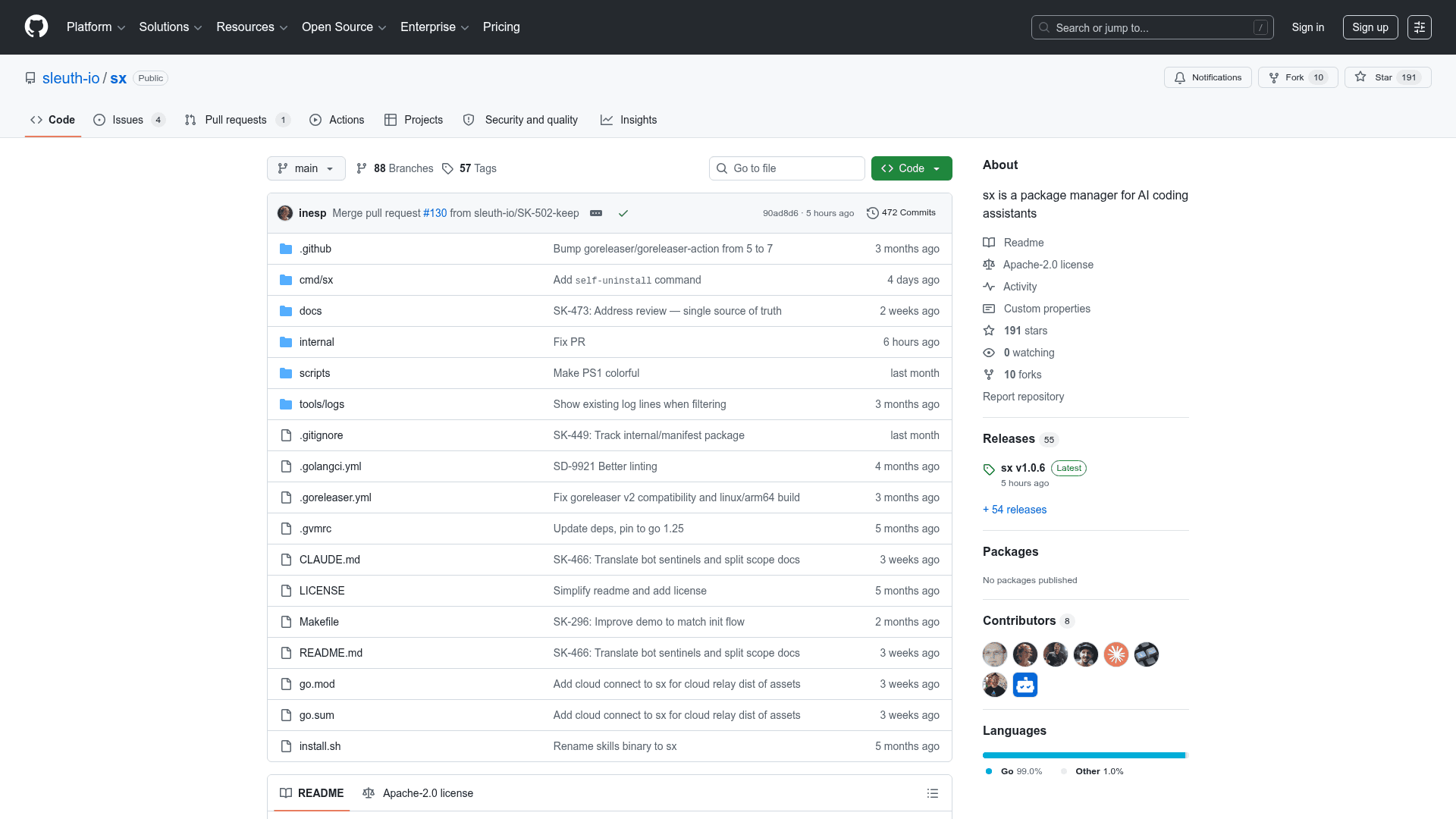
    sx is an open-source CLI tool built by sleuth-io that acts as a package manager for AI coding assistant assets. It lets teams capture, version, and distribute skills, rules, MCP configs, slash commands, hooks, and agents across any AI client — from Claude Code and Cursor to GitHub Copilot and Gemini. The project is written in Go, licensed under Apache 2.0, and hosted on GitHub.

    What It Is

    sx fills the gap between individual AI power users and the rest of a development team. When one developer figures out a highly effective prompt, MCP configuration, or slash command, that knowledge typically stays on their machine. sx provides a manifest-and-lock pattern — similar to npm, cargo, or uv — so teams can define a vault of AI assets, scope them to orgs, repos, teams, bots, or individual users, and have every developer automatically receive the right tools on install.

    How the Vault and Scoping Model Works

    sx organizes assets in a vault backed by one of three distribution models:

    • Local/path vault — personal tools shared across multiple local projects
    • Git vault — a shared git repository for small teams
    • Skills.new vault — centralized management with a UI for discovery, creation, and usage analytics for larger teams and enterprises

    Assets are declared in an sx.toml manifest and resolved into a per-user lock file. Install scopes control who receives each asset: --org (everyone), --repo or --path (repo/subpath-scoped), --team (admin-gated group), --user (single identity), or --bot (CI runner or agent identity). The sx install --dry-run command previews what would be resolved without writing anything.

    Supported AI Clients

    The project's README lists full support for a broad set of AI coding clients:

    • Claude Code, Cline, Codex, Cursor, GitHub Copilot, Gemini (CLI, VS Code, JetBrains, Android Studio), Kiro, and Openclaw
    • claude.ai and chatgpt.com via a cloud relay that exposes the local vault as an MCP endpoint over a WebSocket — vault content stays local

    Asset Types and Workflow

    Teams can build and share several asset categories through sx:

    • Skills — custom prompts and behaviors for specific tasks
    • Rules — coding standards applied to specific file types or paths
    • Agents — autonomous AI agents with defined goals
    • Commands — slash commands for quick actions
    • Hooks — automation triggers for lifecycle events
    • MCP Servers (experimental) — Model Context Protocol servers for external integrations
    • Plugins — Claude Code plugin bundles

    sx also integrates with skills.sh, described in the README as a community directory of 85k+ agent skills, enabling teams to pull in community-contributed assets alongside their own.

    Update: v1.0.4

    The latest release is v1.0.4, published on May 15, 2026. The repository was created in December 2025 and has seen active development, with the last push recorded in May 2026. The roadmap shows RBAC and a gated change-request flow as the next planned milestone, with all major client integrations and vault types already marked complete.
    sx - 1

    Community Discussions

    Be the first to start a conversation about sx

    Share your experience with sx, ask questions, or help others learn from your insights.

    Pricing

    OPEN SOURCE

    Open Source

    Free and open-source under Apache License 2.0

    • Full CLI package manager for AI assets
    • Local, Git, and Skills.new vault support
    • All supported AI clients
    • Usage analytics and audit log
    • Cloud relay for claude.ai and chatgpt.com

    Capabilities

    Key Features

    • Package manager for AI coding assistant assets
    • Skills, rules, agents, commands, hooks, MCP servers, and plugins
    • Scoped installation: org, repo, path, team, user, bot
    • Manifest-and-lock pattern (sx.toml + lock file)
    • Git vault, local path vault, and Skills.new vault backends
    • Cloud relay to expose vault to claude.ai and chatgpt.com via MCP
    • Usage analytics and audit log (sx stats, sx audit)
    • Dry-run preview with sx install --dry-run
    • Multiple profile support for switching between vaults
    • Integration with skills.sh community directory (85k+ skills)
    • Auto-install on new Claude Code sessions
    • Homebrew and shell script installation

    Integrations

    Claude Code
    Cline
    Codex
    Cursor
    GitHub Copilot
    Gemini CLI
    Gemini VS Code
    Gemini JetBrains
    Gemini Android Studio
    Kiro
    Openclaw
    claude.ai
    chatgpt.com
    skills.sh
    skills.new
    Homebrew
    API Available
    View Docs

    Reviews & Ratings

    No ratings yet

    Be the first to rate sx and help others make informed decisions.

    Developer

    sleuth-io

    sleuth-io builds developer productivity tooling focused on AI coding workflows. The team created sx, an open-source package manager for AI coding assistant assets, to help engineering teams capture and distribute AI skills, MCP configs, and commands at scale. Their skills.new platform provides centralized vault management with discovery, analytics, and team collaboration features.

    Founded 2019
    San Francisco, CA
    $25000000 raised
    42 employees

    Used by

    Puma
    Jackpocket
    NewStore
    Gigpro
    +1 more
    Read more about sleuth-io
    WebsiteGitHub
    1 tool in directory

    Similar Tools

    Skills Marketplace icon

    Skills Marketplace

    An open-source discovery platform aggregating 280,000+ agent skills (SKILL.md) from GitHub for Claude Code, OpenAI Codex CLI, and ChatGPT.

    Skills Manager icon

    Skills Manager

    A free, open-source desktop app to install, manage, and share AI skills across all major coding agents like Claude Code, Cursor, Copilot, and more.

    SkillKit icon

    SkillKit

    Open-source CLI package manager that aggregates 31+ skill sources, auto-translates to 44 AI agent formats, and adds memory, security scanning, and team workflows with zero telemetry.

    Browse all tools

    Related Topics

    Agent Skill Registries

    Registries and directories that catalog agent capabilities, skills, and competencies, enabling discovery and composition of agent abilities across platforms.

    52 tools

    MCP Tools

    Tools built with the Model Context Protocol for specific tasks.

    48 tools

    AI Coding Assistants

    AI tools that help write, edit, and understand code with intelligent suggestions.

    452 tools
    Browse all topics
    Back to all tools
    Explore AI Tools
    • AI Coding Assistants
    • Agent Frameworks
    • MCP Servers
    • AI Prompt Tools
    • Vibe Coding Tools
    • AI Design Tools
    • AI Database Tools
    • AI Website Builders
    • AI Testing Tools
    • LLM Evaluations
    Follow Us
    • X / Twitter
    • LinkedIn
    • Reddit
    • Discord
    • Threads
    • Bluesky
    • Mastodon
    • YouTube
    • GitHub
    • Instagram
    Get Started
    • About
    • Editorial Standards
    • Corrections & Disclosures
    • Community Guidelines
    • Advertise
    • Contact Us
    • Newsletter
    • Submit a Tool
    • Start a Discussion
    • Write A Blog
    • Share A Build
    • Terms of Service
    • Privacy Policy
    Explore with AI
    • ChatGPT
    • Gemini
    • Claude
    • Grok
    • Perplexity
    Agent Experience
    • llms.txt
    Theme
    With AI, Everyone is a Dev. EveryDev.ai © 2026
    3views
    Discussions