
Taskport
A native macOS workspace that keeps project dev servers, scripts, and interactive Ghostty terminals together, with a CLI for coding agents.
At a Glance
Free and open source native macOS app (GPL-3.0-only) for running project tasks and dev servers in interactive Ghostty terminals, with a CLI for coding agents. Requires macOS 14+ on Apple silicon.
Engagement
Available On
Listed Oct 2026
About Taskport
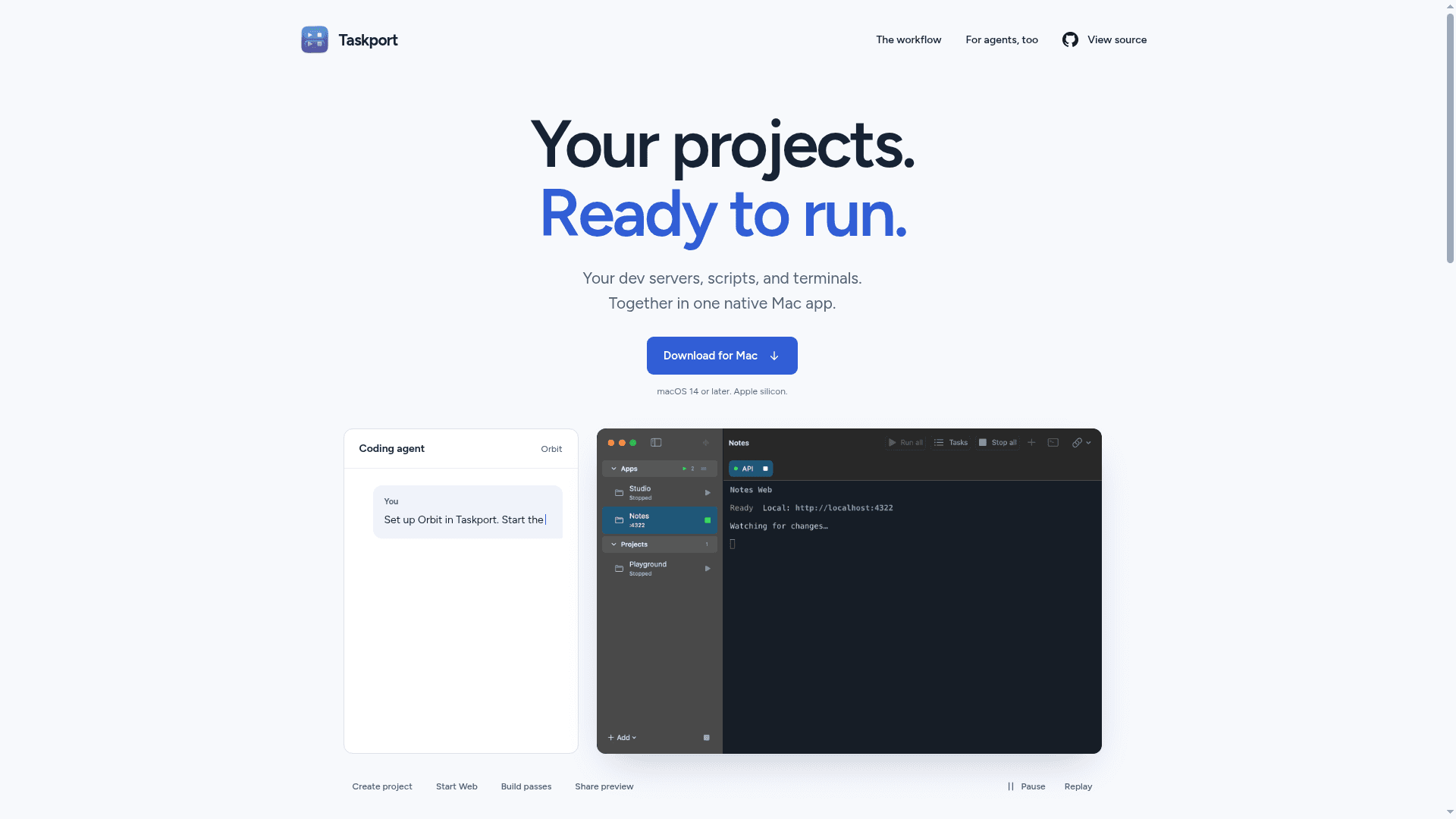
Taskport is a native macOS app by Gionatan that groups a project's dev servers, build scripts, and terminals in one workspace. It is distributed as a free, open-source Apple silicon download (version 0.2.0) and includes a CLI and portable skill so coding agents can work in the same workspace as the user.
What It Is
Taskport is a project task runner and terminal workspace for the Mac. Users save projects and tasks, review VS Code tasks and package scripts before importing them, and pin long-running services so a single Run all action starts them together. One-off commands and temporary experiments stay separate from pinned services. Each task runs in an interactive Ghostty-powered terminal using zsh, with retained output.
Local URLs and Tunnels
Each server task can be given its own local URL that can be opened or copied. An optional Cloudflare tunnel can be started for sharing; it needs explicit authorization and requires cloudflared to be installed separately. A tunnel opens in its own tab, and stopping the server also stops its tunnel. The sidebar subtitle shows detected listening TCP ports.
Working With Coding Agents
The Taskport CLI, installed from Settings, can list projects and active sessions, list listening ports, add or edit tasks, and start or stop them. A bundled agent skill can be linked into user-wide locations for Shared agents, Claude Code, Cursor, GitHub Copilot, Gemini CLI, or OpenCode. Users can still see and use every terminal the agent starts.
Setup Path and Limits
Taskport requires macOS 14 or later on Apple silicon. The release is ad-hoc signed rather than notarized by Apple, so the first launch may require Open Anyway in Privacy & Security, and managed Macs may prohibit this. Closing the window leaves tasks running, while quitting stops them. Pinned services resume on launch by default, but scrollback and manual terminal commands are not restored. Updates use a signed feed and always need user confirmation. The README describes the software as early and under active development.
Community Discussions
Be the first to start a conversation about Taskport
Share your experience with Taskport, ask questions, or help others learn from your insights.
Pricing
Taskport
Free and open source native macOS app (GPL-3.0-only) for running project tasks and dev servers in interactive Ghostty terminals, with a CLI for coding agents. Requires macOS 14+ on Apple silicon.
- Interactive Ghostty-powered terminals
- Pin and run services together with Run all
- Local URL per server task with optional Cloudflare tunnel (cloudflared installed separately)
- CLI and portable agent skill for coding agents
- Import VS Code tasks and package scripts
Capabilities
Key Features
- Save projects and tasks with review before importing VS Code tasks and package scripts
- Pin long-running services and start them together with Run all
- Interactive Ghostty-powered terminals using zsh
- Per-task local URLs with optional Cloudflare tunnels
- CLI to list projects, sessions, and ports and to add, edit, start, or stop tasks
- Portable agent skill installable for several coding agents
- Collapsible project groups and quick terminal tabs
- Signed updates with optional restore of running services
- Resume of pinned services on launch