EveryDev.ai
Subscribe
Home
Tools

5,039+ AI tools

  • New
  • Trending
  • Featured
  • Rate tools
  • Compare
  • Arena
Categories
  • Agents2562
  • Coding1890
  • Infrastructure888
  • Projects714
  • Research633
  • MCP603
  • Marketing496
  • Analytics489
  • Design421
  • Testing403
  • Data377
  • Security321
  • Integration257
  • Communication250
  • Prompts241
  • Extensions218
  • Commerce169
  • DevOps168
  • Voice168
  • Web123
  • Learning114
  • Finance35
AI Tools by Topic
  • AI Coding Assistants
  • Agent Frameworks
  • MCP Servers
  • AI Prompt Tools
  • Vibe Coding Tools
  • AI Design Tools
  • AI Database Tools
  • AI Website Builders
  • AI Testing Tools
  • LLM Evaluations
Follow Us
  • X / Twitter
  • LinkedIn
  • Reddit
  • Discord
  • Threads
  • Bluesky
  • Mastodon
  • YouTube
  • GitHub
  • Instagram
Get Started
  • Users
  • Rate Tools
  • About
  • Editorial Standards
  • Corrections & Disclosures
  • Community Guidelines
  • Advertise
  • Contact Us
  • Newsletter
  • Submit a Tool
  • Start a Discussion
  • Write A Blog
  • Share A Build
  • Terms of Service
  • Privacy Policy
Explore with AI
  • ChatGPT
  • Gemini
  • Claude
  • Grok
  • Perplexity
Agent Experience
  • llms.txt
Theme
With AI, Everyone is a Dev. EveryDev.ai ©
    1. Home
    2. Tools
    3. Tie
    Tie icon

    Tie

    Autonomous Systems
    Featured

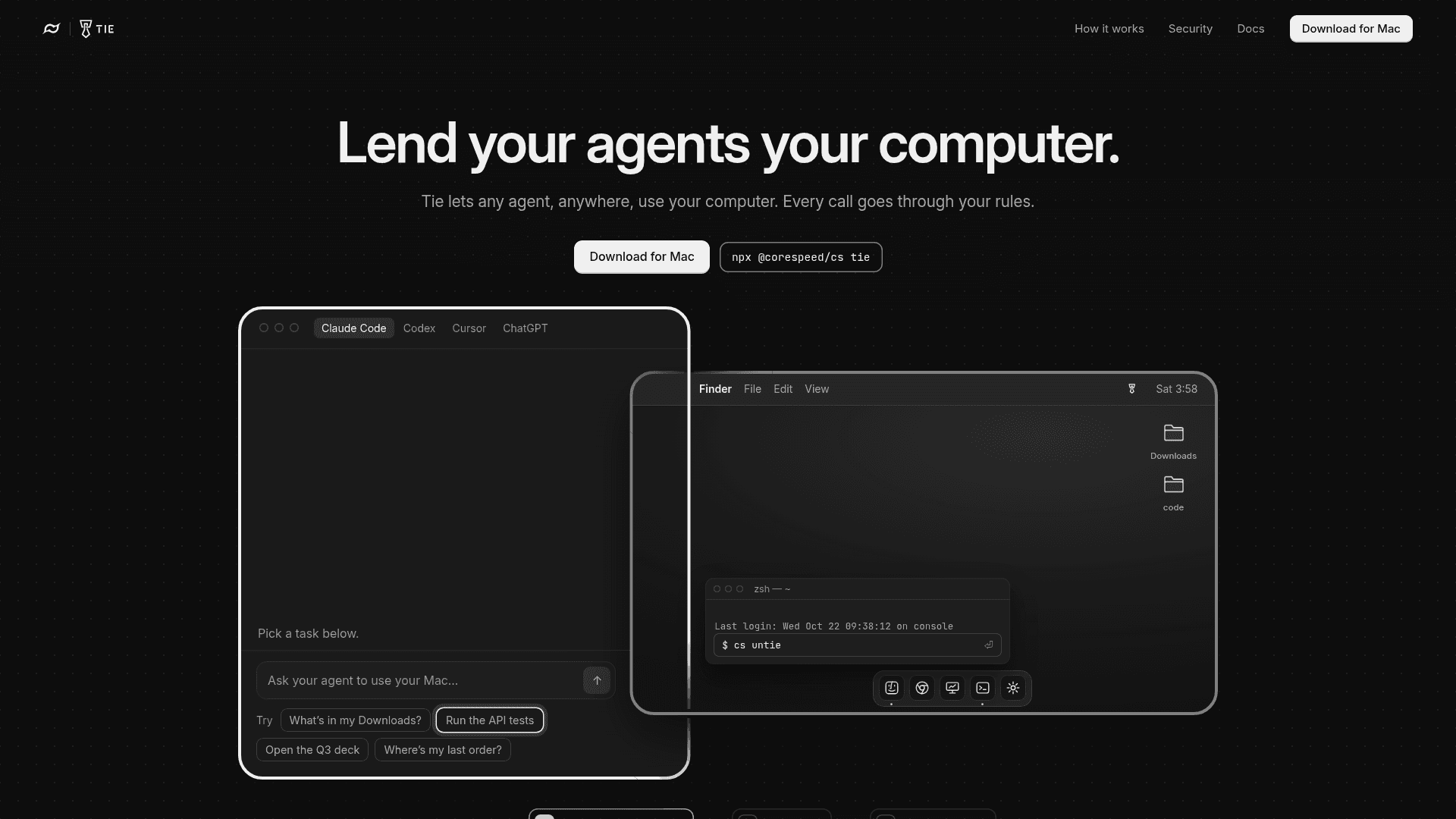
    Tie lets any MCP-compatible AI agent use your Mac, Linux or Windows computer's shell, files, browser and screen under approval rules you control.

    Visit Website

    At a Glance

    Pricing
    Free tier available

    For individuals running their first agent.

    Pro: $20/mo
    Team: $200/mo
    Enterprise: Custom/contact

    Engagement

    Available On

    Windows
    macOS
    Linux
    iOS
    Web

    Resources

    WebsiteDocsllms.txt

    Topics

    Autonomous SystemsMCP ToolsAccess Control

    Alternatives

    KonnectOraClaude Desktop Buddy
    Developer
    CoreSpeed Inc.

    Listed Oct 2026

    About Tie

    Tie is a computer-use product from CoreSpeed Inc. that puts your own computer behind CoreSpeed so agents running anywhere can reach it as a set of tools. It is currently in beta, with a Mac menu-bar app and a one-line terminal install for Mac, Linux and Windows.

    What It Is

    Tie connects a machine you own to any agent that speaks MCP, including Claude Code, Codex, Cursor, Claude, ChatGPT and VS Code. Once a machine is tied, it shows up to the agent as tools named device__<machine>__<tool>. Shell and file tools start in one folder you choose (~/Work by default), while browser and screen control are off until you switch them on. Because the agent works on your real computer, it can use your signed-in Chrome, installed apps and existing files instead of starting from an empty sandbox.

    How the rules work

    Every command passes through your approval rules, and a deny list refuses destructive commands agents commonly write, such as sudo. Read-only calls do not ask for approval. Approval requests go to you rather than the machine, via a notification on your Macs, the dashboard, Slack or email, and whichever you answer first counts. File tools stay inside the chosen folder and do not open credential folders such as ~/.ssh and ~/.aws. When an approved call drives the browser or screen, Tie keeps before-and-after screenshots on that machine only.

    Setup and control

    You tie a machine by running npx @corespeed/cs tie and confirming in the browser it opens, or by entering the code from another signed-in device. Then you connect your agent once by giving it the line set up https://corespeed.io/SKILL.md, or by adding the MCP server manually. Multiple machines can be tied and each becomes its own set of tools. Pausing refuses every call before it reaches the machine, even if CoreSpeed cannot be reached, and cs untie revokes the machine, removes its credential and stops it starting at login. Screen and browser control is built on the open-source Cua Driver, and on Linux it needs a desktop session.
    Tie - 1

    Community Discussions

    Be the first to start a conversation about Tie

    Share your experience with Tie, ask questions, or help others learn from your insights.

    Pricing

    FREE

    Free

    For individuals running their first agent.

    • 3,000 credits / 90 days
    • 1 member
    • Standard connectors
    • 200 MB memory
    • 30-day history

    Pro

    For a small team running agents every day.

    $20
    per month
    • 10,000 credits / month
    • Additional usage as needed
    • Up to 5 members
    • 2 GB memory
    • 1-year history

    Team

    For companies running agents across their teams.

    $200
    per month
    • Everything in Pro
    • 100,000 credits / month
    • Up to 50 members

    Enterprise

    For organizations that need compliance and control.

    Custom
    contact sales
    • Everything in Pro
    • Custom team size
    • Custom credits & memory
    • Custom audit retention
    • SSO options
    • Custom support SLA
    • Compliance & deployment planning
    View official pricing

    Capabilities

    Key Features

    • Lets MCP-compatible agents use your shell, files, browser and screen
    • Approval rules with notifications via Mac, dashboard, Slack or email
    • Deny list for destructive commands
    • Shell and file access limited to a chosen folder
    • Browser and screen control off by default
    • Tie multiple machines, each exposed as its own tools
    • Pause and untie controls
    • Before-and-after screenshots kept locally for browser and screen actions
    • One-line install via npx @corespeed/cs tie

    Integrations

    Claude Code
    Codex
    Cursor
    Claude
    ChatGPT
    VS Code
    OpenClaw
    Slack
    Cua Driver
    API Available
    View Docs

    Ratings & Reviews

    No ratings yet

    Be the first to rate Tie and help others make informed decisions.

    Rate other tools you’ve used

    Developer

    CoreSpeed Inc.

    Read more about CoreSpeed Inc.
    WebsiteGitHubLinkedInX / Twitter
    1 tool in directory

    Similar Tools

    Konnect icon

    Konnect

    A KiCAD 10 plugin and MCP server, built as a single Rust binary, that lets AI assistants design schematics and PCBs.

    Ora icon

    Ora

    Ora ranks any product on its Agent Experience (AX) score across five layers—discovery, identity, auth, agent integration, and UX—so businesses can see how well AI agents can find and use them.

    Claude Desktop Buddy icon

    Claude Desktop Buddy

    An open-source Bluetooth API reference and example firmware for connecting Claude desktop apps to maker hardware devices like ESP32 over BLE.

    Browse all tools

    Related Topics

    Autonomous Systems

    AI agents that can perform complex tasks with minimal human guidance.

    510 tools

    MCP Tools

    Tools built with the Model Context Protocol for specific tasks.

    128 tools

    Access Control

    AI-enhanced tools for managing authentication and authorization.

    44 tools
    Browse all topics
    Back to all toolsSuggest an edit
    ratings
    discussions