
Tolaria
A free, open-source second brain for the AI era that organizes notes as Markdown files with native Git and Claude Code (MCP) integration.
At a Glance
About Tolaria
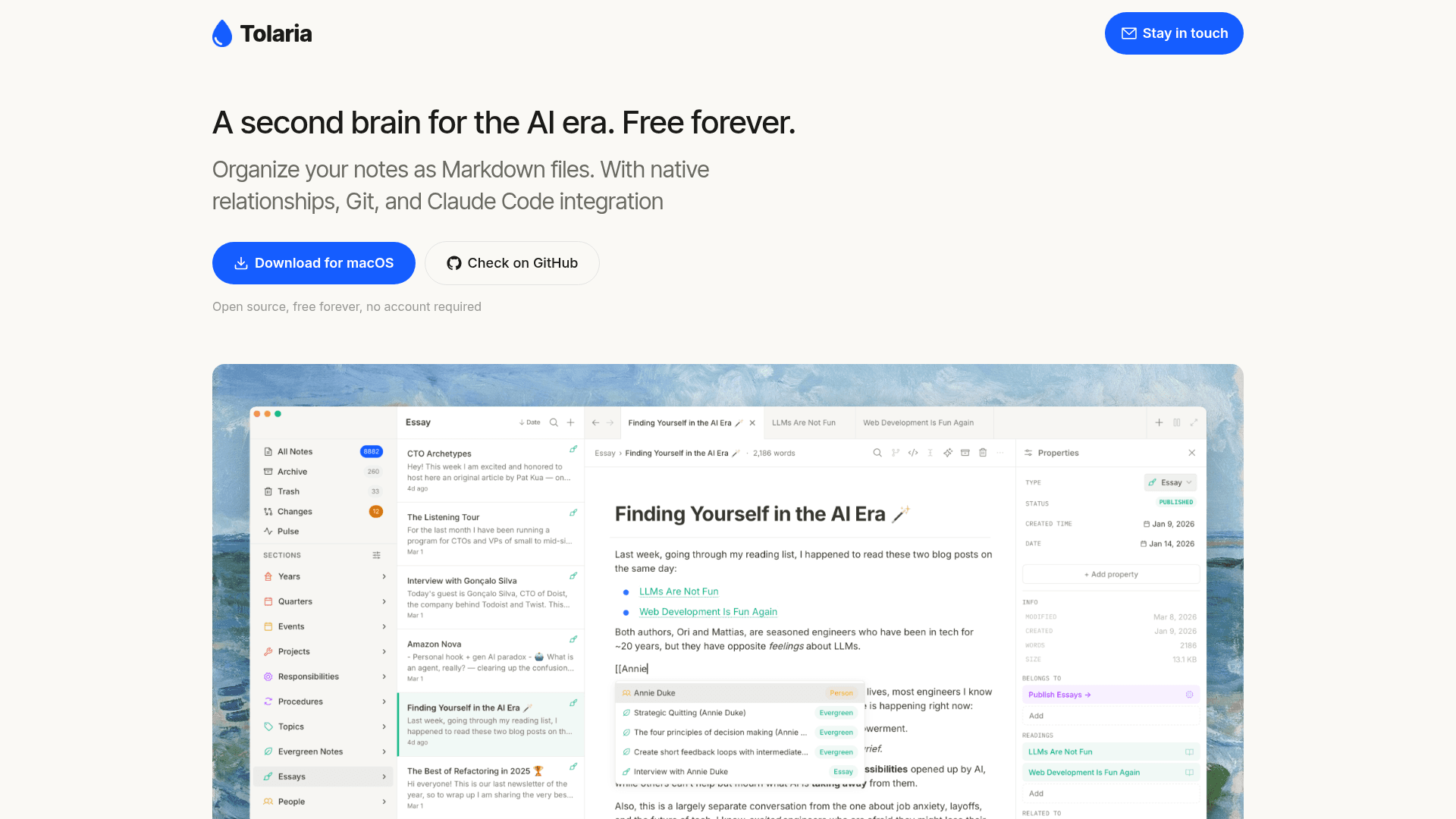
Tolaria is a free, open-source note-taking and knowledge management app designed for the AI era. Every note is stored as a plain Markdown file with YAML frontmatter on your local disk — no database, no proprietary format, no account required. It combines a rich block-based editor with deep Git integration and a built-in MCP server for seamless Claude Code compatibility.
- Plain Markdown on disk — notes are stored as standard
.mdfiles with YAML frontmatter, readable by any editor or terminal tool - Block-based editor — Notion-like editing experience with slash commands, wikilinks with autocomplete, drag-and-drop images, and keyboard-first design, all writing clean Markdown
- Native wikilinks & relationships — create rich, first-class relationships between notes using
[[wikilinks]]with autocomplete - Fully integrated Git client — commit, push, and browse per-note version history directly inside the app; sync across devices using Git
- MCP server for Claude Code — Tolaria exposes a full Model Context Protocol server so CLI AI tools like Claude Code can read and write your notes out of the box
- No account required — download and run immediately; all data stays on your disk
- Open source, free forever — source code is publicly available on GitHub under the refactoringhq organization
To get started, download the macOS app from GitHub releases or clone the repository. Open a folder of Markdown files as your vault, and begin writing immediately. Connect Claude Code via the built-in MCP server to let AI tools interact with your notes while Git keeps you in full control of every change.
Community Discussions
Be the first to start a conversation about Tolaria
Share your experience with Tolaria, ask questions, or help others learn from your insights.
Pricing
Free Forever
Fully featured, open-source, no account required. Free forever.
- Plain Markdown file storage
- Block-based editor with slash commands
- Wikilinks with autocomplete
- Native relationships
- Integrated Git client
Capabilities
Key Features
- Plain Markdown file storage
- YAML frontmatter support
- Block-based editor with slash commands
- Wikilinks with autocomplete
- Drag-and-drop images
- Native relationships between notes
- Integrated Git client
- Per-note version history
- Commit, push, and browse history in-app
- Built-in MCP server for Claude Code
- No account required
- Keyboard-first design
- Open source