
ZenNotes
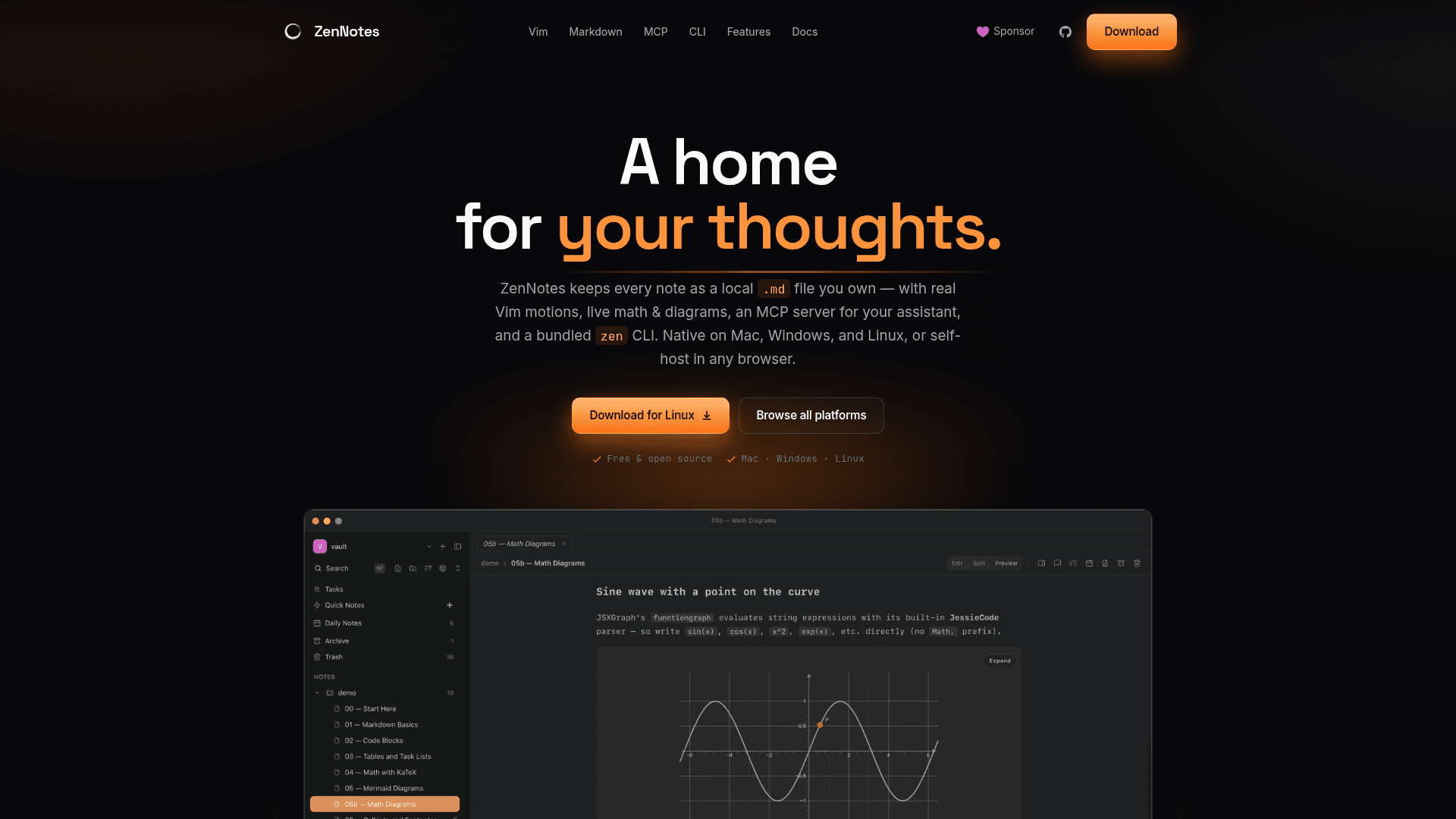
Keyboard-first local Markdown notes app with real Vim motions, live math and diagrams, MCP server integration, and a bundled CLI — native on Mac, Windows, and Linux.
At a Glance
About ZenNotes
ZenNotes is a free, open-source Markdown notes app built around keyboard-first workflows and plain .md files you own. Created by Adib Hanna and ZenNotes contributors under the MIT license, it ships as a native Electron desktop app for macOS, Windows, and Linux, and also runs as a self-hosted web app backed by a Go server. The project reached v2.13.1 as of July 2026 and is actively evolving.
What It Is
ZenNotes is a local-first note-taking tool that stores every note as an ordinary Markdown file in a vault folder you choose — no hidden database, no proprietary format, nothing to migrate out of. It layers Vim-native editing, rich preview rendering, task and tag management, vault-wide search, and an MCP server on top of those plain files. The desktop app and self-hosted web app share a single monorepo core written in TypeScript (React/CodeMirror 6) with a Go backend for the server path.
Vim-Native Editing
ZenNotes uses real Vim underneath, not a shortcut approximation. Motions, operators, registers, marks, macros, folds, and the ex prompt all work as expected. Leader-key flows, a command palette, and which-key overlays keep every surface reachable without a mouse. The editor is built on CodeMirror 6 with a Markdown-oriented workflow including heading folding, outline extraction, wiki links, callouts, tables, footnotes, and local embeds.
Rich Markdown Rendering
Notes render math and diagrams directly from fenced code blocks:
- KaTeX for inline and block math
- Mermaid for flowcharts and sequence diagrams
- TikZ, JSXGraph, and function-plot for interactive and scientific diagrams
- GitHub-flavored Markdown, callouts, footnotes, wiki links, and backlinks in preview and split mode
Files stay plain text on disk, so switching editors later requires no export step.
MCP Integration and CLI
ZenNotes ships a first-party MCP server with one-click install flows for Claude Code, Claude Desktop, and Codex. The assistant reads and writes the same Markdown files directly on disk — no second copy or sync layer. Supported MCP operations include reading, creating, moving, and appending to notes, listing files, searching vault text, and toggling tasks.
The bundled zen CLI (installed from Settings → CLI) exposes the same vault operations from the terminal: capture, search, tag, task management, and MCP server launch. It accepts --json output on any command for shell pipeline use, and on macOS it can install a Raycast extension locally.
Deployment Model
ZenNotes supports three runtime modes from one shared codebase:
- Desktop — Electron app with native menus, auto-updater, floating windows, and signed/notarized releases for macOS
- Self-hosted — browser frontend plus Go server, deployable via Docker (
adibhanna/zennotes) on a home server or LAN; secure by default with bootstrap auth token andHttpOnlysession cookies - Hosted — planned future mode on the same web/server stack with auth and multi-user storage
The vault model supports Obsidian-style flat vaults at the root, ![[image.png]] embed resolution, and loose file surfacing, making it compatible with existing Obsidian vaults without migration.
Update: v2.13.1
The latest release is ZenNotes v2.13.1, published July 10, 2026. The GitHub repository was created in April 2026 and has reached nearly 2,000 stars, with the README noting the desktop app as the more mature runtime while the self-hosted web/server path is being brought into parity through the shared monorepo. Recent additions visible in the README include CSV database views (Notion-style Table and Board views over plain .csv files), weekly notes, a server-backed vault picker for the web build, and improved Obsidian vault compatibility.
Community Discussions
Be the first to start a conversation about ZenNotes
Share your experience with ZenNotes, ask questions, or help others learn from your insights.
Pricing
Free & Open Source
Fully free and open source under the MIT license. Download and use on Mac, Windows, Linux, or self-host via Docker.
- Full desktop app for macOS, Windows, and Linux
- Self-hosted web app via Docker
- Real Vim motions and editor
- Plain .md file vault
- MCP server integration
Capabilities
Key Features
- Real Vim motions (motions, operators, registers, marks, macros, folds, ex prompt)
- Plain .md files — no hidden database
- KaTeX math rendering (inline and block)
- Mermaid, TikZ, JSXGraph, and function-plot diagram rendering
- Split, preview, and reference pane modes
- Tasks, tags, and backlinks
- Vault-wide full-text search (built-in, ripgrep, or fzf)
- Daily and weekly notes with configurable date patterns
- MCP server with one-click install for Claude Code, Claude Desktop, and Codex
- Bundled `zen` CLI with --json output
- Obsidian-friendly vault support
- CSV database views (Table and Board over plain .csv files)
- Self-hosted web app via Docker
- Floating note windows (desktop)
- Raycast extension install on macOS
- Inline note comments
- Zen mode (distraction-free)
- Slash and @ shortcuts
- Themes, font, and typography customization
- Auto-updating desktop app