
trnscrb
Local meeting transcription tool that lives in your macOS menu bar, auto-detects meetings, and transcribes with Whisper on-device.
At a Glance
MIT licensed open source tool
Engagement
Available On
Listed Feb 2026
About trnscrb
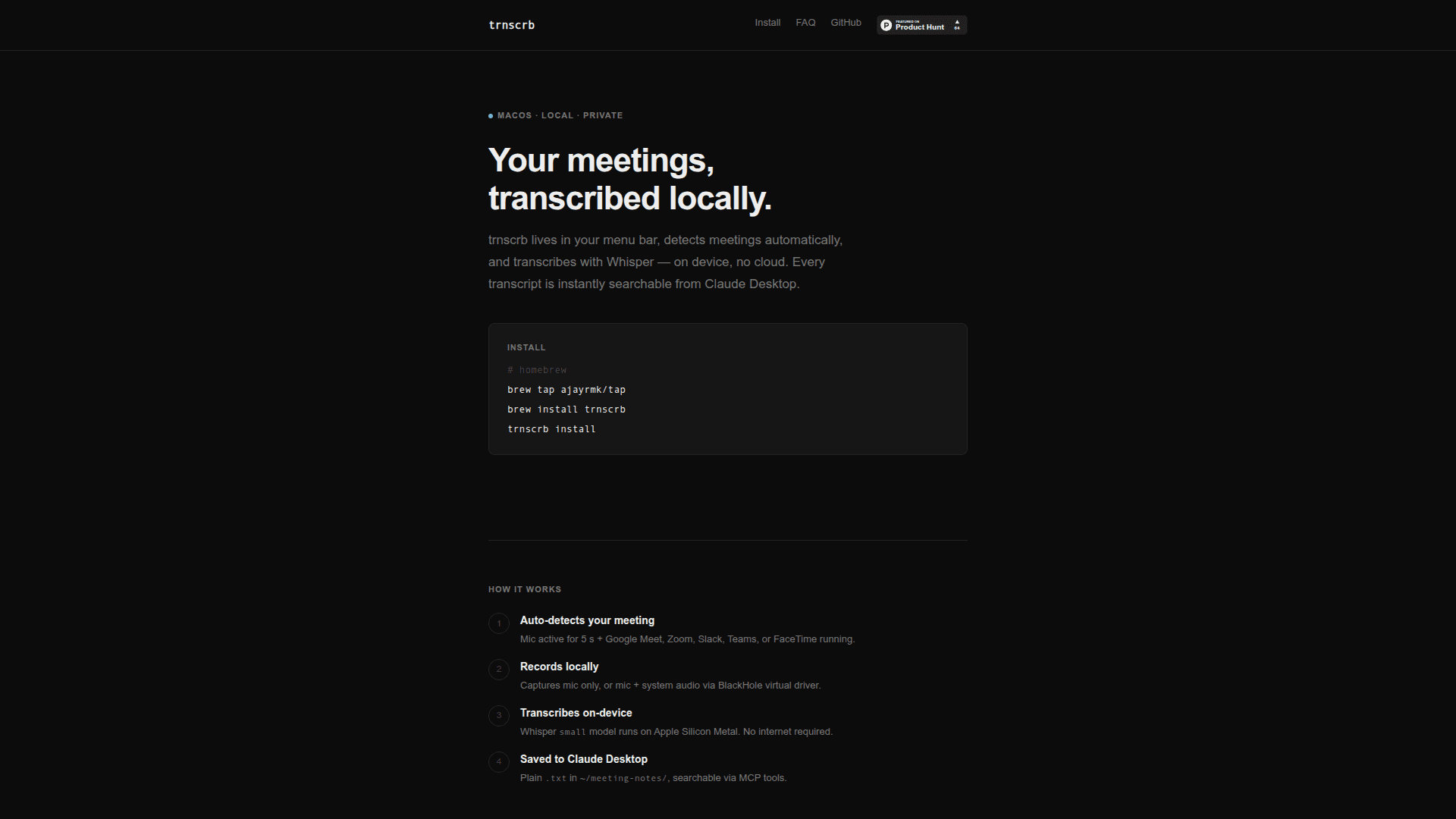
trnscrb is a privacy-focused meeting transcription tool for macOS that runs entirely on your local machine. It sits in your menu bar, automatically detects when you're in a meeting, and transcribes audio using OpenAI's Whisper model running on Apple Silicon Metal—no cloud processing or internet connection required. Every transcript is saved as plain text and instantly searchable from Claude Desktop via MCP integration.
-
Auto-detection automatically recognizes when you're in a meeting by detecting mic activity combined with Google Meet, Zoom, Slack Huddle, Microsoft Teams, or FaceTime running on your system.
-
Local recording captures your microphone audio, or both mic and system audio using the BlackHole virtual driver to record all meeting participants.
-
On-device transcription uses the Whisper small model with Apple Silicon Metal acceleration for fast, private transcription without sending data to the cloud.
-
Claude Desktop integration provides MCP tools for controlling recordings and searching transcripts directly from Claude, enabling natural language queries about your meeting history.
-
Speaker diarization optionally labels different speakers (SPEAKER_00, SPEAKER_01) when connected to a free HuggingFace account.
-
Plain text storage saves all transcripts as
.txtfiles in~/meeting-notes/, ensuring you own your data with no proprietary formats or databases. -
Transcript enrichment optionally sends transcript text to Claude API to generate summaries and action items via the
trnscrb enrichcommand.
To get started, install via Homebrew with brew tap ajayrmk/tap && brew install trnscrb && trnscrb install. The install command handles BlackHole setup, HuggingFace token configuration, Whisper model download, Claude Desktop MCP config, and launch-at-login. Alternatively, install via pip or uv with pip install trnscrb && trnscrb install. The tool works on Intel Macs but Apple Silicon is recommended for Metal-accelerated transcription performance.
Community Discussions
Be the first to start a conversation about trnscrb
Share your experience with trnscrb, ask questions, or help others learn from your insights.
Pricing
Open Source
MIT licensed open source tool
- Auto-detects meetings
- Local on-device transcription
- Apple Silicon Metal acceleration
- Menu bar application
- Records mic and system audio
Capabilities
Key Features
- Auto-detects meetings from Google Meet, Zoom, Slack, Teams, FaceTime
- Local on-device transcription with Whisper
- Apple Silicon Metal acceleration
- Menu bar application
- Records mic and system audio via BlackHole
- Speaker diarization with HuggingFace
- Claude Desktop MCP integration
- Plain text transcript storage
- Transcript search and retrieval
- Calendar context integration
- Transcript enrichment with summaries and action items
- Launch at login
- Fully offline operation