
tterm
A macOS desktop app that combines a terminal, a real Chromium browser, and Claude Code under one roof for AI-assisted development workflows.
At a Glance
About tterm
tterm is a free macOS desktop application built by a solo developer (Tanay Gondil) that unifies a terminal emulator, an embedded Chromium browser, and Claude Code into a single window. It targets Apple Silicon Macs running macOS 12 or later and requires Claude Code to be installed separately. The app carries no account requirement and no telemetry — the homepage states it "phones nothing home."
What It Is
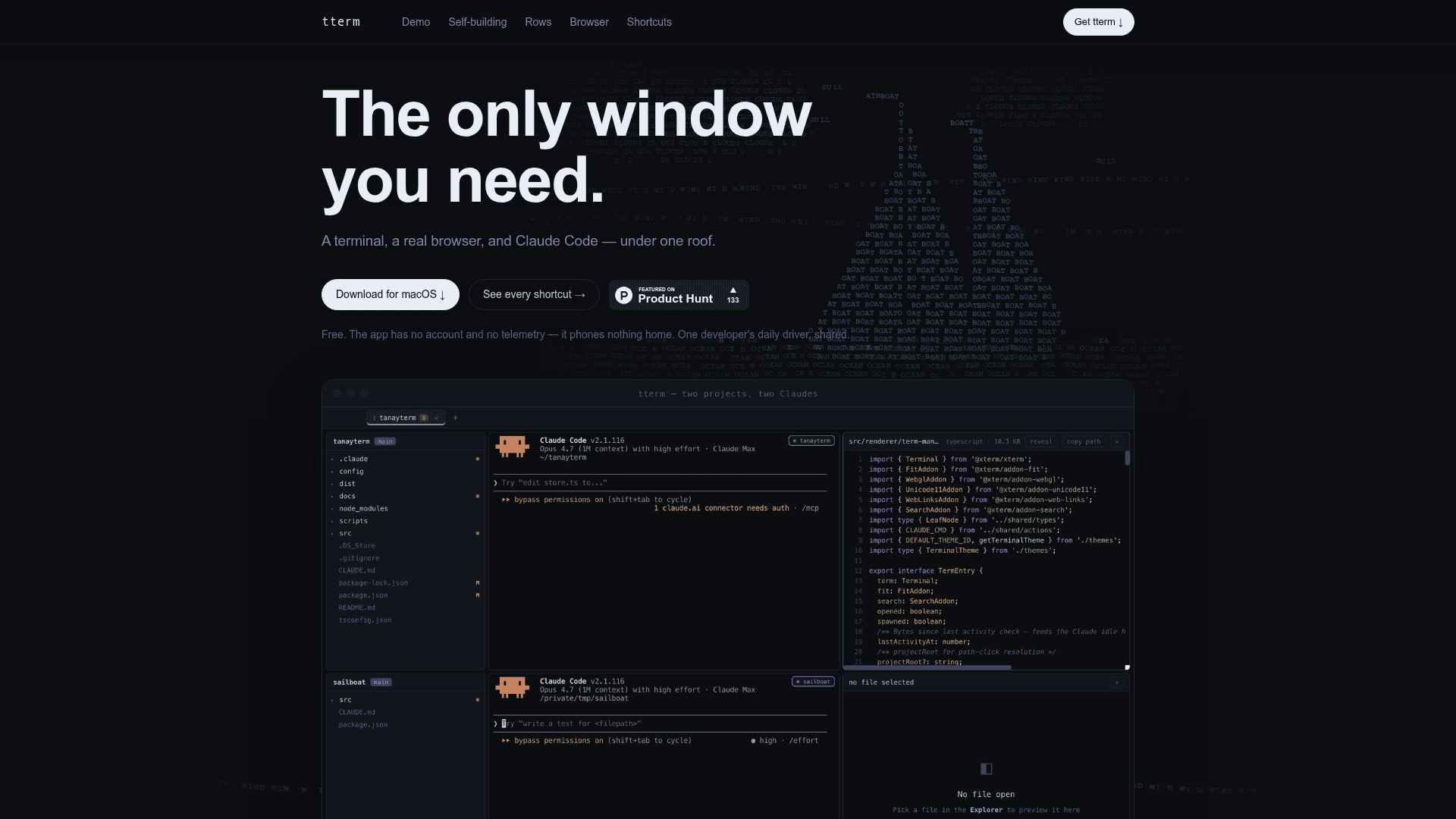
tterm is a developer workspace shell for macOS that replaces the need to juggle separate terminal, browser, and AI coding assistant windows. Its core idea is that every project gets a "row" — a horizontal strip containing a file explorer, a Claude Code pane, and a file viewer — and multiple rows can be stacked vertically so several projects are visible at once. The embedded browser is a real Chromium instance that imports Chrome cookies, bookmarks, and history, making it usable for authenticated web sessions without leaving the app.
How the Workflow Is Structured
tterm organizes work around a few keyboard-driven modes:
- ⌘K — opens a command palette that can invoke Claude Code against tterm's own source, enabling in-app feature requests that hot-reload the running app
- ⌘B — toggles the embedded Chromium browser tab with full bookmark bar support
- ⌘G — opens a diff review mode for staging hunks, unstaging, and committing without a separate editor
- ⌘⇧M — opens the project's CLAUDE.md file for context management
- ⌘O / ⌘P / ⌘⇧F — project switcher, quick open, and global search
The keyboard philosophy is explicit: only ⌘-chords are intercepted by tterm; every Ctrl key passes through to the underlying pty untouched, preserving terminal compatibility.
Self-Building Architecture
A notable design point is that tterm was largely built using itself. The homepage states "most of tterm was built this way" — referring to the workflow of invoking Claude Code on tterm's own source via ⌘K and hot-reloading the result. This self-referential development loop is presented as a demonstration of the tool's practical capability rather than a marketing claim.
Platform and System Requirements
tterm is macOS-only and explicitly unsupported on Intel Macs:
- Chip: Apple Silicon (M1 or later)
- OS: macOS 12 (Monterey) or later
- Dependency: Claude Code must be installed separately
- Distribution: Ad-hoc signed, not notarized; requires a one-time
xattrcommand or manual Gatekeeper override after download
Installation is a manual unzip-and-drag process from a GitHub Releases ZIP, with no App Store distribution.
Current Status: v0.1.0
The GitHub repository (tgondil/tterm-site) published its first release, v0.1.0, on 2026-07-07, with the last push recorded on 2026-07-21. The repository hosts the site and download artifacts rather than the full application source, and no OSI license is specified. The project is described on the homepage as "one developer's daily driver, shared" — signaling an early, personal-use-first release rather than a commercial product.
Community Discussions
Be the first to start a conversation about tterm
Share your experience with tterm, ask questions, or help others learn from your insights.
Pricing
Free
Fully free with no account, no telemetry, and no usage limits. One developer's daily driver, shared.
- Integrated terminal emulator
- Embedded Chromium browser
- Claude Code integration
- Multi-project row layout
- Diff review and Git staging
Capabilities
Key Features
- Integrated terminal emulator (pty)
- Embedded real Chromium browser with Chrome cookie/bookmark/history import
- Claude Code integration per project row
- Multi-project row layout (explorer + Claude Code + file viewer per row)
- Diff review mode with hunk-level staging and committing
- Command palette (⌘K)
- Quick open and global search
- CLAUDE.md viewer/editor
- Hot-reload via self-editing with Claude Code
- No account, no telemetry
- Keyboard-driven interface (⌘-chords only, Ctrl passes to pty)
- Theme support