
Caudex
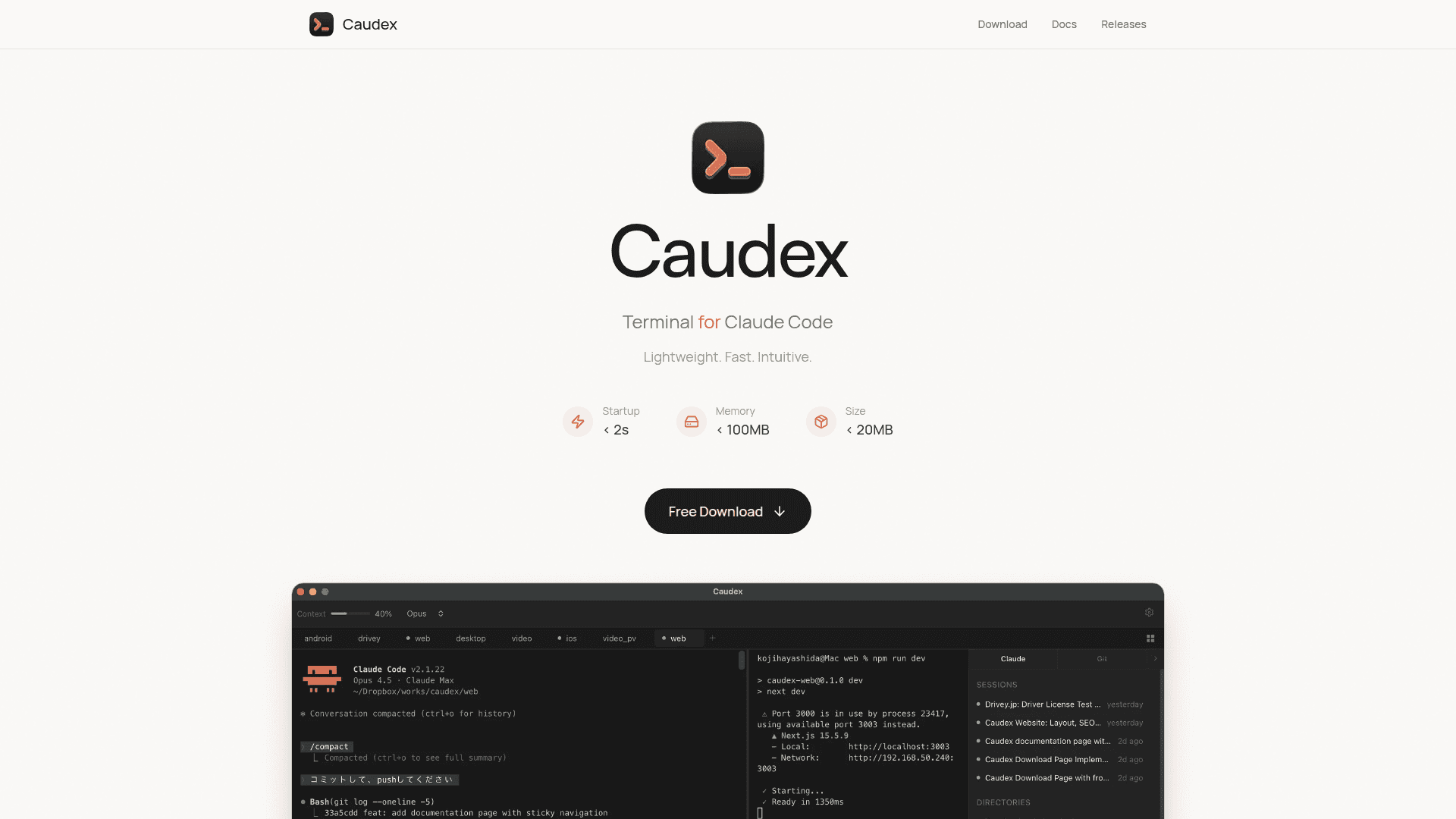
A lightweight, fast, and intuitive terminal application designed specifically for Claude Code with multi-tab management and context monitoring.
At a Glance
Free download for all platforms
Engagement
Available On
Alternatives
Listed Feb 2026
About Caudex
Caudex is a purpose-built terminal application designed to enhance the Claude Code experience. It provides a lightweight, fast, and intuitive interface for developers working with Claude Code CLI, offering features like multi-tab management, context monitoring, and split terminal views. With a startup time under 2 seconds, memory usage under 100MB, and an app size under 20MB, Caudex delivers a streamlined development workflow.
-
Multi-Tab Management allows you to manage multiple projects simultaneously with tab overview, monitor all sessions at a glance with status indicators, and quickly switch between tabs using keyboard shortcuts (⌘1-9 or Ctrl+1-9).
-
Context Monitoring provides real-time progress bars for context usage and cost tracking, helping you stay informed about your session metrics and manage long sessions effectively.
-
Information Panel offers quick access to Sessions, Todos, MCP servers, Agents, Skills, and Permissions in a unified sidebar, accessible via ⌘B (Ctrl+B).
-
Multi-Split Terminal enables you to split your terminal horizontally and vertically, running multiple Claude Code sessions or shell commands side by side for enhanced productivity.
-
Quick Actions provide one-click access to Compact, Clear, Memory editing, and Screenshot capture to streamline your workflow.
-
Skills Management lets you browse, install, and manage skills with a visual interface, extending Claude Code's capabilities effortlessly.
-
Session Management allows you to resume past sessions instantly and continue where you left off with searchable session history.
-
Git Integration displays branch, status, commit history, and file changes at a glance with a built-in Git panel and diff viewer.
-
MCP Server Management enables you to connect and configure Model Context Protocol servers with ease for additional tools and capabilities.
-
Keyboard Shortcuts provide efficient navigation with comprehensive customizable hotkeys for all major operations.
To get started, download Caudex for your platform (macOS, Windows, or Linux), ensure the Claude CLI is installed and available in your PATH, and launch the application. Caudex will automatically detect Claude Code and start a new session.
Community Discussions
Be the first to start a conversation about Caudex
Share your experience with Caudex, ask questions, or help others learn from your insights.
Pricing
Free
Free download for all platforms
- Multi-tab management
- Context monitoring
- Information panel
- Multi-split terminal
- Quick actions
Capabilities
Key Features
- Multi-tab management with status indicators
- Real-time context usage and cost monitoring
- Information panel with Sessions, Todos, MCP servers, Agents, Skills, Permissions
- Multi-split terminal (horizontal and vertical)
- Quick actions for Compact, Clear, Memory, Copy, Screenshot
- Skills management with visual interface
- Session management and resume
- Git integration with branch, status, commit history, and diff viewer
- MCP server management
- Comprehensive keyboard shortcuts
- Tab overview and session search
- Notifications for task completion
- Theme customization (Light, Dark, System)
- Configurable font settings and terminal behavior