
Unmerge
Splits a flat image into named transparent layers, fills in hidden areas, and exports a layered PSD or PNG ZIP.
At a Glance
About Unmerge
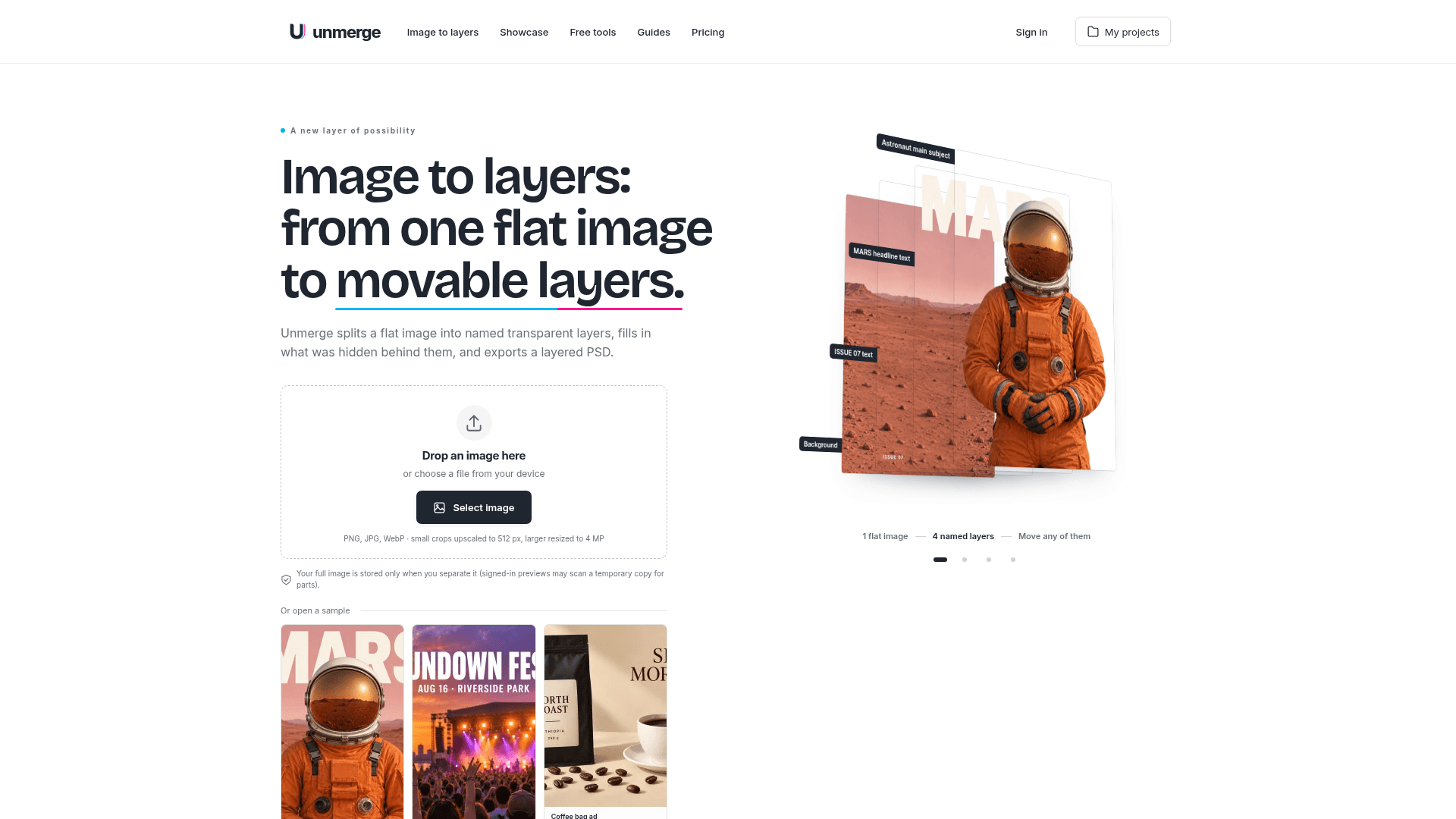
Unmerge is a web tool that turns a flat PNG, JPG or WebP image into separate named transparent layers and exports them as a layered PSD, a PNG ZIP, a composite PNG or a single-layer PNG. The site also lists an API and MCP page for layer extraction, plus free browser tools and sample projects.
What It Is
Unmerge is an image-to-layers tool. You upload a flat image such as a poster, product shot or photo, optionally describe what to separate, and a model returns each element it finds as its own transparent layer, plus a background layer with hidden areas filled in. Each layer has a name, a description and a position on the canvas, in stacking order.
How the Workflow Runs
Sign in, choose an image (up to 10 MB and 4 megapixels; larger images are resized in the browser and small crops are upscaled) and confirm in the workspace. A split returns up to 17 layers by default, or up to 100 when the description asks for more parts. Layers come back at about one megapixel, or at 2K if chosen at the start. You can hide, isolate or move layers in the workspace and then export. Sample projects and their downloads are free.
Limits Documented by the Vendor
- It does not recover an original layered file; it creates new layers from visible pixels.
- Text and shapes come back as raster pixels, not editable type or vectors.
- Areas hidden behind objects are generated, so they are plausible rather than exact.
- Images you separate are stored on your account until you delete them, while demo edits stay in the browser.
Other Tools on the Site
Unmerge offers free browser tools: Image Splitter, Sprite Sheet Splitter, PSD to PNG, PSD Viewer, Make PNG Transparent and SVG to PNG. It also publishes guides on exporting and on separating objects in Photoshop.
Community Discussions
Be the first to start a conversation about Unmerge
Share your experience with Unmerge, ask questions, or help others learn from your insights.
Pricing
Starter pack
One-time pack of 45 credits ($0.087 per layer); buy again any time.
- 45 credits
- Layers at 2K cost 2 credits each
- Layered PSD, PNG ZIP, composite PNG
- Nothing is charged if a split fails
Basic pack
One-time pack of 130 credits ($0.077 per layer); credits never expire.
- 130 credits (200 total with Black Friday bonus through Dec 1)
- Credits never expire
- Layers at 2K cost 2 credits each
- Layered PSD, PNG ZIP, composite PNG
- Nothing is charged if a split fails
Pro
400 credits every month; unused credits expire at the end of each month.
- 400 credits every month
- 4,800 credits a year
- Unused credits expire at the end of each month
- Cancel any time
Ultra
400 credits every month with every layer at 2K for 1 credit.
- 400 credits every month
- 4,800 credits a year
- Every layer at 2K for 1 credit (web, API & MCP)
- Unused credits expire at the end of each month
- Cancel any time
Capabilities
Key Features
- Splits a flat image into named transparent layers
- Fills in hidden areas behind elements with generated content
- Separates text into its own raster layers
- Splits sticker sheets into single items
- Each layer includes a name, description and canvas position
- Exports layered PSD, PNG ZIP, composite PNG or single layer PNG
- 1K or 2K layer output
- Optional description to guide which parts to separate, up to 100 layers
- Free sample projects and downloads
- Free browser tools including Image Splitter, PSD Viewer and SVG to PNG
- API and MCP access for layer extraction