
Upstream
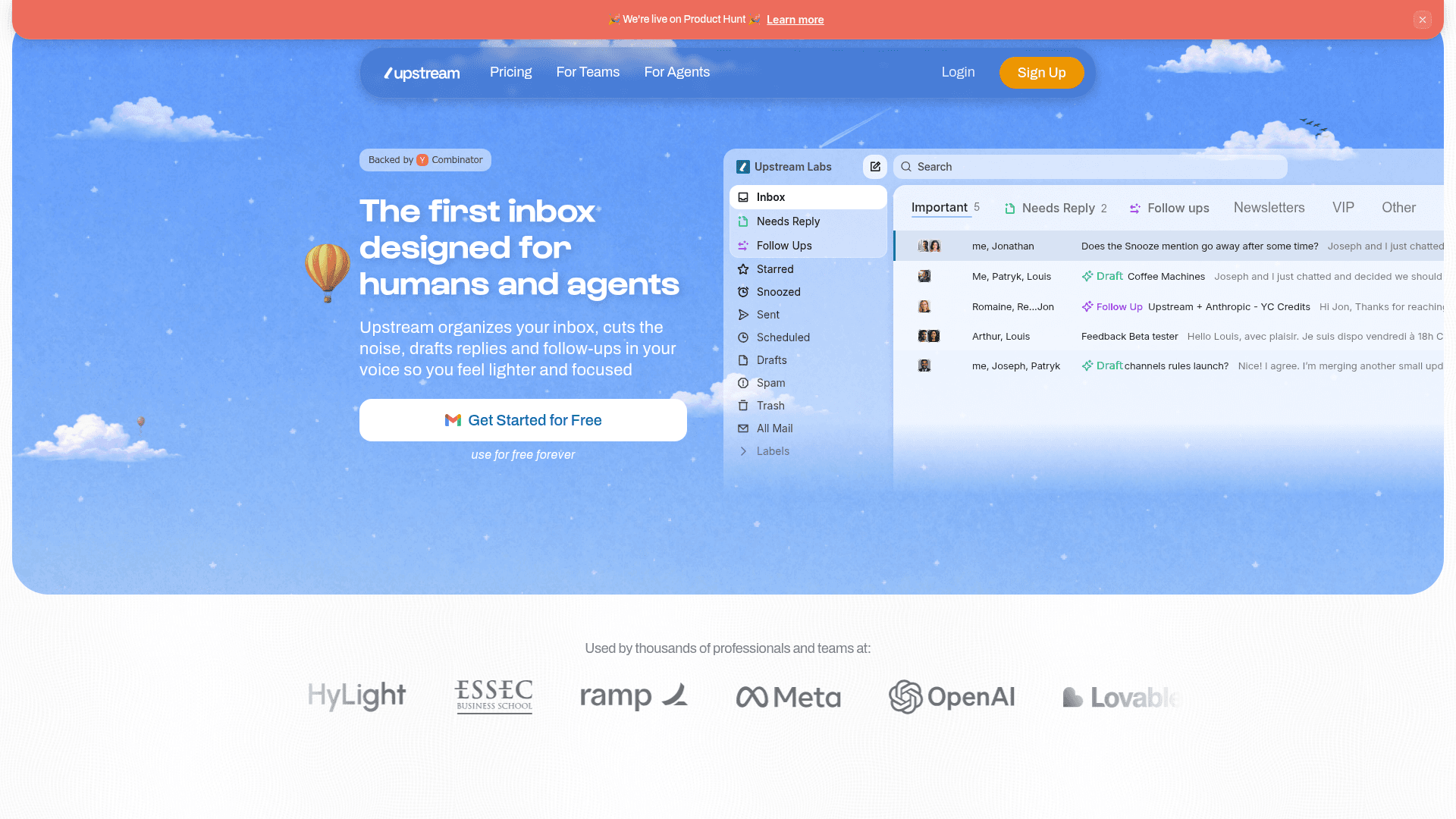
AI-powered email client for Gmail that organizes your inbox, drafts replies in your voice, and automates follow-ups so you can focus on what matters.
At a Glance
About Upstream
Upstream is an AI-powered email client built by Upstream Labs, Inc. and backed by Y Combinator. It connects to Gmail and uses agentic AI to sort incoming messages, pre-draft replies in the user's personal voice and tone, and surface smart follow-ups at the right time. The product is available as a web app and an iOS app, with a free-forever tier and paid plans for individuals and teams.
What It Is
Upstream sits on top of Gmail as a full inbox replacement rather than a plugin or add-on. Its core job is to reduce the cognitive load of email by doing three things automatically: organizing messages into focused "Splits," generating ready-to-send draft replies before you even open a thread, and scheduling follow-up reminders with pre-written drafts so nothing slips through the cracks. The product is positioned as "the first inbox designed for humans and agents," signaling that it is built to work alongside AI agents as well as human users.
How the Core Workflow Works
The Upstream workflow has three main stages:
- Triage: On arrival, messages are sorted into Splits (Primary, Needs Reply, VIP, Noise, etc.). Cold emails and newsletters are moved out of the way automatically. A "Needs Reply" view surfaces only the threads that require action.
- Draft: Upstream analyzes past sent emails to build a personalized voice-and-tone profile. When you open a message, an AI draft is already waiting. Drafts account for recipient history, thread context, and individual writing patterns.
- Follow-up: For threads where a reply was sent but no response came, Upstream assesses context to determine the right return time and pre-generates a follow-up draft.
Additional productivity features include keyboard shortcuts, a command palette (Command K), snooze, send-later, undo send, bulk triage for clearing backlogs, and multi-account support.
Team Collaboration Layer
Beyond individual productivity, Upstream includes a collaboration layer aimed at teams:
- Channels turn email threads into shared spaces where multiple team members can work together.
- Team Comments let colleagues have private discussions inside a thread without sending an external reply.
- Thread Sharing makes it easy to loop in teammates on any conversation.
- The free Core plan supports up to 5 team seats; paid plans remove the seat cap.
Integrations and Agent Support
Upstream connects to external tools to bring additional context into the inbox. The homepage highlights a native integration with Granola (a meeting notes tool) that automatically drafts follow-up emails after each meeting. The "For Agents" section indicates that AI agents can interact with the inbox directly, handling requests such as tracking receipts, booking meetings, or drafting personal notes. The product also surfaces context from calendar and knowledge-base apps.
Security and Privacy Posture
Upstream states CASA Tier 2 compliance, full encryption in transit and at rest, and a policy of never training AI models on user email data. Infrastructure is described as secure cloud with a claimed 99.9% uptime SLA.
Current Status
Upstream launched publicly on Product Hunt (the homepage displays a live Product Hunt banner). The company is incorporated as Upstream Labs, Inc. and lists Y Combinator as a backer. An iOS app is available on the App Store (app ID 6751403722). The pricing page shows an active "Save 20%" annual billing toggle, and the feature comparison table is live with three tiers: Core (free), Pro, and Max.
Community Discussions
Be the first to start a conversation about Upstream
Share your experience with Upstream, ask questions, or help others learn from your insights.
Pricing
Core
For everyday email and collaboration. Free forever.
- AI Drafts in your Voice & Tone
- Smart Follow Ups (3/week)
- Custom voice with up to 3 audiences
- Split Inboxes
- Team comments
Pro
For high-performing teams and individuals.
- Everything in Core
- Unlimited AI drafts & Follow Ups
- Fully customizable Voice & Tone
- Advanced AI models
- Control which emails need replies and follow ups
- Private channels
- Unlimited channel and comment history
- Unlimited team members
- 1-on-1 training
- Remove 'Sent with Upstream' signature
- Use Upstream across multiple accounts
Max
For large organizations with advanced security and AI needs.
- Everything in Pro
- Personal AI agents
- Team-wide AI automations
- Enterprise security & governance
- Dedicated support & onboarding
Capabilities
Key Features
- AI draft replies in your voice and tone
- Smart follow-up scheduling with pre-written drafts
- Split Inboxes for automatic message triage
- Needs Reply pre-sorting on inbox open
- Custom voice and tone profiles per audience
- Team comments inside email threads
- Shared channels for team collaboration
- Granola integration for post-meeting follow-ups
- AI Compose for writing new emails from scratch
- Command palette (Command K) for instant navigation
- Keyboard shortcuts for blazing-fast navigation
- Snooze with natural language input
- Send later and undo send
- Bulk triage for clearing email backlogs
- Multiple account support
- AI search across inbox
- Support for OpenAI and Claude models
- CASA Tier 2 compliance
- End-to-end encryption in transit and at rest
- No AI training on user email data
- iOS mobile app
- Channel rules for automated organization