Usagebar
Track Claude Code usage limits and remaining session context directly from your macOS menu bar.
At a Glance
Free download for students or those who can't afford to pay
Engagement
Available On
Alternatives
Listed Feb 2026
About Usagebar
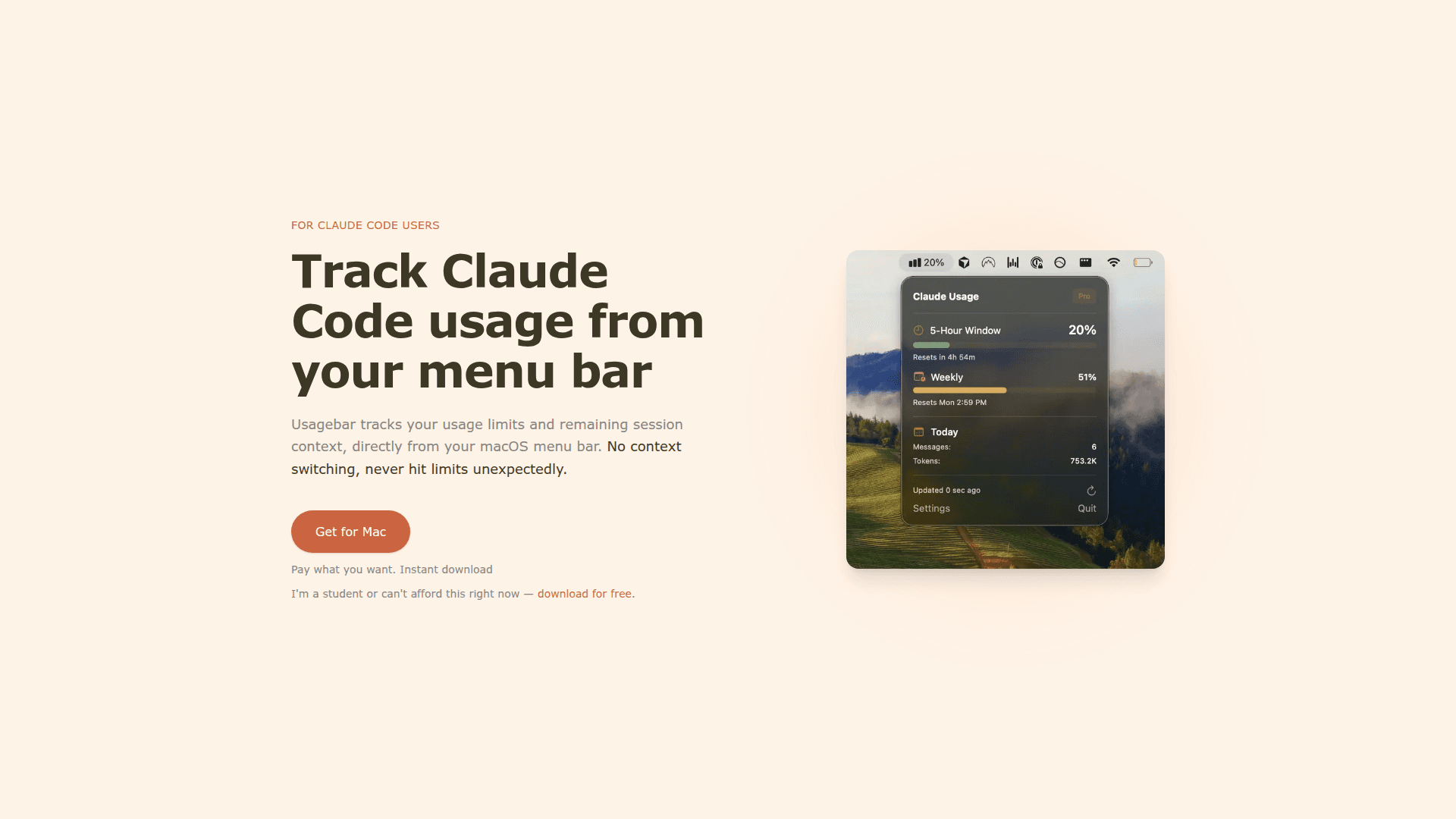
Usagebar is a macOS menu bar application designed specifically for Claude Code users to monitor their usage limits and session context without interrupting their workflow. The tool provides real-time visibility into API usage directly from the menu bar, eliminating the need to switch tabs or hunt through dashboards.
The application helps developers stay productive by providing at-a-glance usage information and smart notifications that alert users before they hit rate limits. This allows developers to make informed decisions about which AI model to use for different tasks and avoid unexpected interruptions during critical work.
- Menu Bar Integration displays usage statistics directly in the macOS menu bar, allowing developers to check their Claude Code usage with a single glance without context switching
- Smart Notifications sends alerts at 50%, 75%, and 90% usage thresholds so users can wrap up work before hitting the 5-hour lockout, plus warnings when session context is running low
- Reset Timers shows exactly when the next usage window opens, helping users plan their work around rate limit resets
- Secure Authentication leverages existing Claude Code credentials via macOS Keychain for secure, seamless authentication without additional login steps
- Model Optimization Guidance helps users make smarter choices about when to use Opus versus switching to Sonnet or Haiku for lighter tasks to conserve usage limits
To get started, simply download the application from the website using the pay-what-you-want model. The app integrates with your existing Claude Code setup through Keychain authentication, requiring no additional configuration. Once installed, the usage tracker appears in your menu bar and begins monitoring your Claude Code usage automatically.
Community Discussions
Be the first to start a conversation about Usagebar
Share your experience with Usagebar, ask questions, or help others learn from your insights.
Pricing
Free
Free download for students or those who can't afford to pay
- Menu bar usage tracking
- Smart notifications
- Session context monitoring
- Reset timers
- Secure Keychain authentication
Pay What You Want
Pay what you want with instant download
- Menu bar usage tracking
- Smart notifications
- Session context monitoring
- Reset timers
- Secure Keychain authentication
Capabilities
Key Features
- Menu bar usage tracking
- Smart notifications at 50%, 75%, and 90% usage
- Session context monitoring
- Reset timer display
- Secure Keychain authentication
- Low context warnings