
use-fs
A React hook for the File System Access API and Origin Private File System (OPFS) that watches directories and re-renders on file changes.
At a Glance
Fully free and open-source under the MIT License. Install via npm and use without restrictions.
Engagement
Available On
Alternatives
Listed Aug 2026
About use-fs
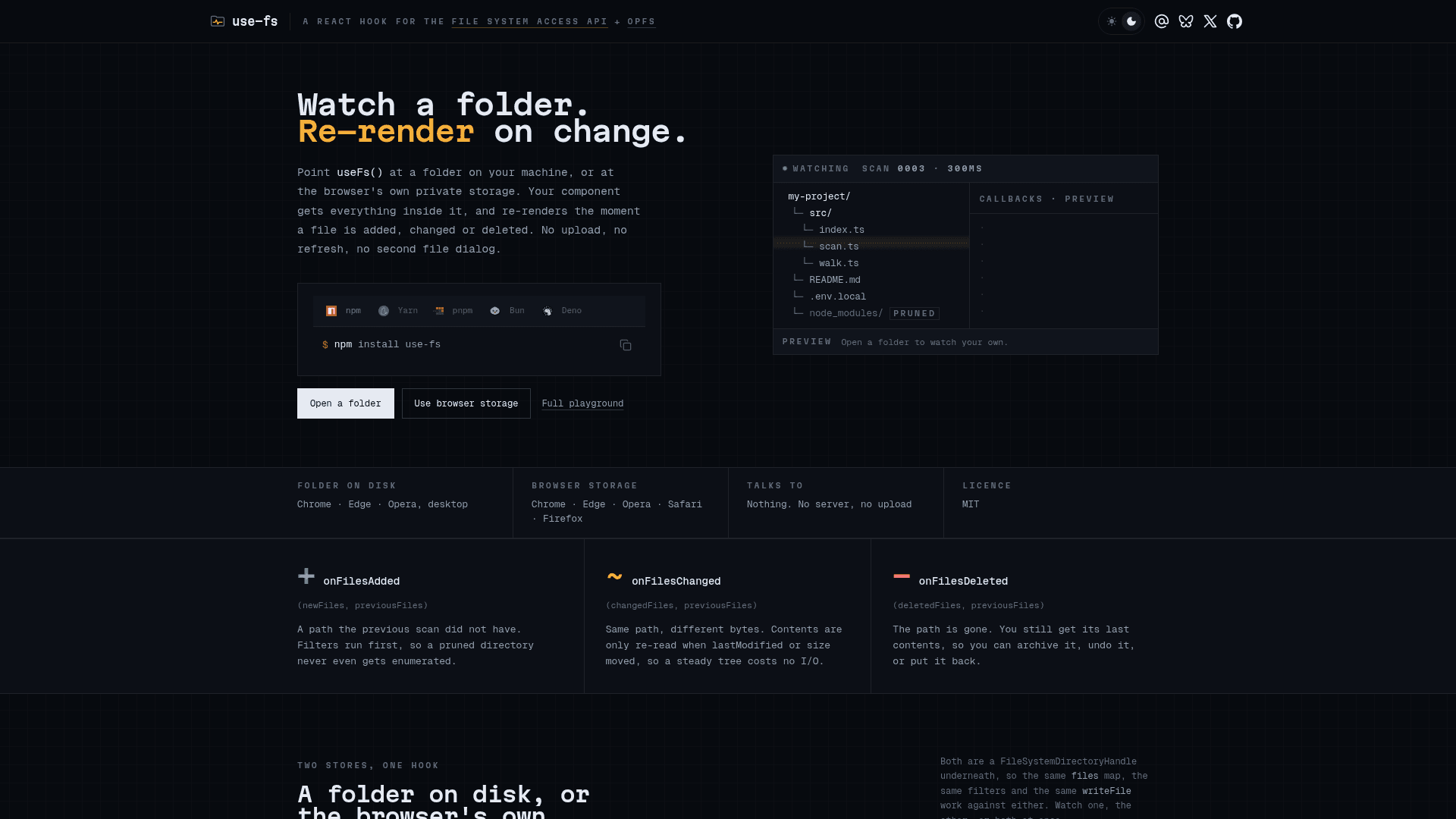
use-fs is an open-source React hook built by Tim Mikeladze (linesofcode.dev) that integrates with the browser's File System Access API and the Origin Private File System (OPFS). It lets a React component point at a directory — either a real folder on disk or the browser's private storage — and automatically re-renders whenever a file is added, changed, or deleted. The library is MIT-licensed and available on npm and GitHub.
What It Is
use-fs wraps the FileSystemDirectoryHandle interface shared by both the directory picker and OPFS into a single useFs() hook. The hook returns a Map<string, string> of file paths to contents, a set of action methods for reading and writing files, and lifecycle callbacks (onFilesAdded, onFilesChanged, onFilesDeleted) that fire immediately on each scan. Because both storage backends expose the same handle type, the same hook, the same files map, and the same writeFile call work against either — only the backing store changes.
How Watching Works
The hook polls on a configurable interval (default 300ms) using a three-step scan cycle:
- Walk — breadth-first traversal with bounded concurrency; filters that reject a directory prune the entire subtree, so
node_modulesis never enumerated. - Stat — each discovered file is stat'd first; contents are re-read only when
lastModifiedorsizechanged, so a large idle tree costs no content I/O. - Diff — added, changed, and deleted paths are resolved against the previous scan; rendered state is coalesced by a configurable
debounceIntervalwhile callbacks always fire immediately.
Scans never throw: a directory that cannot be enumerated keeps its last known contents and surfaces the reason through an error field.
Two Storage Backends
Folder on disk — the user picks a directory through the browser's native picker and grants access. The app reads and writes real files that are also visible to the user's editor, terminal, and backups. Supported on desktop Chrome, Edge, and Opera only; requires a user gesture to open the picker.
Origin Private File System (OPFS) — a private directory tree scoped to the origin, kept across reloads, and invisible to the user. No picker, no permission prompt, and no user gesture required, so it can be mounted in a useEffect. Supported in Chrome, Edge, Opera, Safari 17+, and Firefox 111+. The hook recommends mounting a named subdirectory (e.g. addOpfsDirectory({ name: "notes" })) rather than the OPFS root to avoid walking WASM databases and other libraries sharing the same origin.
Filters and the Full API
commonFilters (the default) prunes build output directories (node_modules, dist, .next, etc.), drops OS scratch files (.DS_Store, Thumbs.db), and honours nested .gitignore files. Custom filters can be composed with createFilter, createExcludedDirectoryFilter, and createExcludedFileFilter. A filter that rejects a directory prunes its entire subtree before enumeration.
The hook also exports lower-level primitives — walkDirectory, scanDirectories, toContentMap, getOpfsRoot, getDirectoryPicker, and ensurePermission — for building on top of the same internals.
Key return values include files, handles, directories, isProcessing, isPolling, isBrowserSupported, isOpfsSupported, error, writeFile, createFile, deleteFile, deleteDirectory, refresh, startPolling, stopPolling, requestPermission, and onClear.
Update: Release 2.0.0
Version 2.0.0 was published on 21 August 2026, making it the current stable release. The repository was last pushed on the same date and shows active maintenance with zero open issues. The project was originally created in September 2023 and has accumulated 63 GitHub stars and 4 forks as of the latest metadata.
Community Discussions
Be the first to start a conversation about use-fs
Share your experience with use-fs, ask questions, or help others learn from your insights.
Pricing
Open Source
Fully free and open-source under the MIT License. Install via npm and use without restrictions.
- Full use-fs hook with all features
- File System Access API integration
- OPFS support
- MIT License — free to use, modify, and distribute
- Community support via GitHub
Capabilities
Key Features
- Watch a folder on disk or OPFS and re-render on file changes
- onFilesAdded, onFilesChanged, onFilesDeleted lifecycle callbacks
- Breadth-first directory walk with bounded concurrency
- Stat-based change detection (only re-reads when lastModified or size changes)
- commonFilters: prunes build output, OS scratch files, and .gitignore entries
- Custom filter composition with createFilter
- writeFile, createFile, deleteFile, deleteDirectory actions
- addOpfsDirectory for no-prompt browser storage access
- onDirectorySelection for native directory picker
- addDirectory for pre-existing FileSystemDirectoryHandle
- Configurable pollInterval, debounceInterval, batchSize, concurrency
- startPolling / stopPolling for manual loop control
- requestPermission for re-requesting access to watched roots
- isBrowserSupported and isOpfsSupported feature flags
- Lower-level exports: walkDirectory, scanDirectories, getOpfsRoot, ensurePermission