Vibe Island
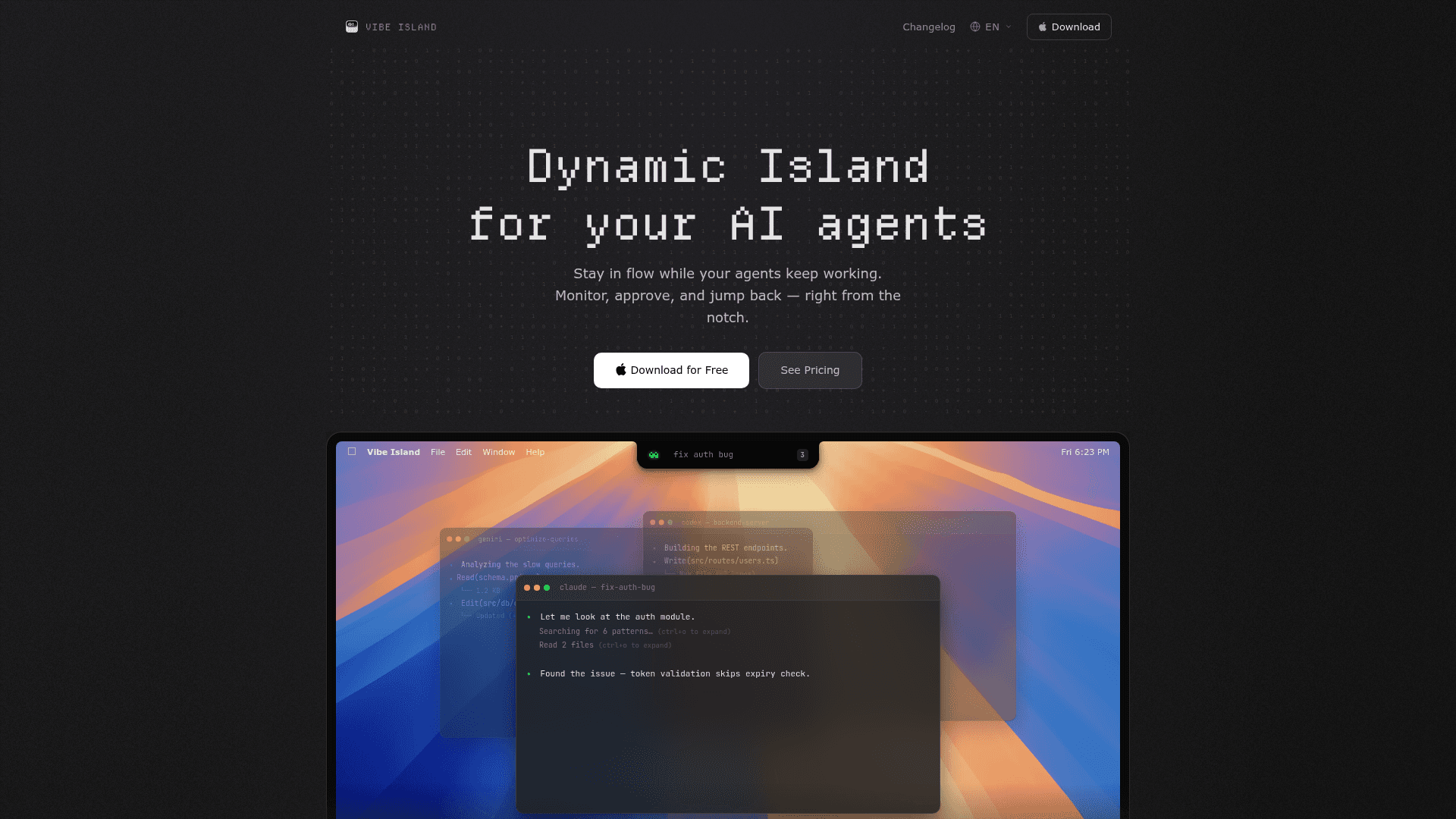
A native macOS app that brings all your AI coding agents into the Mac notch, letting you monitor, approve, and jump back to any agent without leaving your editor.
At a Glance
About Vibe Island
Vibe Island is a native macOS app built by Edward (edwardluox) that turns the MacBook notch into a unified control panel for AI coding agents. It supports 26 CLI-based AI tools — including Claude Code, Codex, Gemini CLI, Cursor, Kiro, and more — and lets developers monitor progress, approve permissions, and answer agent questions without switching windows. The app is a one-time purchase with no subscription required.
What It Is
Vibe Island sits in the Mac's Dynamic Island notch area as a lightweight, non-activating overlay. When an AI agent requests a file edit, runs a bash command, or asks a question, the notch panel expands to show the request and lets the developer approve or deny it with a keyboard shortcut — all without leaving the editor. On Macs without a built-in notch (or on external monitors), it appears as a compact floating bar at the top center of the screen.
Supported Agents and Zero-Config Setup
On first launch, Vibe Island auto-configures every supported CLI tool with no API keys, no cloud accounts, and no manual editing required. The site lists 26 supported agents:
- Claude Code, Codex, ZCode, Gemini CLI, Antigravity CLI
- Cursor, Trae, OpenCode, MiMoCode, Droid, Qoder
- Qwen, Grok Build, Kimi Code, DeepSeek, Mistral Vibe
- Copilot, CodeBuddy, WorkBuddy, Kiro, Hermes, Amp
- Pi Agent, Oh My Pi, Gajae Code, Kimi
All sessions appear in one unified notch panel, and multiple agents can run simultaneously.
Terminal Jump and Workflow Integration
Vibe Island supports precise terminal jump — including split panes and tmux sessions — across 20+ terminals: iTerm2, Ghostty, Warp, Terminal.app, WezTerm, Kitty, Zellij, VS Code, Cursor, Windsurf, Alacritty, Hyper, Zed, Conductor, Termius, and more. Clicking a session in the notch takes the developer directly to the exact tab and pane where that agent is running. The app also includes 8-bit synthesized sound alerts for agent events, with support for custom sound packs.
Architecture and Privacy
Vibe Island is written in pure Swift — not Electron — and is built for Apple Silicon. The site states it uses under 50 MB of RAM and near-zero CPU when idle. All communication between the app and CLI tools happens locally on the Mac; no session content, tool names, or terminal metadata is sent to any server. There are no cloud accounts and no telemetry.
Additional features include:
- Plan Review: Preview agent plans with full Markdown rendering before approving
- Usage Tracking: Real-time quota display for Claude, Codex, Kimi, GLM, and DeepSeek
- SSH Remote: Run agents on remote servers and monitor from the Mac with one-click deploy and auto-reconnect
- Homebrew install: Available via
brew install --cask vibe-island
Licensing Model
Vibe Island uses a one-time purchase model with per-Mac licensing. Licenses are tied to a number of concurrent Macs (1, 2, or 3), and can be transferred to a new machine by deactivating the old one first. The site notes an early bird pricing period is active. A free trial DMG download is available before purchase.
Community Discussions
Be the first to start a conversation about Vibe Island
Share your experience with Vibe Island, ask questions, or help others learn from your insights.
Pricing
Free Trial
Download and try Vibe Island for free before purchasing a license.
- Full app download
- Monitor AI agents from the notch
- No time limit stated — trial before purchase
Vibe Island License – 1 Mac
Early bird one-time purchase for 1 Mac.
- Support for 26 AI coding agents
- GUI approval & question answering
- Precise terminal jump (20+ terminals)
- Unlimited sessions & future updates
- Native Swift — under 50MB RAM
Capabilities
Key Features
- Monitor 26 AI coding agents from the Mac notch
- GUI permission approval and denial with keyboard shortcuts
- Answer agent questions without context-switching
- Precise terminal jump including split panes and tmux
- Plan review with full Markdown rendering
- 8-bit synthesized sound alerts with custom sound pack support
- Real-time usage quota tracking for Claude, Codex, Kimi, GLM, DeepSeek
- SSH remote agent monitoring with auto-reconnect
- Zero-config auto-setup on first launch
- Native Swift app — under 50MB RAM, near-zero CPU when idle
- Fully local — no cloud, no accounts, no telemetry
- Homebrew cask install support
- Works on external monitors as floating bar
- Supports 20+ terminals including split panes and tmux